Integrating Prometheus Data
Confirming the Collector Deployment Location
Collector needs to read data from the Prometheus Exporter interface. Ensure that the network between Collector and the Prometheus Exporter server is accessible.
Minimum Collector version: 4.2.0.0, with the Guanyun Collector module enabled.
Configuring Network and Port Rules
The following IP addresses and ports are examples. Update them based on your environment before applying the network rules.
| Source Address | Target Address | Target Port | Description |
|---|---|---|---|
| Collector Host | Guanyun Platform | 80 | Installing Collector and uploading data to Guanyun Platform |
| Collector Host | Prometheus Exporter | 9090 | Reading Prometheus Exporter data |
Installing Collector
-
Log in to Guanyun Platform, and in the left navigation menu select All Applications > Deployment Status > Collectors Operation.
-
Click Create in the upper-right corner and configure the Collector parameters.
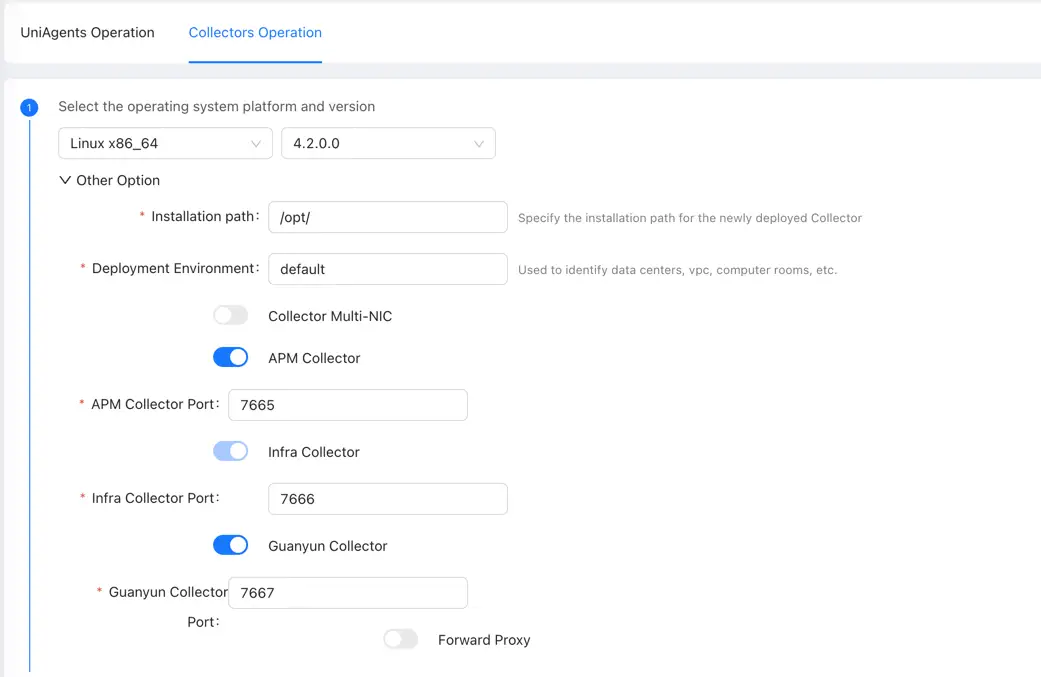
You need to enable the Guanyun Collector function to ingest monitoring data from Zabbix, Prometheus, OpenTelemetry, external data sources, and more.
Copy the installation script and install the Collector.
Configuring Collector to Receive Prometheus Data
Entering Collector Installation Directory
cd /opt/tingyun-collector/
Enabling the Prometheus Module (Host Metrics Only)
cd conf.d/prometheus
cp host-receiver.yaml.example host-receiver.yaml
cp host-processor-exporter.yaml.example host-processor-exporter.yaml
Edit the configuration for receiving Prometheus data. Be sure to update the targets and metrics_path fields.
vim host-receiver.yaml
receivers:
  prometheus/host:
    report_extra_scrape_metrics: false
    config:
      scrape_configs:
        - job_name: 'guanyun-default-prometheus'
          scrape_interval: 60s

          # password and password_file are mutually exclusive. password must be plaintext; password_file must also be plaintext and can be set chmod 600 for the current user
          #basic_auth:
          #  username: ""
          #  password: ""
          #  password_file:

          # Required
          # Prometheus scrape URI
          # Default /federate
          metrics_path: /federate
          params:
            'match[]':
              - '{__name__=~"node_cpu.*"}'
              - '{__name__=~"node_uname.*"}'
              - '{__name__="node_memory_MemFree_bytes"}'
              - '{__name__="node_memory_Shmem_bytes"}'
              - '{__name__="node_memory_Buffers_bytes"}'
              - '{__name__="node_memory_Cached_bytes"}'
              - '{__name__="node_memory_MemTotal_bytes"}'
              - '{__name__="node_memory_SwapTotal_bytes"}'
              - '{__name__="node_memory_SwapFree_bytes"}'
              - '{__name__=~"node_vmstat.*"}'
              - '{__name__=~"node_disk.*"}'
              - '{__name__=~"node_filesystem.*"}'
              - '{__name__=~"node_network.*"}'
              - '{__name__="node_netstat_Tcp_CurrEstab"}'
              - '{__name__="node_sockstat_TCP_tw"}'
              - '{__name__=~"node_load.*"}'
          static_configs:

            # Required
            # Prometheus scrape IP and port
            # Example: ['192.168.1.1:9090']
            - targets: ['']
          metric_relabel_configs:
            - source_labels: [exported_instance]
              target_label: exported_instance
              regex: '(.+):.*'
              replacement: '$${1}'
The default scrape path is /federate. If Prometheus is configured with --web-external-url=prometheus, set metrics_path: /prometheus/federate.
Restarting Collector
After modifying the configuration, you need to restart Collector.
sudo systemctl restart tingyun-collector
Validating Data
tail -f /opt/tingyun-collector/logs/guanyun/collector.log
Viewing Data in Guanyun Platform
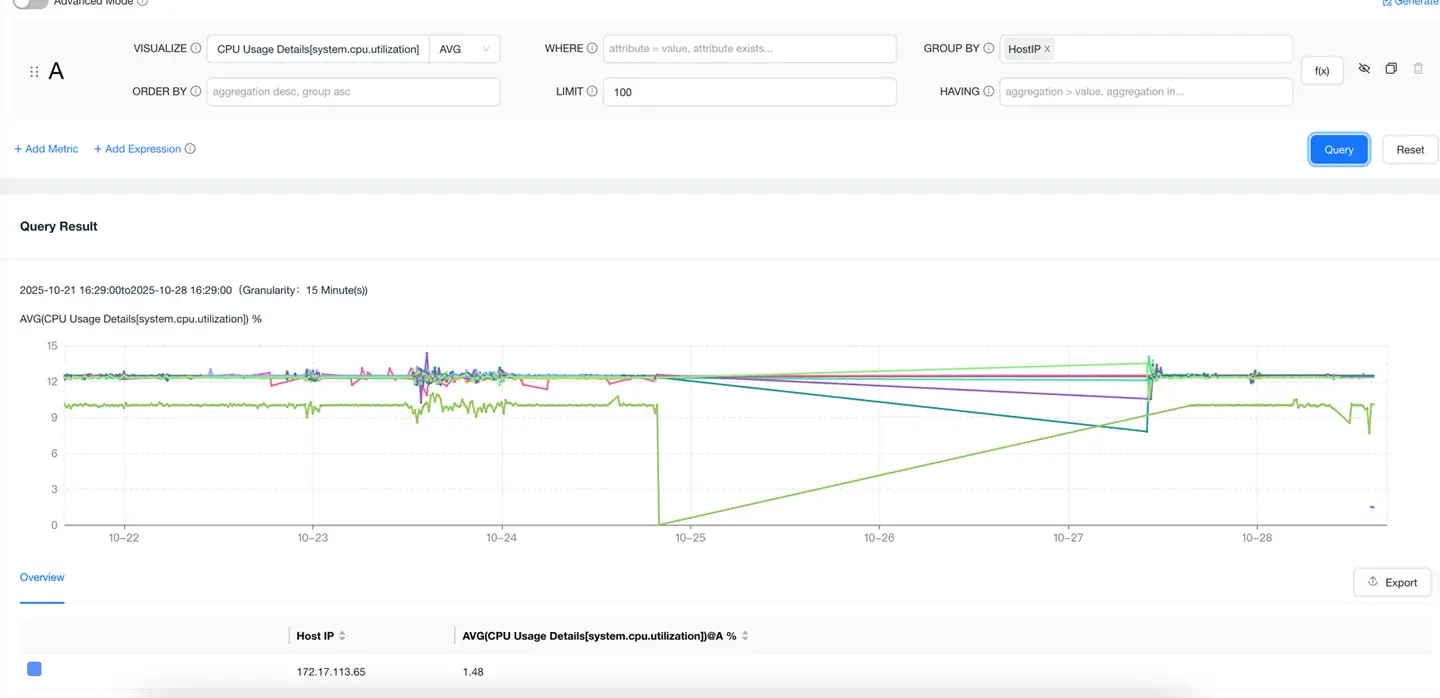
Go to the Data Explorer lite App, select METRIC as the data model, query any host metric, group by host IP, and confirm that the host IP from the integrated Prometheus data appears in the list.