MQ
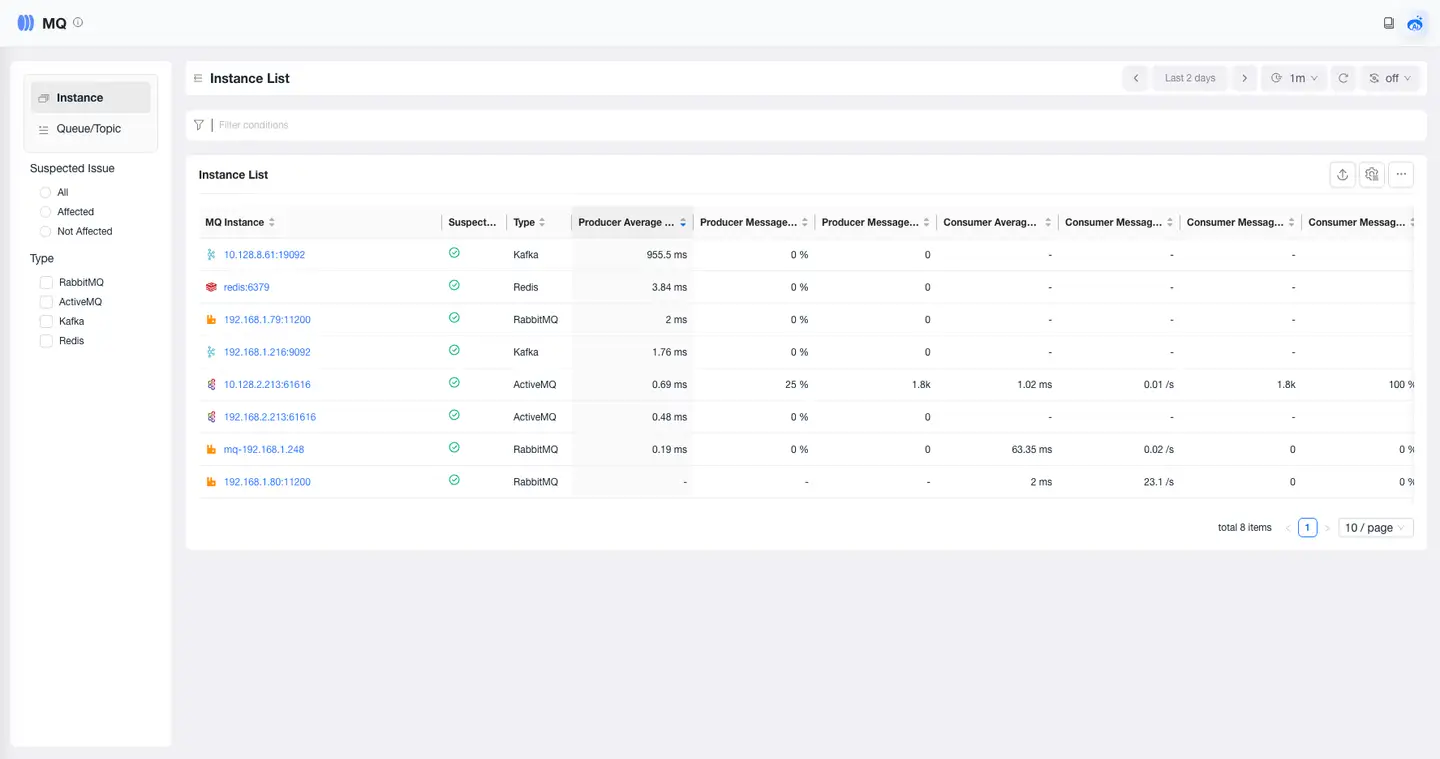
MQ List
On the MQ List page, users can view a list of all message queue components within the statistical period. Click the Instance Name to enter the details page and view detailed information such as relationships, performance, and exceptions for the MQ.
MQ Overview
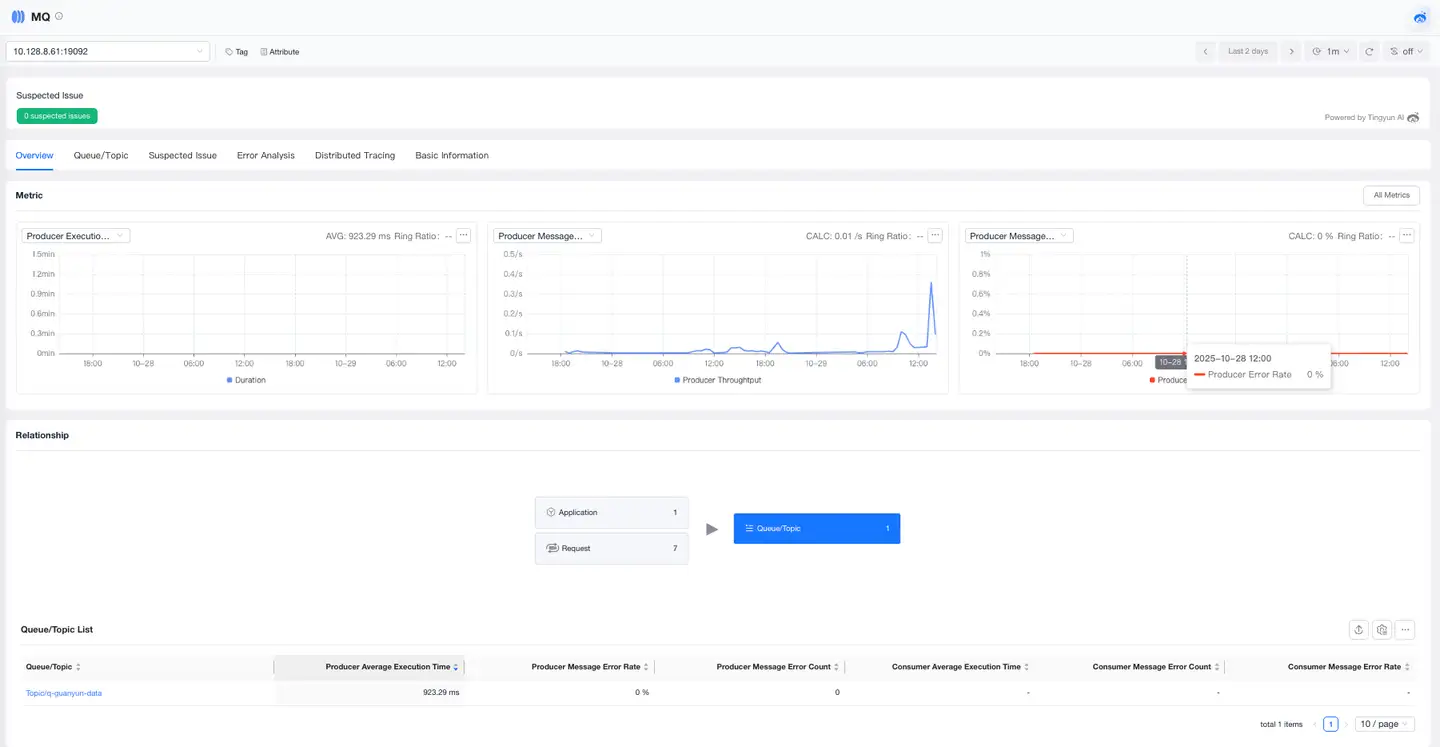
The Overview provides a comprehensive performance view of the MQ, including information such as tags, attributes, Problems, metrics, and relationships. Through this page, you can quickly understand the performance trends of the MQ and its upstream invocation relationships, helping you rapidly locate issues and optimize MQ performance.
-
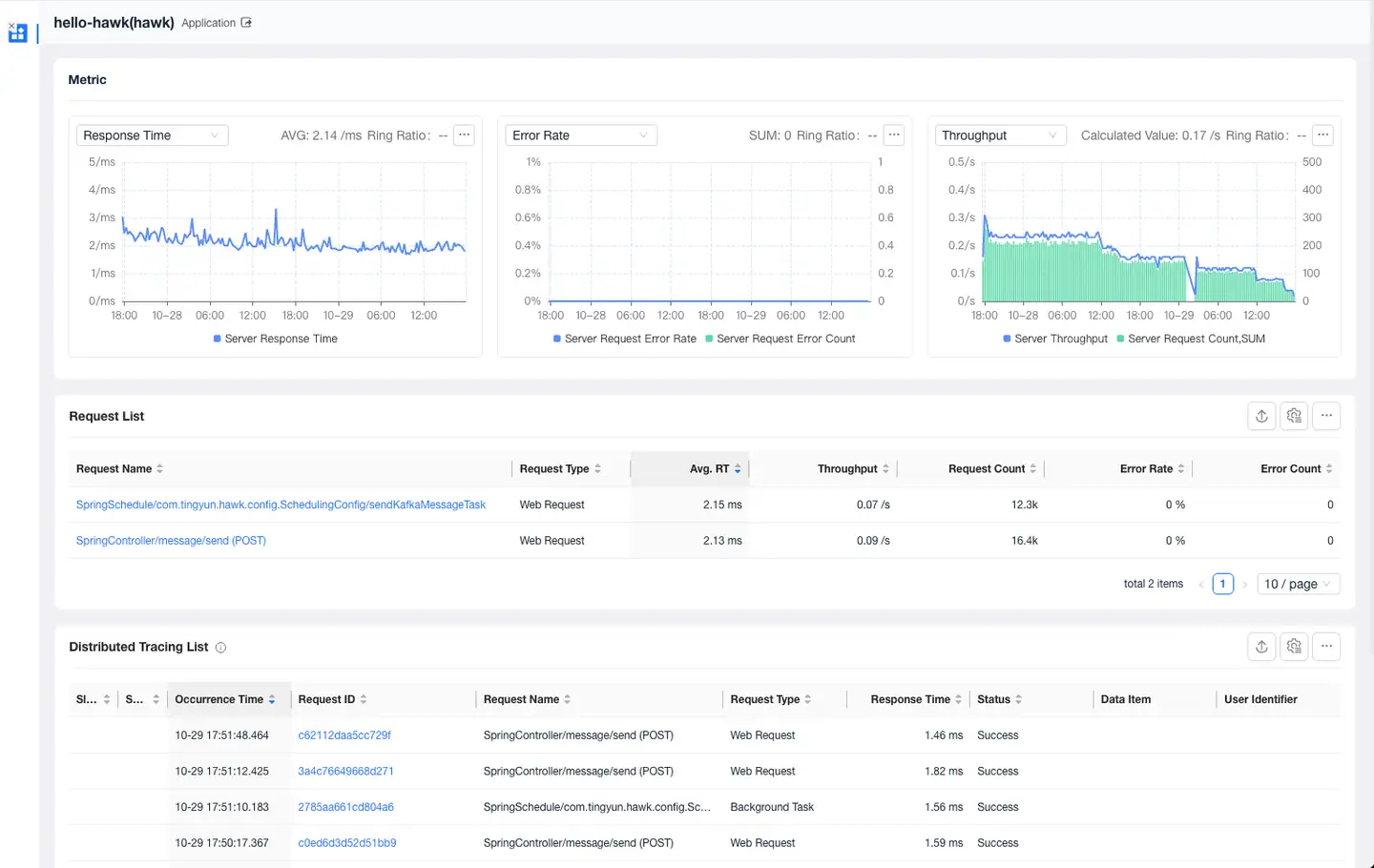
Click on an application/request card to view the list of applications/requests invoking the MQ and related metrics.

-
Click on the application/request name to view details about the invocation of the current MQ, including metrics for the application/request invoking the MQ and the distributed trace list.
Queue/Topic
The Queue/Topic list displays all Queues/Topics for the current MQ. You can view all Queues/Topics and their related performance metrics. Within the Queue/Topic details, you can view its metrics, the list of caller requests, and related traces.
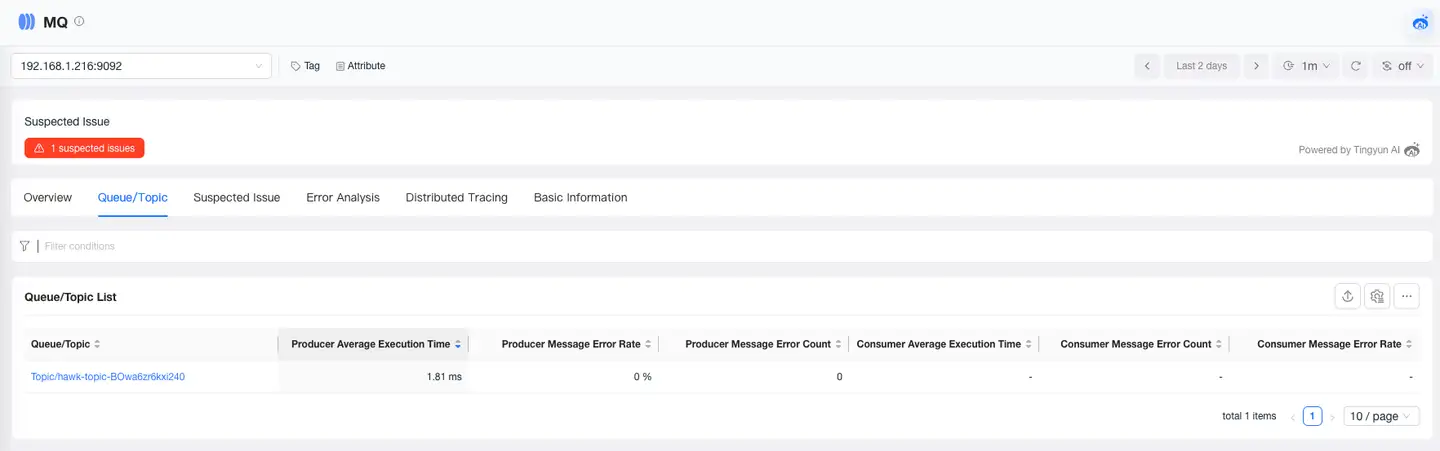
Click on a Queue/Topic to view its details, including information such as metrics, caller requests, traces, and error analysis.
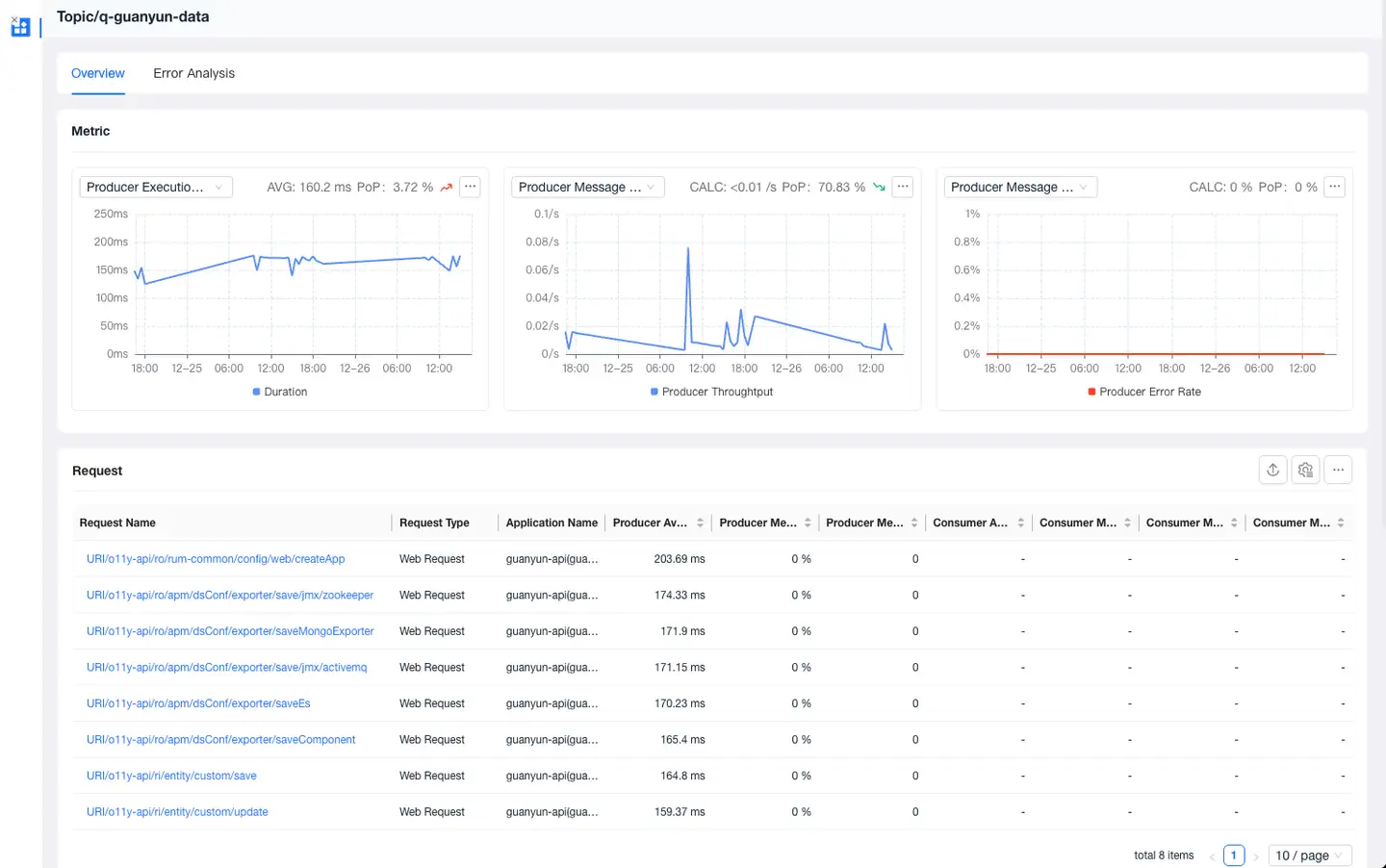
Problems
The Problems page displays all problems for the current MQ. Users can view information such as problem descriptions, impact scope, and possible causes to help quickly identify potential faults. Click the Issue ID to view information about the problem's root cause and impact scope.
Error Analysis
The Error Analysis page allows users to view all error messages that occurred in the current MQ. It supports locating the impact scope and root cause of errors, and allows viewing traces associated with the errors.
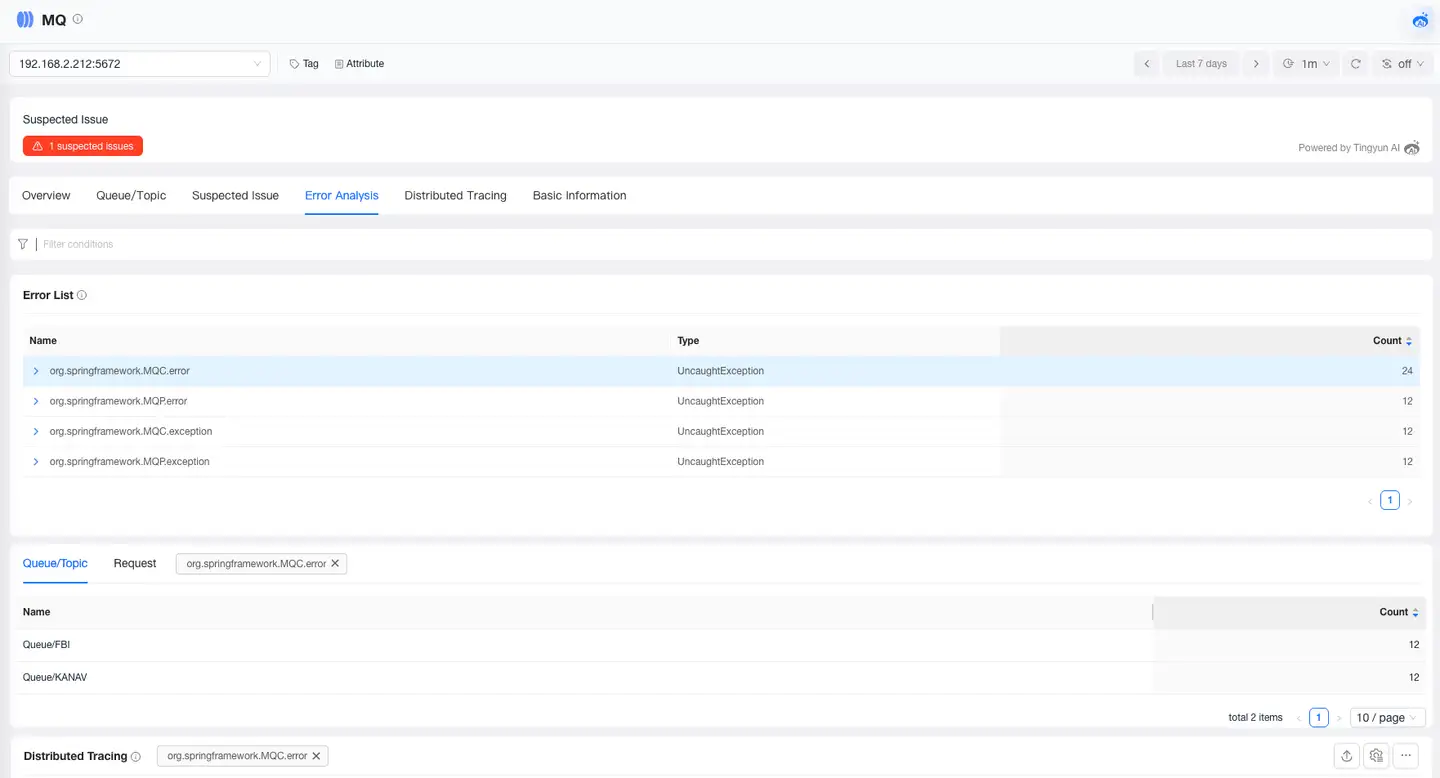
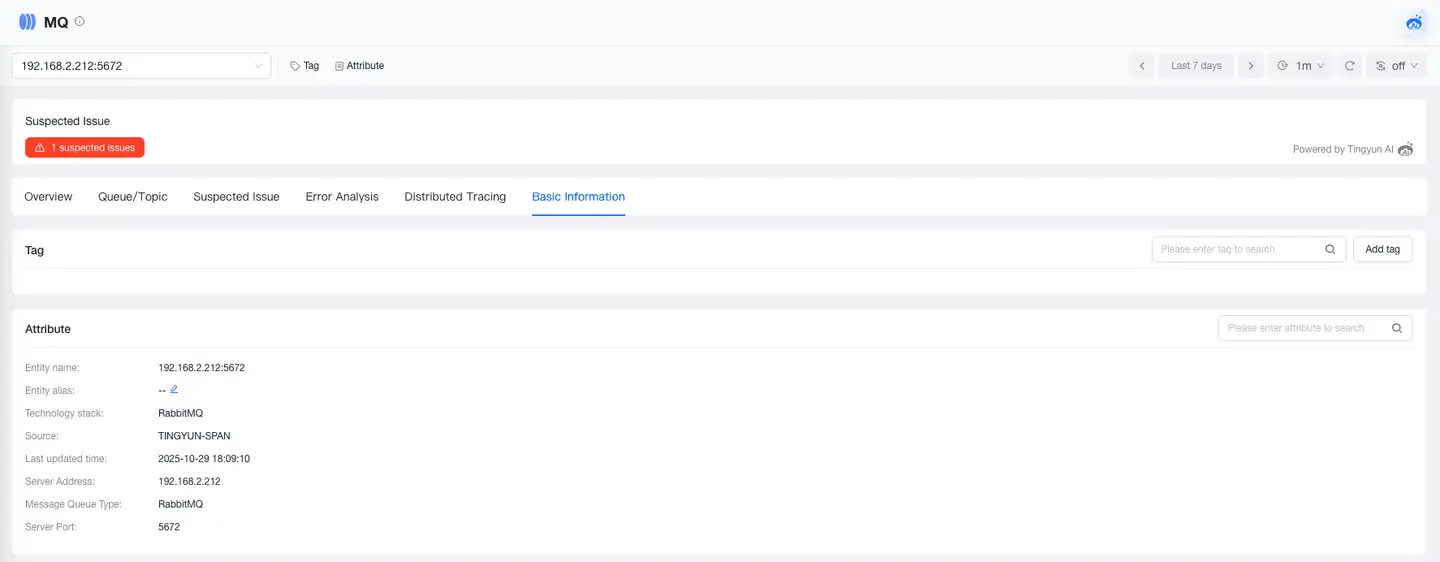
Basic Information
The Basic Information page displays the MQ's tags and attributes. The Tags module shows the key-value pairs of tags and supports users adding or deleting tags. The Attributes module displays MQ attribute information, such as name, alias, and type.