Tracing Analysis
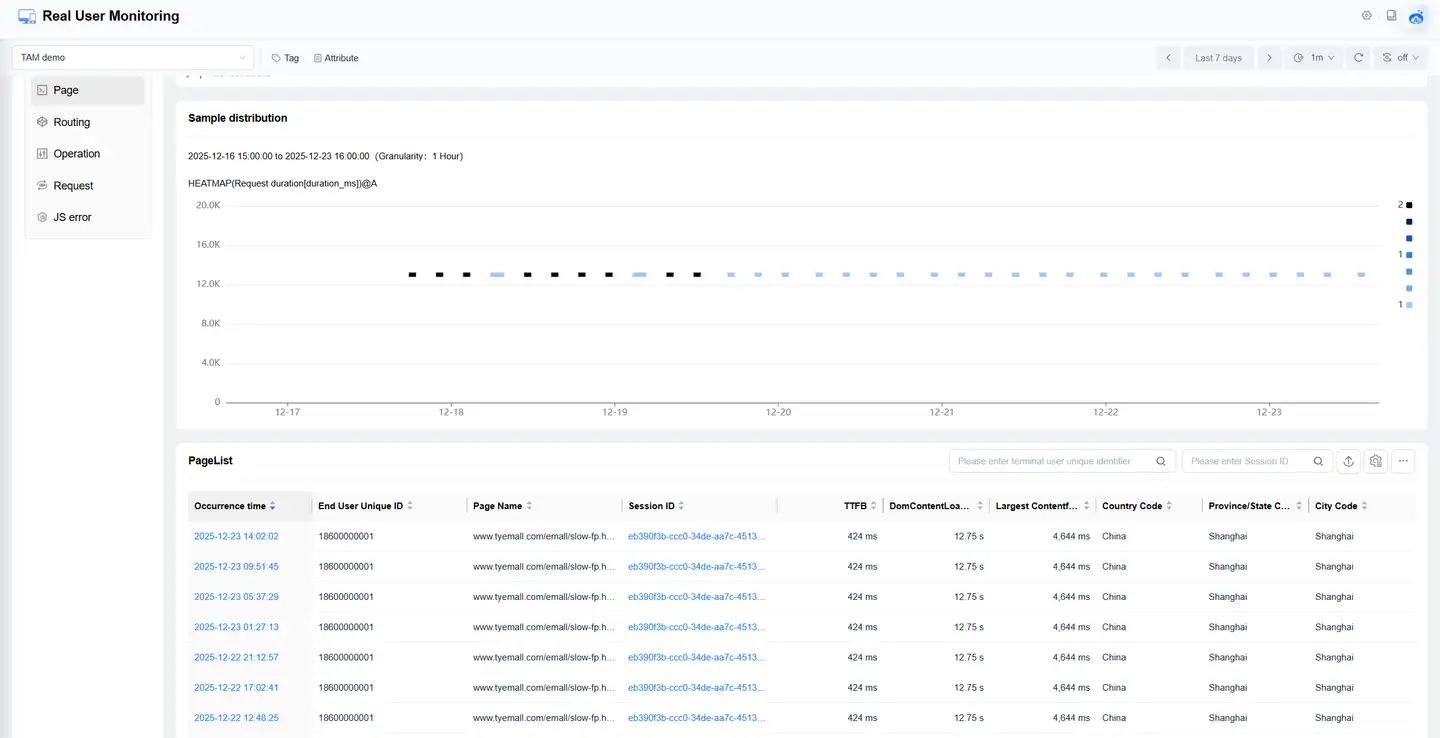
The user tracing function helps you deeply analyze abnormal situations during user access, restore the scene where problems occur, and find the root causes that affect user experience.
Tracing Scope
User Classification
Tracing can be based on the following user ranges:
- All users
- VIP user groups
- All VIP users
Note: VIP users can be configured in Alerts > Configuration > VIP User List.
Tracing Dimensions
Supports user tracing through the following dimensions:
- User ID
- Session ID
Exception Types
Can trace the following types of exceptions:
- Page
- Route
- Operation
- Request
- JS Error
Function Operations
Basic Operations
-
Entry method:
- Click Web Application > Tracing in the left navigation bar
-
Application filtering:
- By default, tracing records of all applications are displayed
- You can select a specific application in the application dropdown menu in the upper left corner of the page
-
Data export:
- Click the new export task button in the upper right corner of the page
- Can export all exception single samples within the selected time period
- Download export results on the Export List page
Exception Analysis
Click different types of exception records to view detailed information:
-
Page loading exception:
- Can view:
- Page access waterfall chart
- Error resources
- Resource type statistics
- Can view:
-
Operation exception:
- Click the operation name of operations and failed operations
- Can view operation analysis details
-
JS error:
- Click the error message of JS errors
- Can view error details