Application Settings
Click on the application settings for the corresponding Mini Program in the list to configure basic settings, threshold settings, and scoring settings for that application.
Basic Settings
This template allows you to set the Mini Program application name, download the probe, and configure the colors and interval values displayed in the region module for various metrics (onReady, first response, request time, request error rate, JS error rate, server-side time, performance score, loading time, setData frequency, setData time, operation time, operation request time, operation server-side average time, network request frequency).

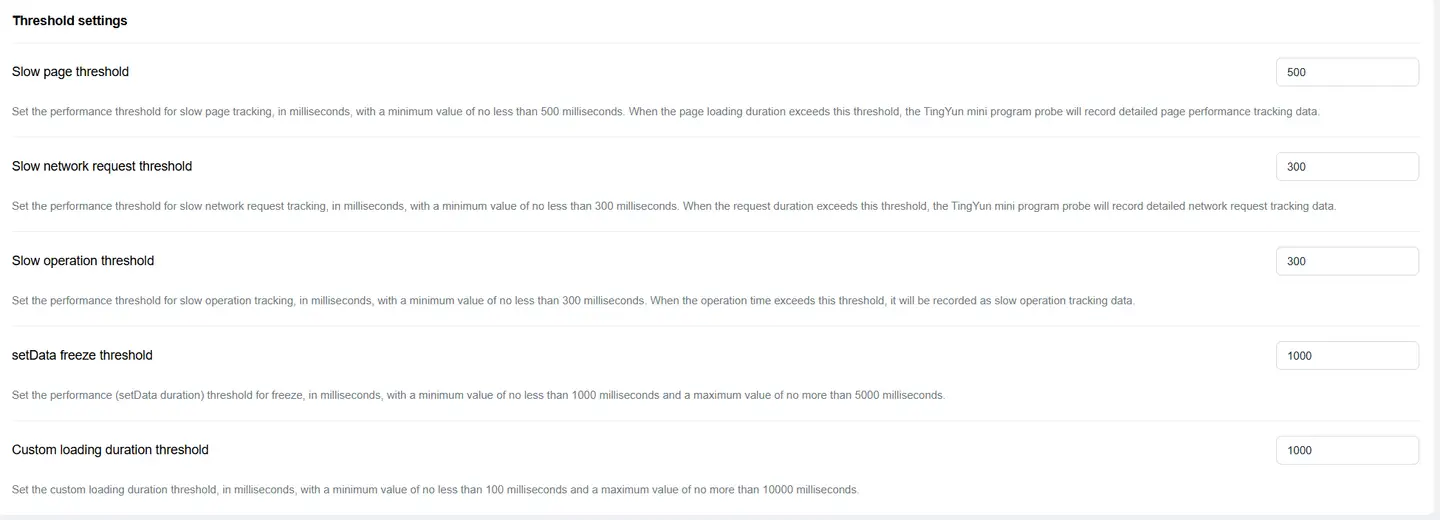
Threshold Settings
Customize thresholds for slow pages (loading time threshold), slow requests, slow operations, setData lag, and custom loading time.
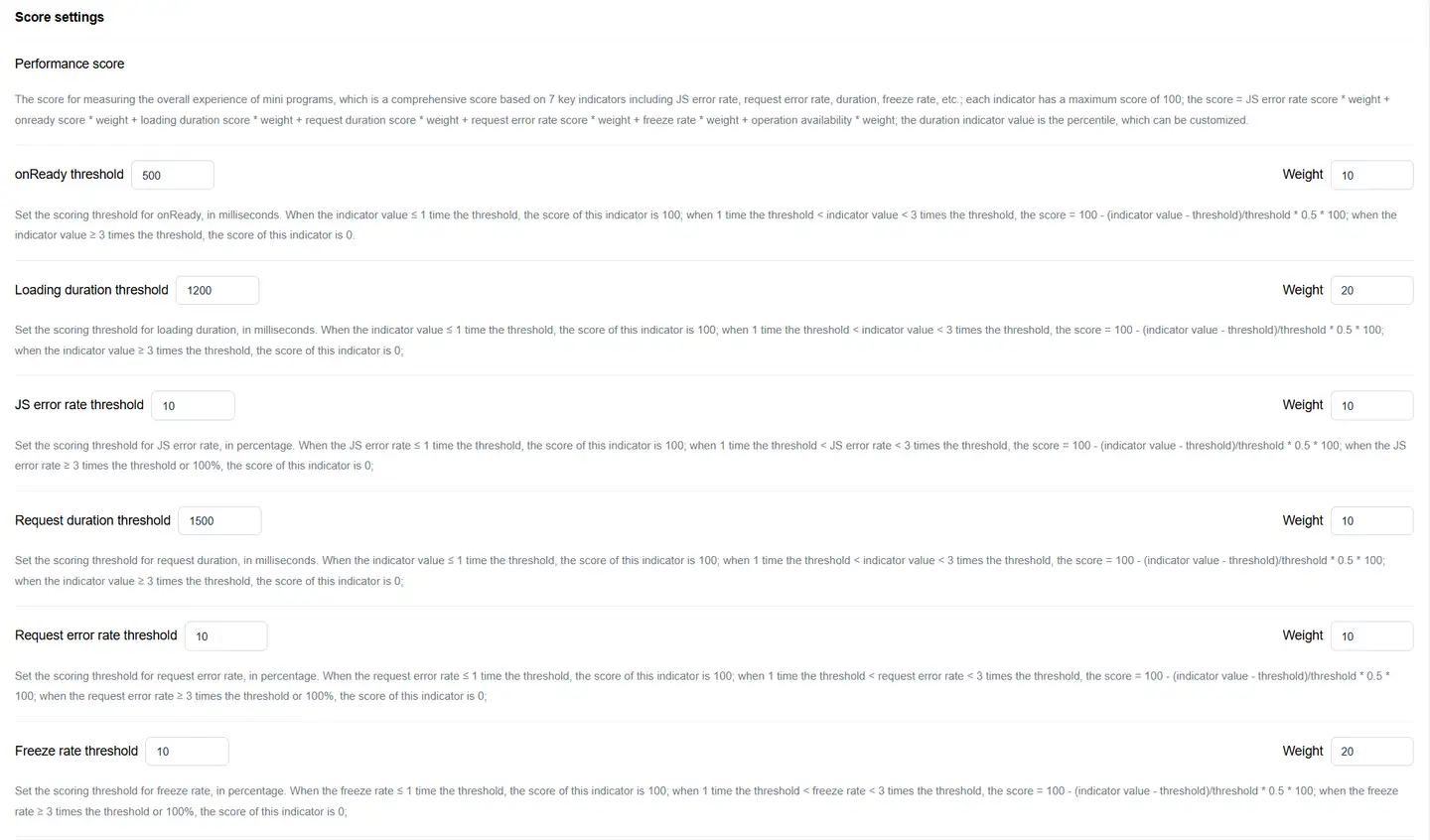
Score Settings
The score measures the overall experience of the Mini Program, based on a comprehensive evaluation of 7 items: JS error rate, request error rate, request time, loading time, onready, lag rate, and operation availability. Each item has a maximum score of 100 points. The formula is as follows:
Score = JS error rate score weight + onready score weight + first response weight 20% + request time weight + request error rate score weight + lag rate weight + operation availability weight
The metric values for time consumption are based on percentile values, which can be customized.
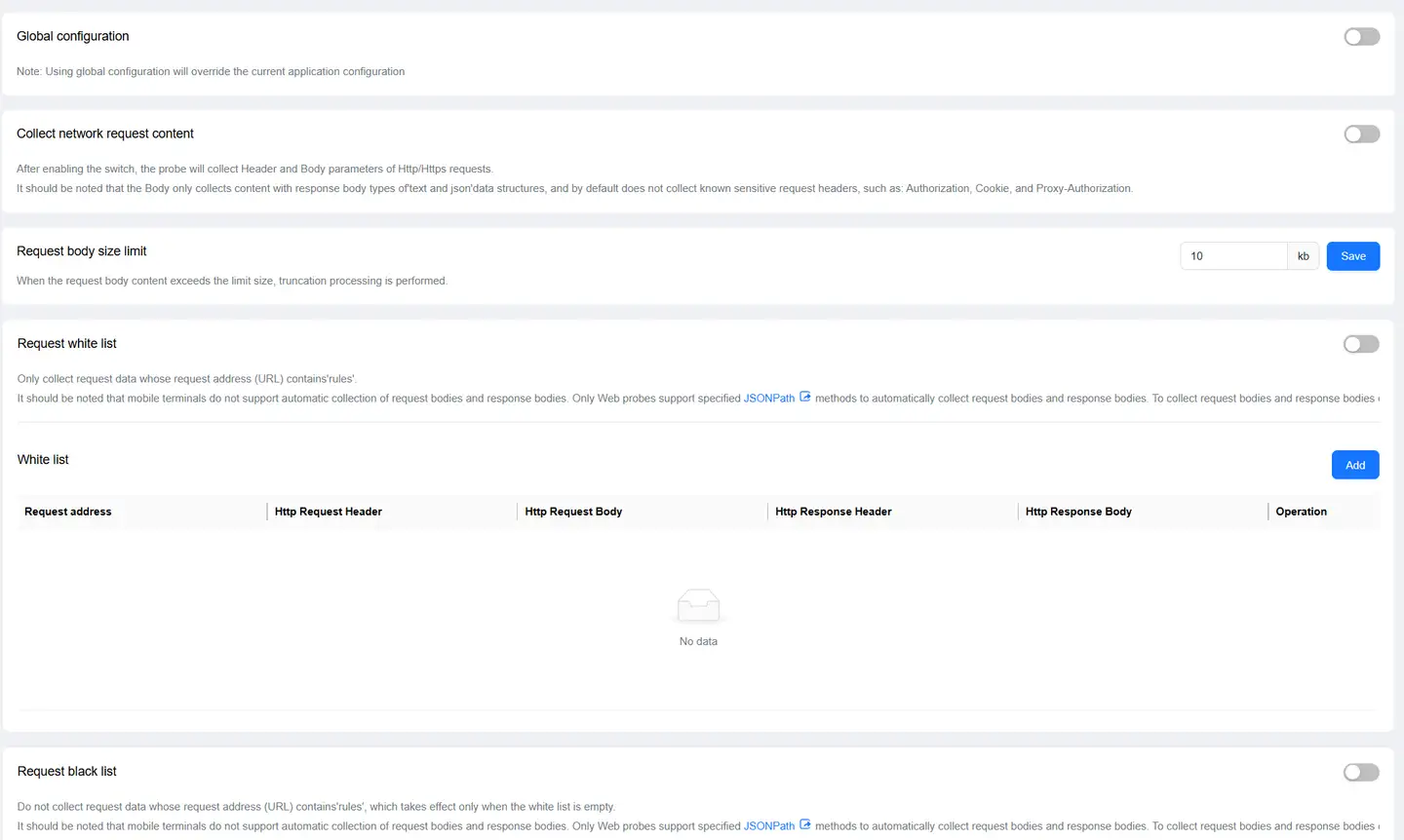
Data Filtering Settings
You can configure settings for network errors, whether to obtain setData details and content, and network request domain blacklist.

Request Content Collection
You can configure settings for request content, request body size, and blacklist/whitelist.
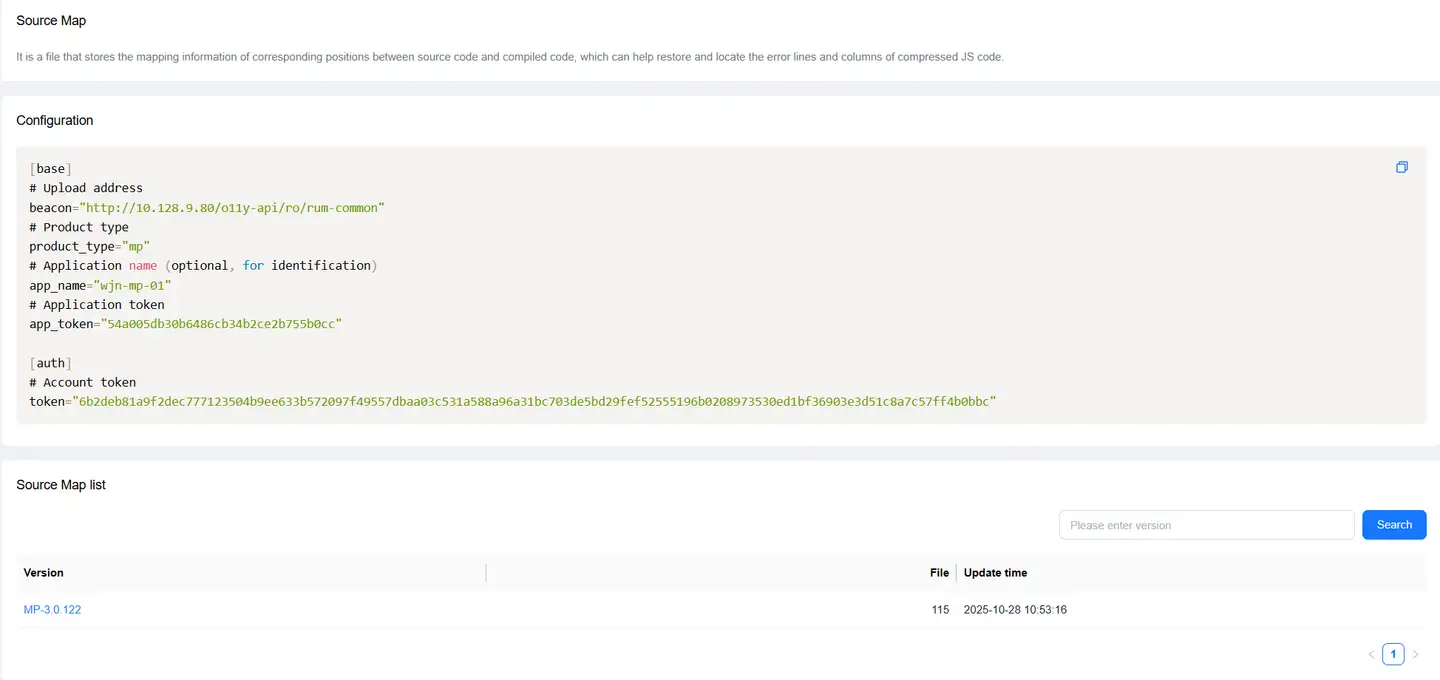
Source Map
For details, please refer to Restore JS Error Real Code Lines with Source Map