Page
Page Analysis provides performance analysis data for all pages in the application, and can evaluate the performance of each page, analyze trend charts and percentile charts, geographic analysis, summary waterfall chart analysis, and page detail tracking.
Feature Overview
Filter Conditions

You can filter by the following dimensions:
- Device name
- Device model
- App version
- Operating system
- Operating system major version
- Region
- Carrier
- Access method
Metric Analysis
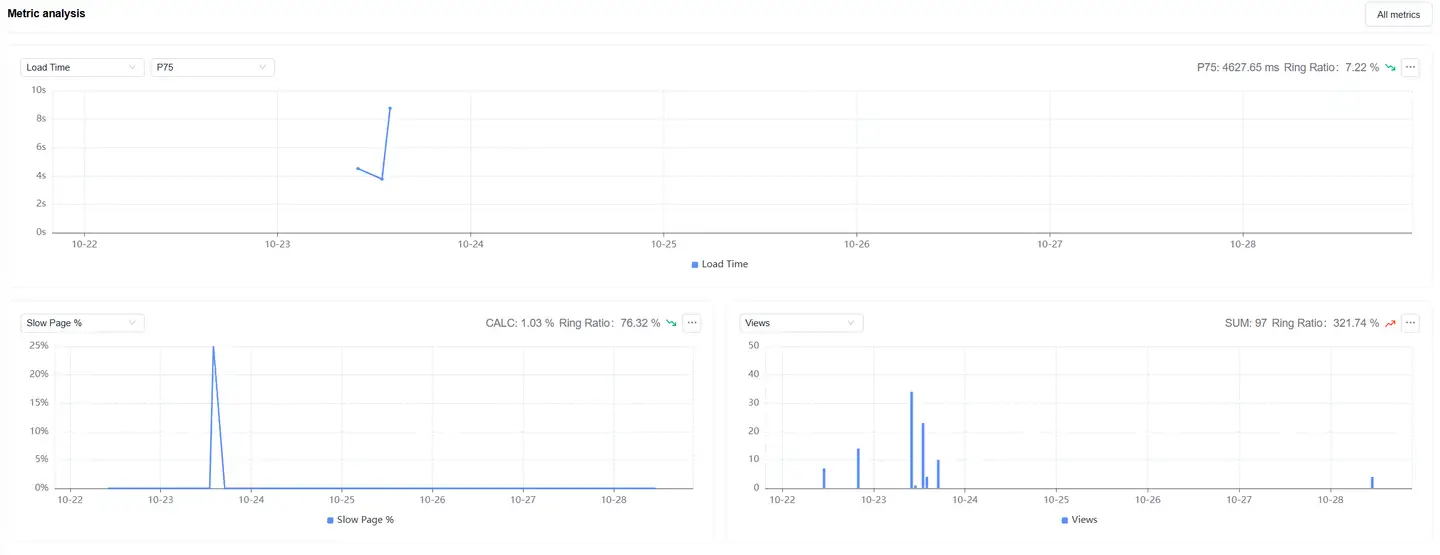
Displays trend charts of page loading performance metrics under filter conditions. You can filter and analyze performance metrics as needed. Time-based performance metrics support multiple statistical methods:
- Average
- P50
- P75 (default)
- P95
- P99
Relationship Topology

Displays the complete link between mini program page loading and backend services, helping to analyze performance bottlenecks.
Data Views
Page View
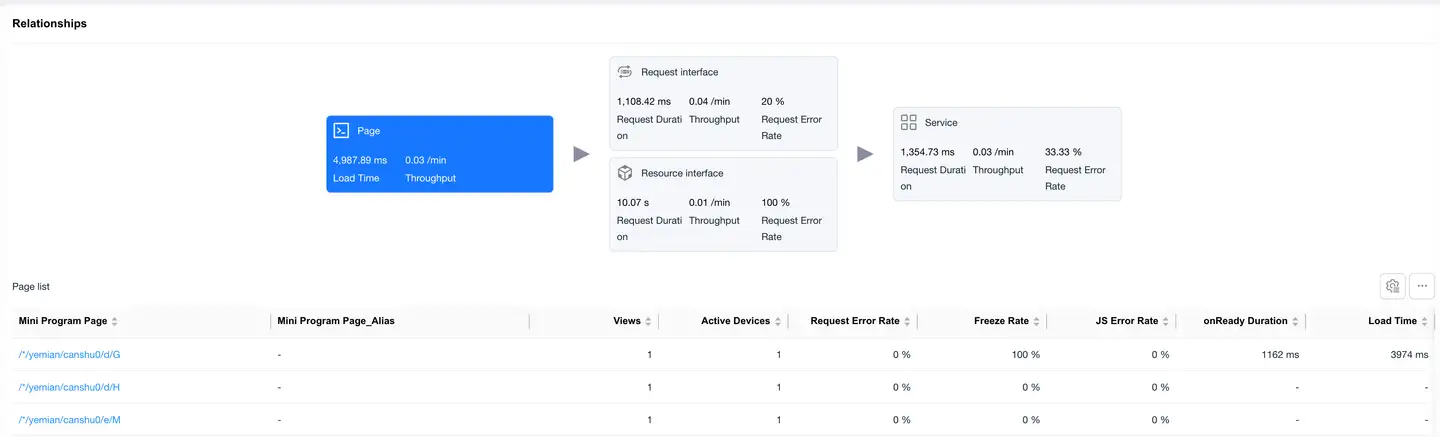
The Page card is selected by default, and the page loading performance data list is displayed at the bottom. The list displays data including:
- Mini program page
- Visit count
- Active device count
- Request error rate
- Stutter rate
- JS error rate
- Slow page percentage
- Abnormal exit page percentage
- onReady time
- Loading time
- Request projection time
- Server-side average time
- Online time
- Custom loading time
- Page_Alias(You can add aliases for pages in entity management)
Click on the Mini Program Page in the list to enter the Page Detail Analysis, which displays detailed data for that mini program page.
Request Interface View
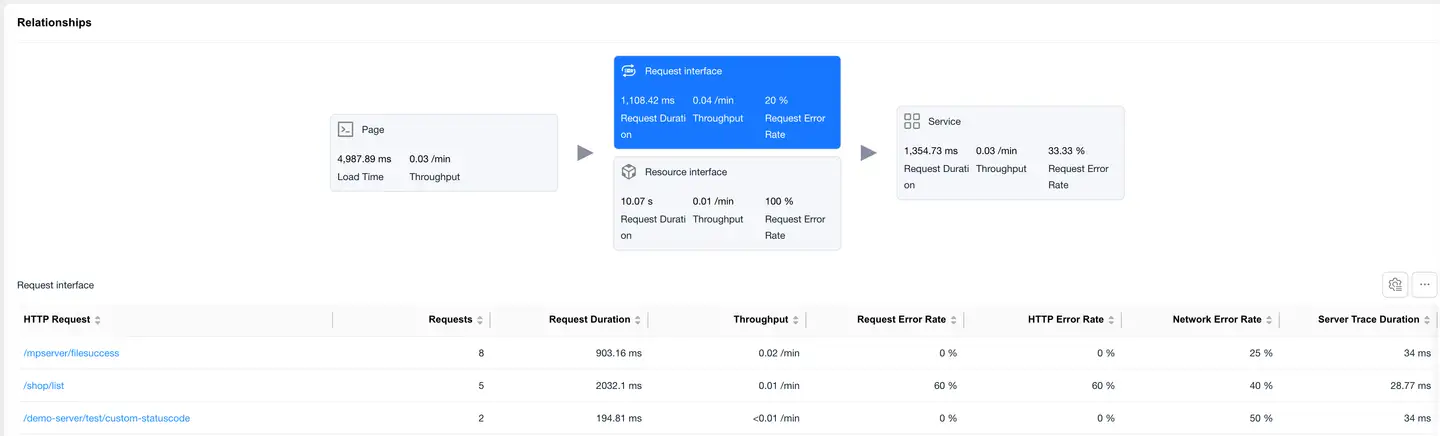
Select the Request Interface card, and the bottom displays the request data list with "mime-type as text or json". The list displays data including:
- HTTP request
- Request count
- Request time
- Requests per minute
- Request error rate
- HTTP error rate
- Network error rate
- Server-side trace time
- Slow request count
- Slow request percentage
- Server-side trace error rate
- Upstream traffic consumption
- Downstream traffic consumption
- Availability
Click on the HTTP request to enter the Request Detail Analysis, which displays detailed data for that HTTP request.
Resource Interface Overview
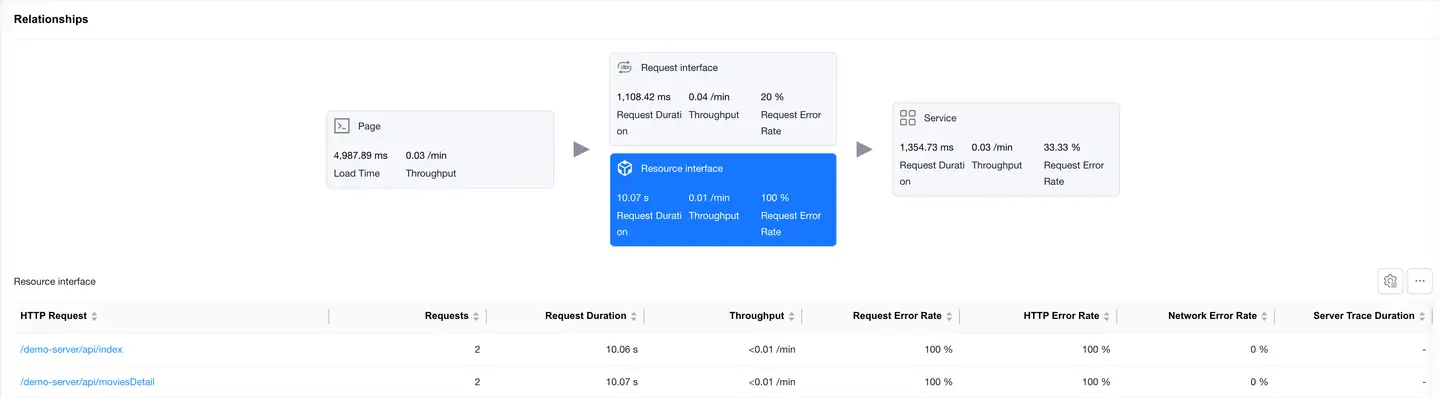
Select the Resource Interface card to display the loading performance data of static resources (images, JS, CSS, etc.).
List Fields
- Same fields as the request interface
- Focus on resource load time and data transfer volume
Click on an HTTP request to enter the Request Detail Analysis, which shows detailed data for that HTTP request.
Service View
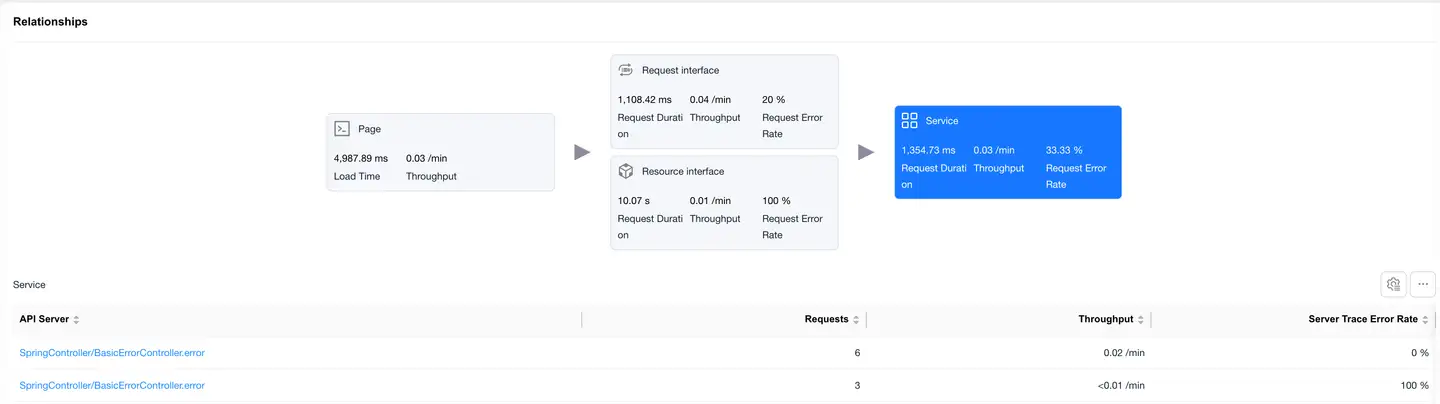
Select the Service card, and the bottom displays the backend service list "requires backend integration with Tingyun APM probe". The list displays data including:
- Backend service
- Request count
- Requests per minute
- Server-side trace error rate
Page Details
Filter Conditions

You can filter by the following dimensions:
- Device name
- Device model
- App version
- Operating system
- Operating system major version
- Region
- Carrier
- Access method
Metric Analysis
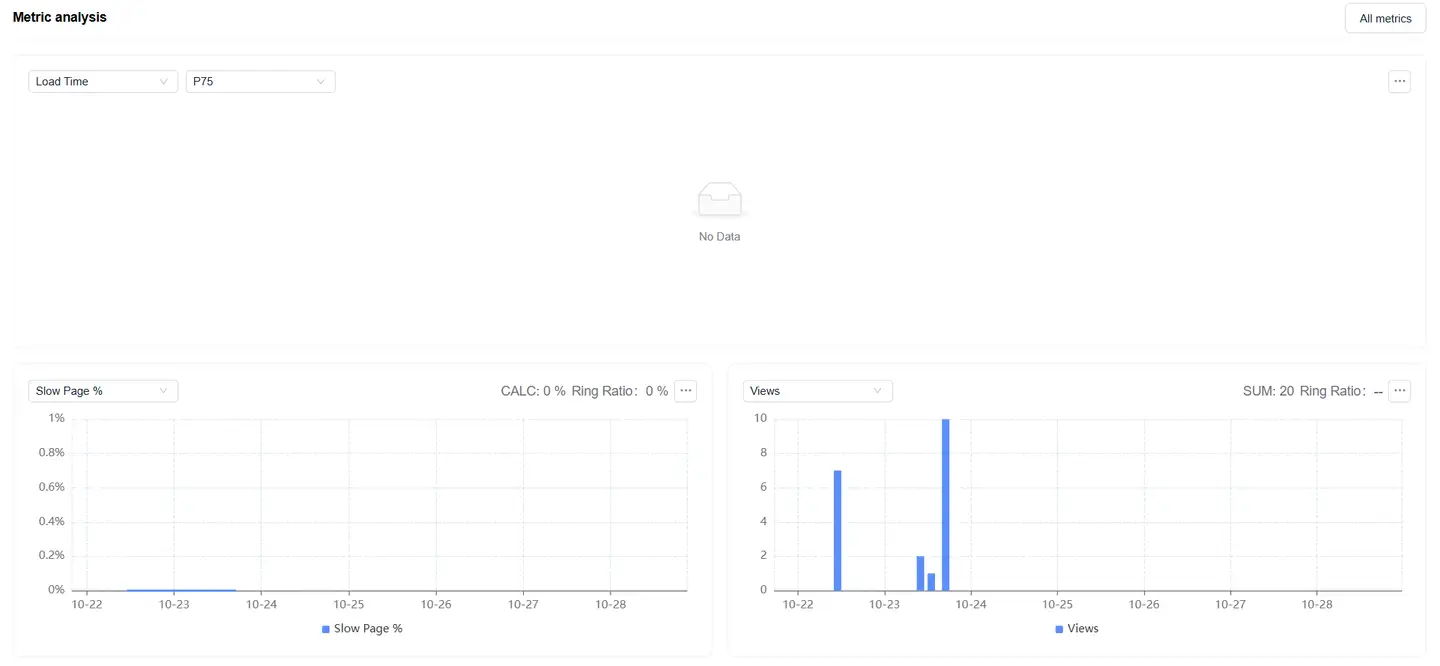
Displays trend charts of page loading performance metrics under filter conditions. You can filter and analyze performance metrics as needed. Time-based performance metrics support multiple statistical methods:
- Average
- P50
- P75 (default)
- P95
- P99
Dimension Analysis
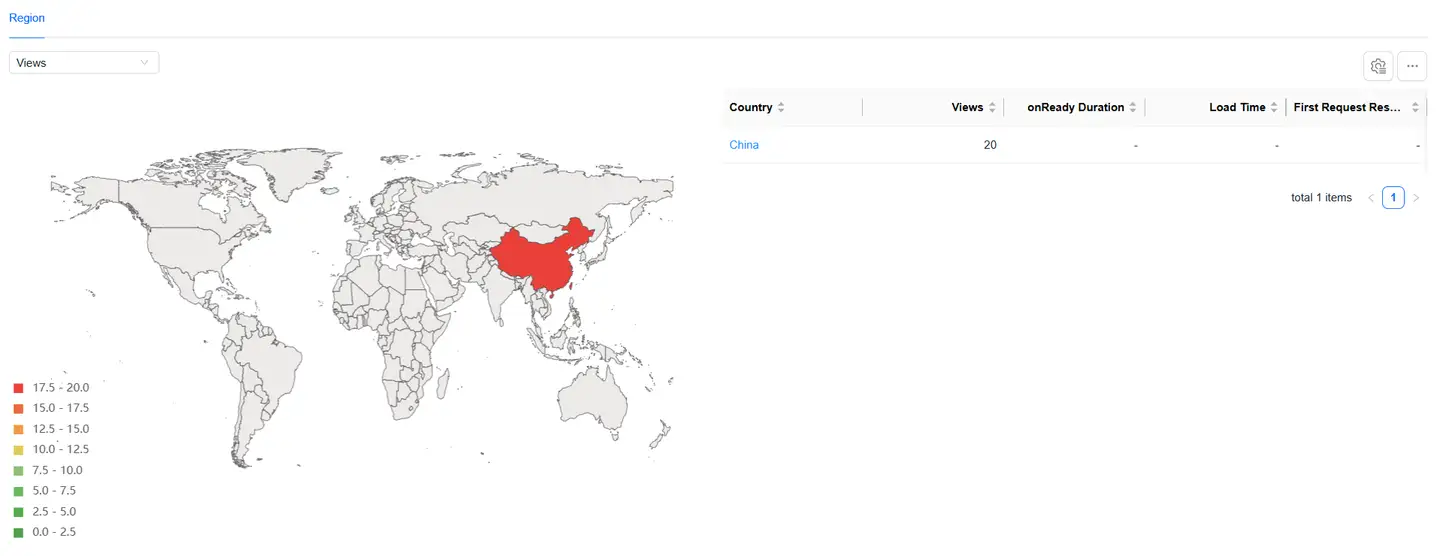
Displays the distribution of page loading performance by region:
- The map can be drilled down, supporting drill-down to province/state
- After map drill-down, the corresponding region is added to the filter conditions
- All modules on the page display performance data after filtering
- You can filter page loading performance metrics on the left to analyze their performance in different regions
- The list supports customizable headers
Relationship Topology
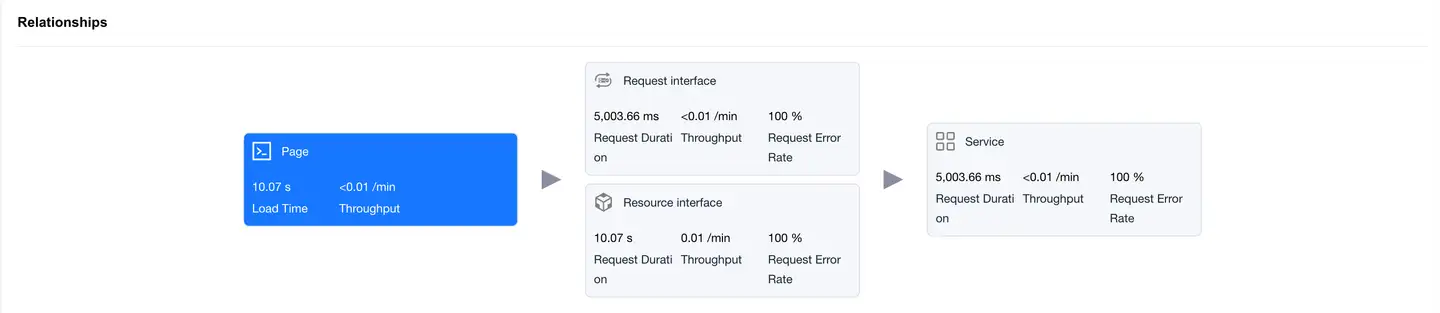
Displays the complete link between a single mini program page loading and backend services, helping to analyze performance bottlenecks.
Request Interface
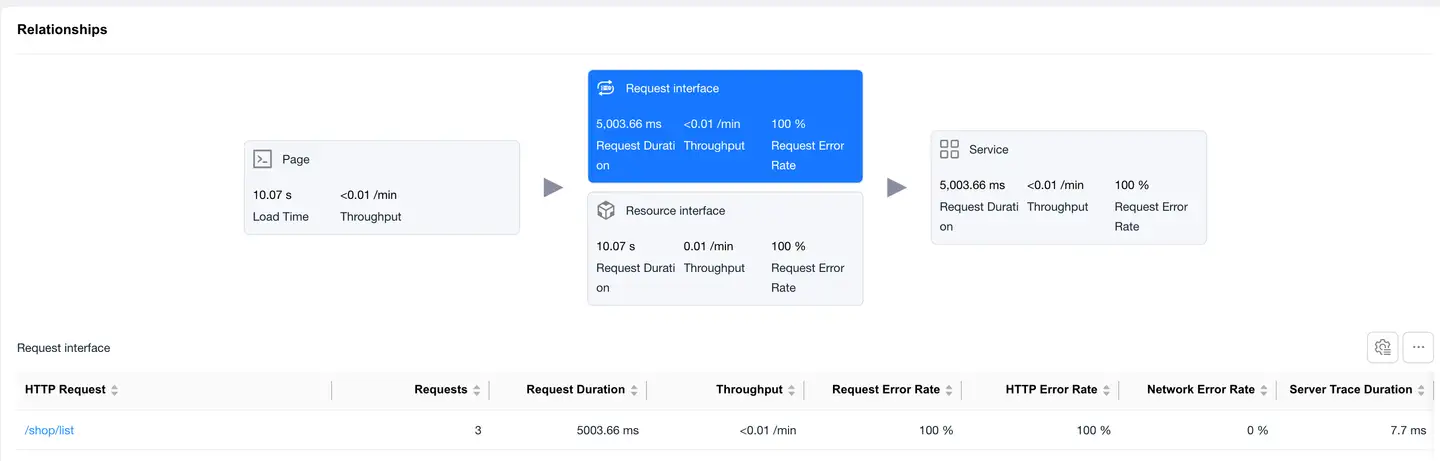
Select the Request Interface card, and the bottom displays the request data list with "mime-type as text or json". The list displays data including:
- HTTP request
- Request count
- Request time
- Requests per minute
- Request error rate
- HTTP error rate
- Network error rate
- Server-side trace time
- Slow request count
- Slow request percentage
- Server-side trace error rate
- Upstream traffic consumption
- Downstream traffic consumption
- Availability
Click on the HTTP request to enter the Request Detail Analysis, which displays detailed data for that HTTP request.
Resource Interface Overview
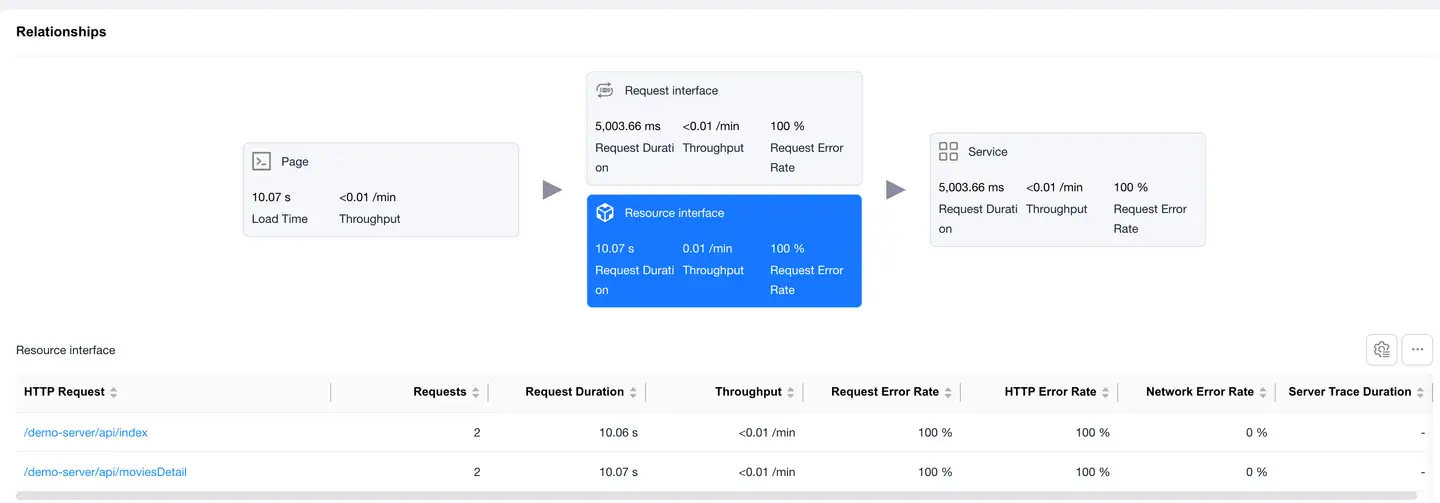
Select the Resource Interface card to display the loading performance data of static resources (images, JS, CSS, etc.).
List Fields
- Same fields as the request interface
- Focus on resource load time and data transfer volume
Click on an HTTP request to enter the Request Detail Analysis, which shows detailed data for that HTTP request.
Service
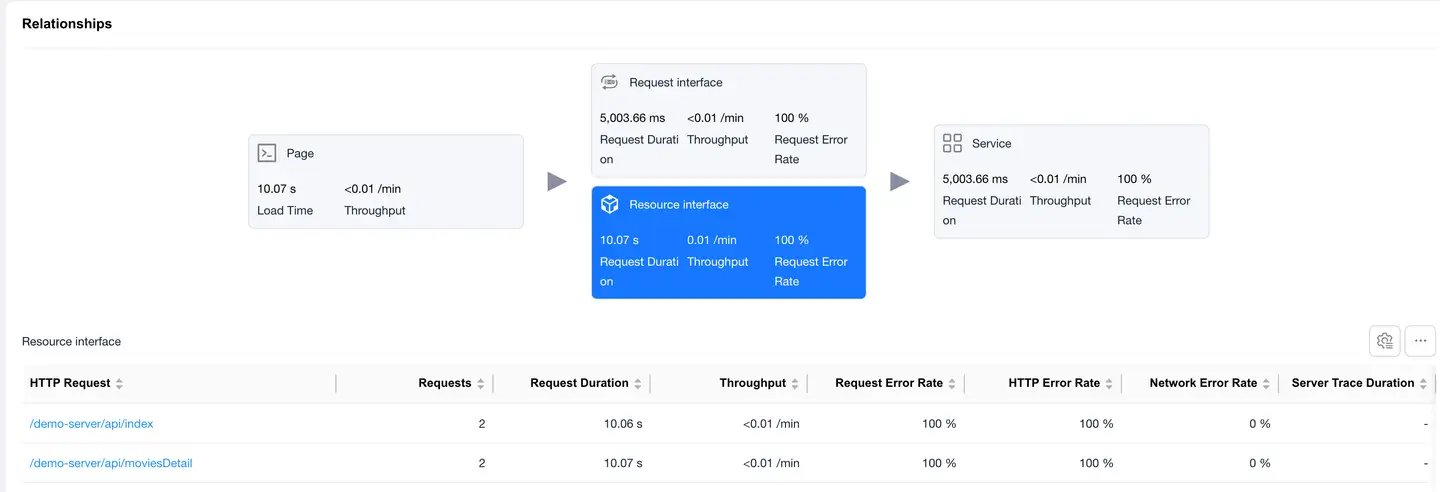
Select the Service card, and the bottom displays the backend service list "requires backend integration with Tingyun APM probe". The list displays data including:
- Backend service
- Request count
- Requests per minute
- Server-side trace error rate
Sample Details
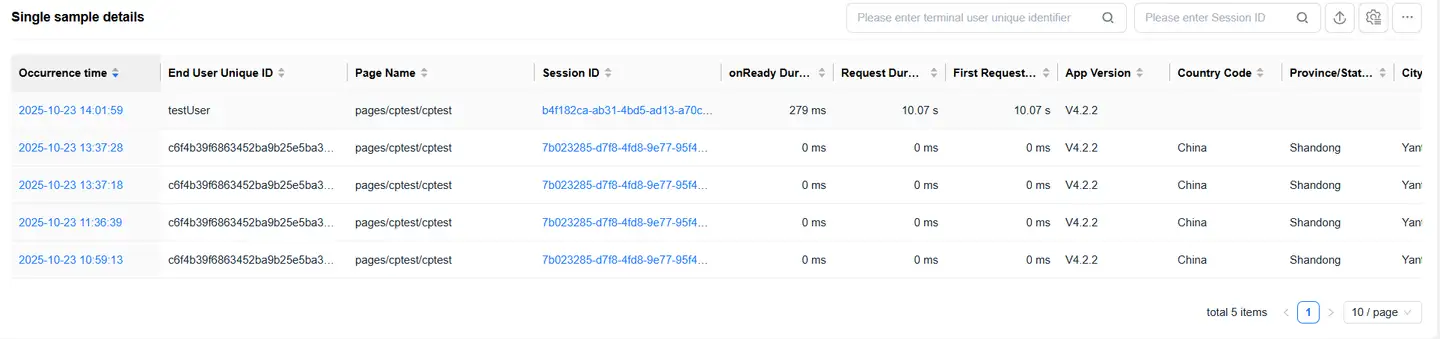
The details list displays all sample details data for the selected page. The list displays data including:
- timestamp "occurrence time"
- Unique identifier for end user
- Session ID
- onReady time
- Request time
- First response time
- App version
- Country
- Province/State
- City
- etc.
List features:
- Supports filtering by user ID, session ID
- Supports export
- Supports customizable headers
Click on the Session ID to jump to the session details.
Trace Detail Tracking
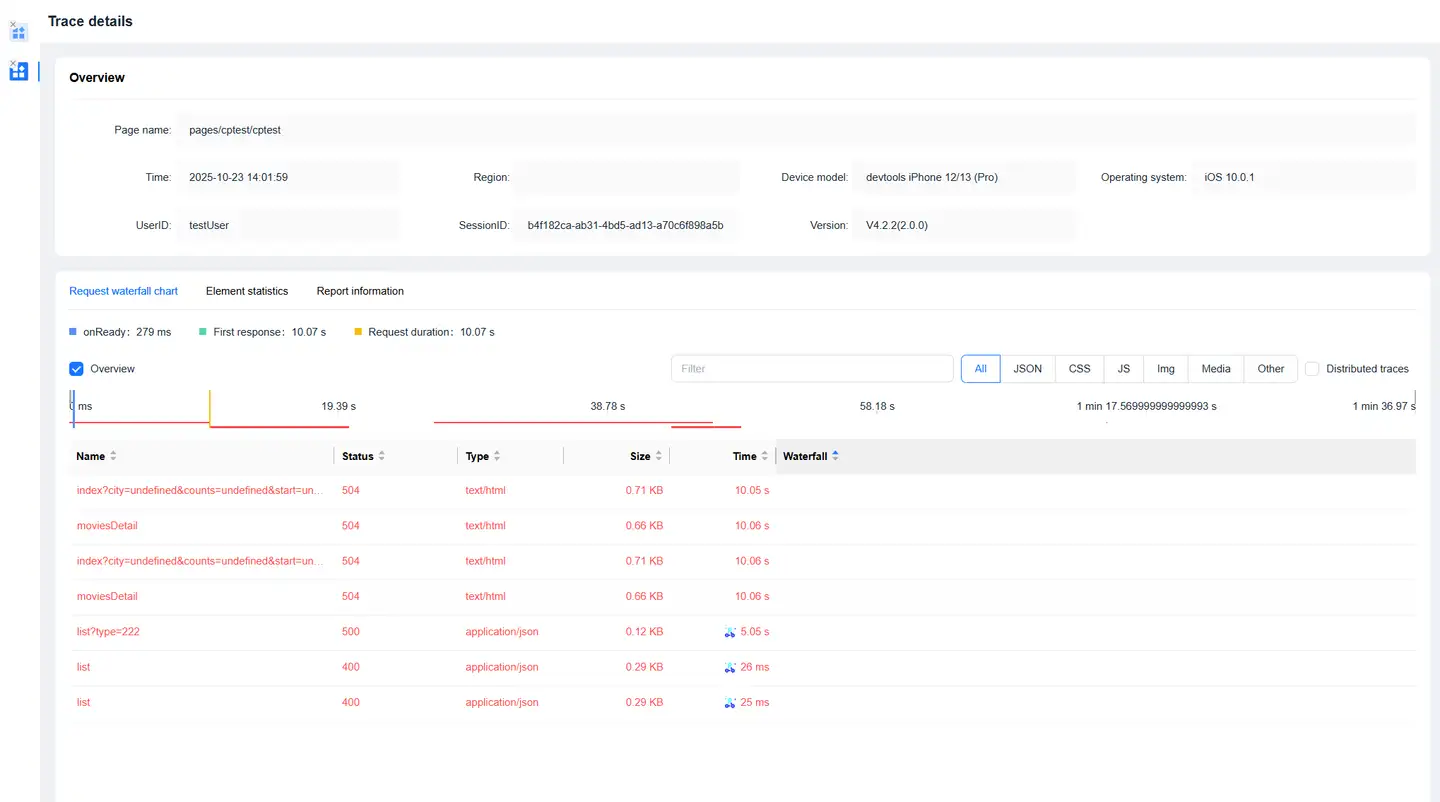
Click on the timeStamp in the details list to enter the Trace Detail Tracking page, which displays request information during the page loading process.
Request Waterfall
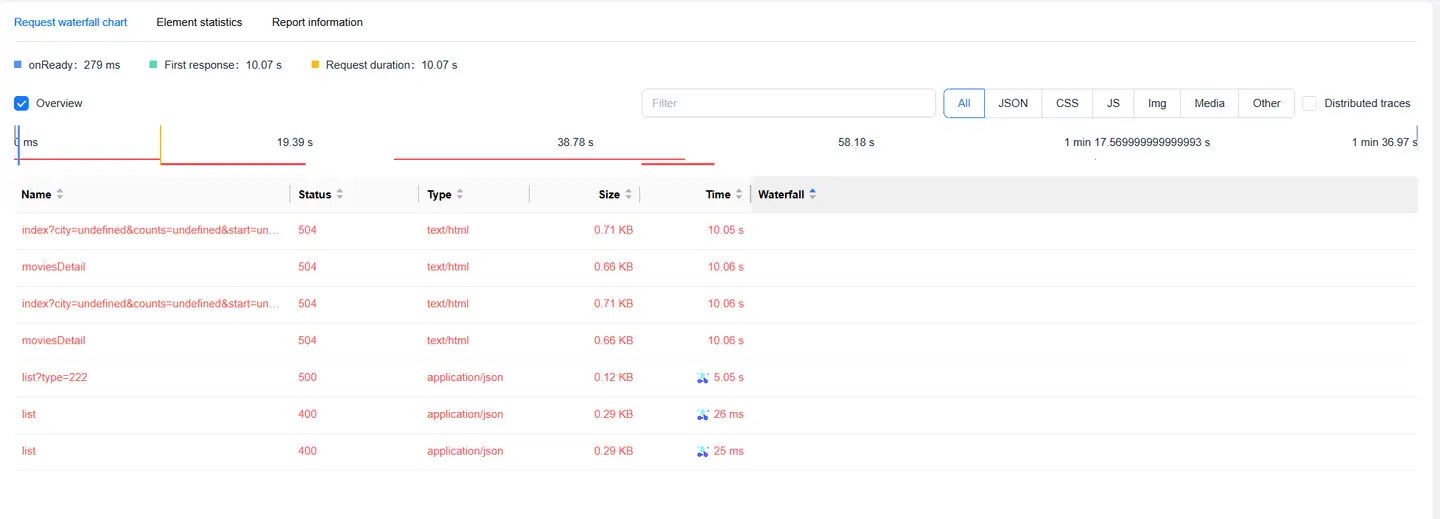
Displays request information during page loading in a waterfall format:
- Supports filtering by request type
- Supports searching request URLs
Reported Information
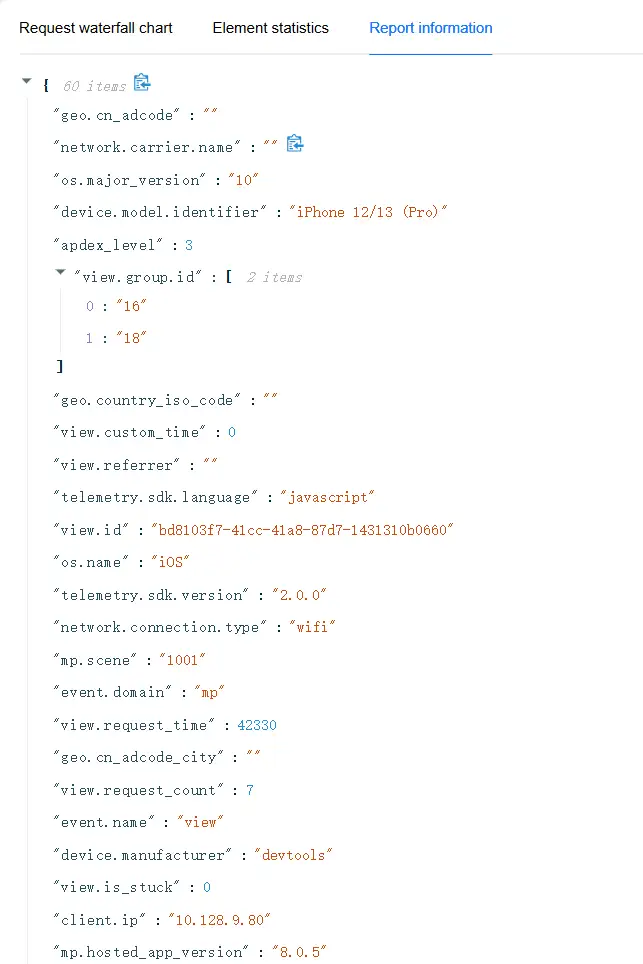
Displays the original information of this Trace Detail Tracking.