Security and Reliability
Security
Collection Security
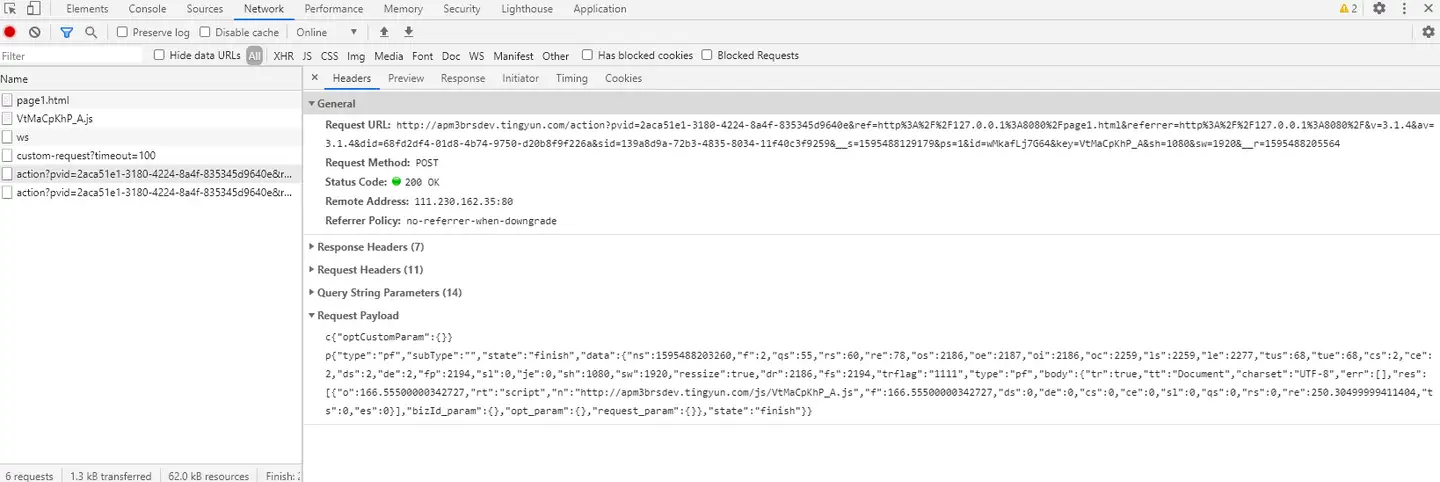
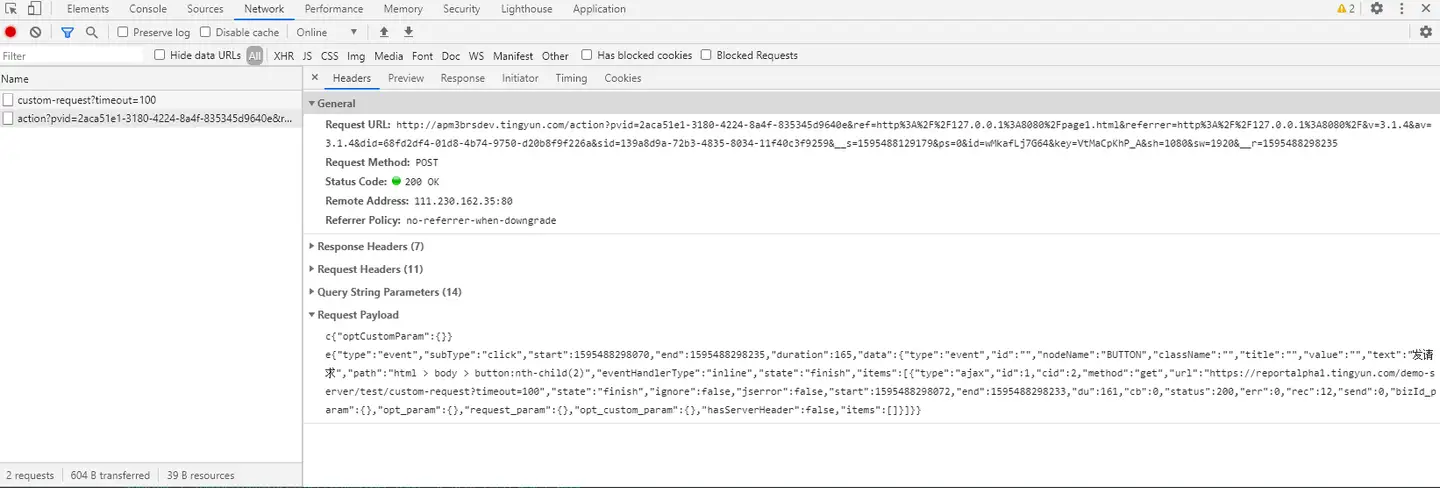
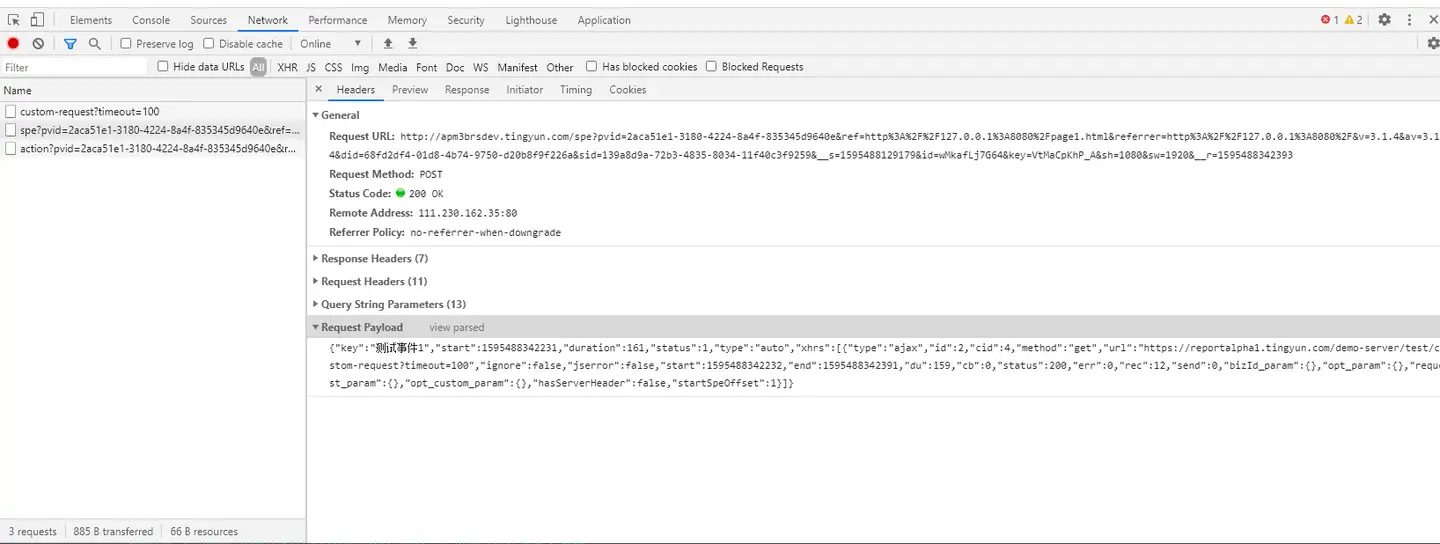
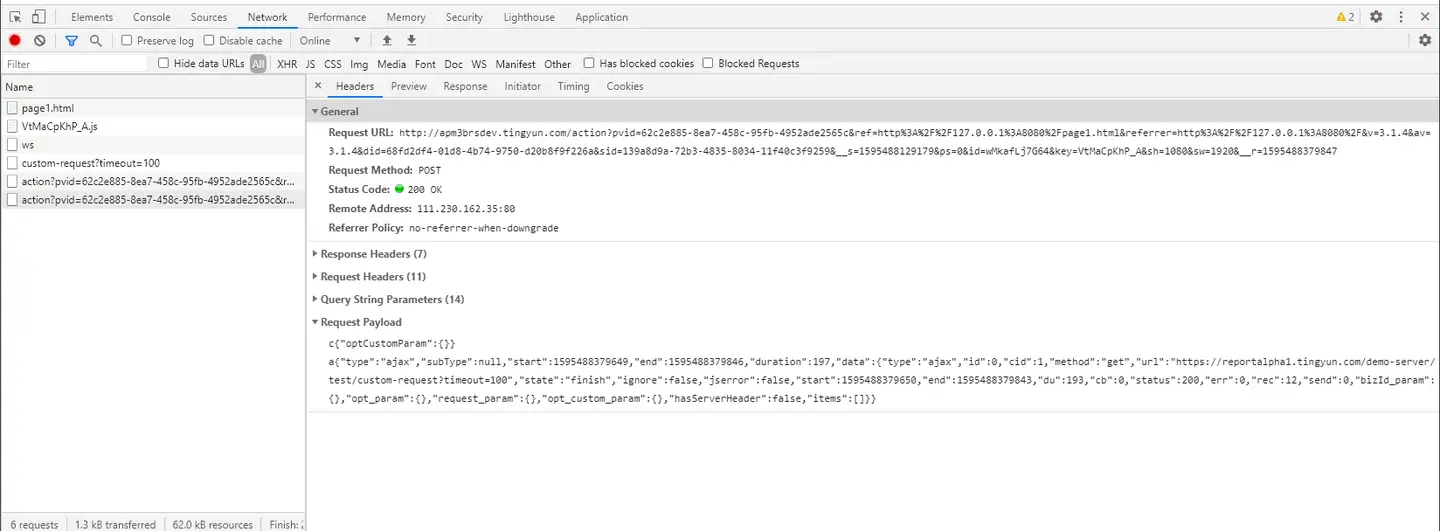
Embedding JS Agents into pages is currently the common monitoring method for WEB RUM and has been accepted by most users. Users can view the data uploaded after embedding Tingyun JS Agents in their pages locally, meaning the uploaded data is transparent. The method is as follows (using Chrome browser as an example):
Open Chrome, press F12 to open Developer Tools > Network, and use Chrome browser to access the page embedded with Tingyun JS. The action interface uploads performance data after successful embedding. By checking its header information, you can see what data was uploaded when visiting the embedded page.
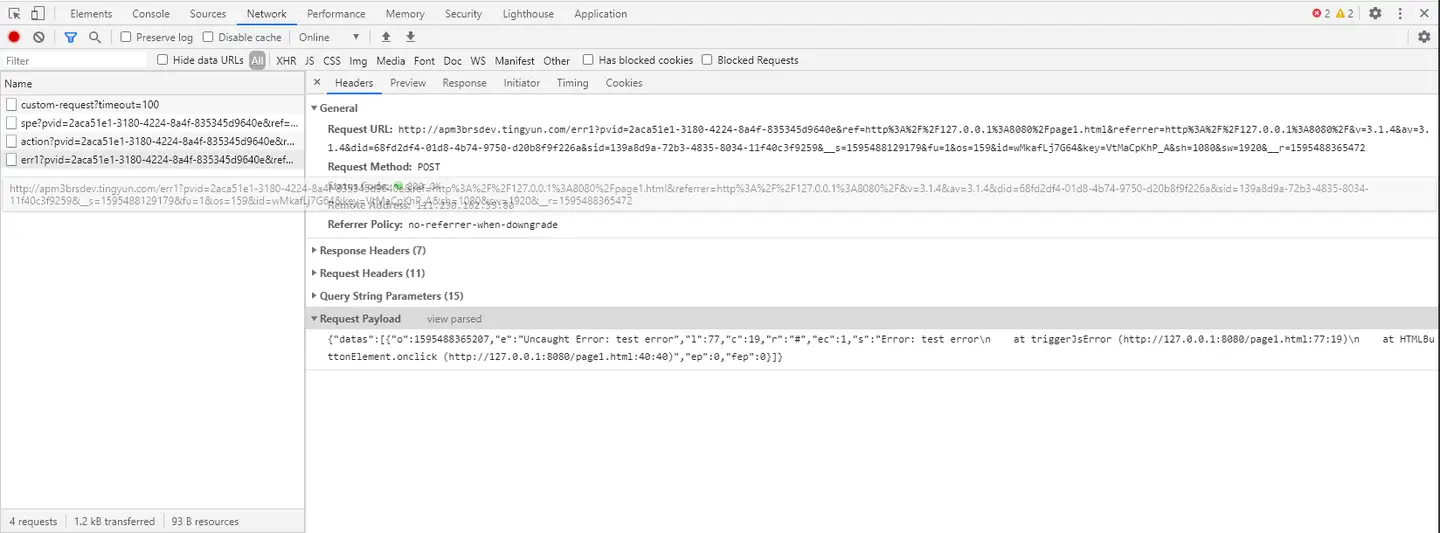
Transmission Security
Data is encrypted using MD5 and then transmitted via HTTPS.
Storage Security
Passwords are stored in the database using HMAC-MD5 method.
Account Security
-
The system provides a dedicated login control module for user identity identification and authentication.
-
The system provides login failure handling functionality, which can refresh the verification code and require re-verification.
-
The system provides user identity uniqueness and authentication information complexity check functions, ensuring that there are no duplicate user identities in the application system and that authentication information is not easily impersonated.
Reliability
| Agent Size | 116KB | ||
| Screen Recording Plugin V0.2.0 (Optional) | 57KB | ||
| Encryption Plugin V0.2.0 (Optional) | 40KB |
| Embedding Performance Comparison | JS Heap MIN | JS Heap MAX | Scripting |
| Page without embedded code | 1.66MB | 2MB | 27.8ms |
| Page with embedded code | 1.7MB | 3.37MB | 115.4ms |
| Difference | 0.04MB | 1.37MB | 87.6ms |
| Unembedded code of Standard deviation | 0.10MB | 0.07MB | 3.18ms |
| Standard Deviation of Embedded Code | 0.17MB | 0.21MB | 16.56ms |
| Traffic Consumption | Page Performance Data (No Slow Pages) | PC Access | 2.26KB |
| Mobile Access | 2.38KB | ||
| Page Performance Data (With Slow Pages, Containing 2 Requests, 60 Elements): Related to Page Content Size | PC Access | 24.87KB | |
| Mobile Access | 27.11KB | ||
| JS Error (1 reported, containing 4 JS errors): JS errors are uploaded in batches. Generally, only one will be reported within 10 seconds, depending on the number of JS errors on the page itself. | PC Access | 7.15KB | |
| Mobile Access | 7.39KB | ||
| Ajax (1 Ajax request): The more Ajax requests on the page, the more bandwidth is consumed. | PC Access | 2.08KB | |
| Mobile Access | 2.27KB | ||
| Ajax (10 reports, each containing 5 Ajax requests): After merging probe requests, a single report can contain a maximum of 10 data entries, resulting in a total of 50 Ajax requests reported. | PC Access | 19.16KB | |
| Mobile Access | 19.75KB | ||
| National Cryptographic Encryption - Page Performance Data (No Slow Pages) | PC Access | 4.81KB | |
| Mobile Access | 4.94KB | ||
| National Cryptographic Encryption - Page Performance Data (Slow Page Includes 2 Requests, 60 Elements) | PC Access | 51.96KB | |
| Mobile Access | 52.33KB | ||
| National Cryptographic Encryption - JS Errors (1 Report, Includes 4 JS Errors): JS errors will be uploaded in a merged manner. Generally, only 1 error will be reported within 10 seconds, depending on the number of JS errors on the page itself | PC Access | 15.19KB | |
| Mobile Access | 15.38KB | ||
| National Cryptographic Encryption - Ajax (1 Ajax Request) | PC Access | 4.07KB | |
| Mobile Access | 4.15KB | ||
| National Cryptographic Encryption - Ajax (10 Reports, Each Report Contains 5 Ajax Requests): After merging probe requests, a single report can contain a maximum of 10 data entries, resulting in a final report of 50 Ajax requests | PC Access | 37.16KB | |
| Mobile Access | 38.01KB | ||
| Lightweight Encryption - Page Performance Data (No Slow Pages) | PC Access | 3.55KB | |
| Mobile Access | 3.7KB |