VisBoard
Pie Chart
Pie Chart
Component Name: Pie Chart
Component Style:


Component Description:
Pie Chart (non-3D pie chart).
Request Method: POST
https://report.tingyun.com/example/pie.json
Parameters:
| Field | Type | Required | Description |
|---|---|---|---|
| currentTime | Number | Yes | Current timestamp. |
| token | String | No | Salt value, verification rule is md5(timePeriod+currentTime+configured token). For example: if timePeriod is 30, currentTime is 1513137332798, token is abc, then md5(301513137332798abc) should be computed. |
| timePeriod | Number | Yes | Time range in minutes. |
Correct Response Data:
| Field | Type | Description |
|---|---|---|
| value | Number | Average value, this key may not exist. It can be omitted if the traffic light does not exist. |
| unit | String | Unit. |
| series | Object[] | Data object. |
| name | String | Data item name. |
| data | Object[] | Data items. |
| name | Number | Data item display. |
| value | Number | Performance metric. |
Example:
  HTTP/1.1 200 OK
{
    "value": 1.68,
    "unit": "seconds",
    "series": [
        {
            "name": "DNS",
            "data": [
                {
                    "name": "wgz",
                    "value": 16
                },
                {
                    "name": "wgz2",
                    "value": 6
                }
            ]
        }
    ]
}
Database Access, CSV Access
The SQL query result and CSV file content both have 3 columns. The field names can be arbitrarily specified, but the field order cannot be changed:
| Field Order | Type | Description |
|---|---|---|
| name1 | String | Data name |
| name2 | String | Data item name |
| value | Number | Value |
Using MySQL as an example, the SQL example is as follows:
SELECT name1, name2, value FROM proportion_test
CSV example is as follows:
name1,name2,value
DNS,Error Rate,111
DNS,Throughput,222
3D Pie Chart
Component Name: 3D Pie Chart
Component Style:

Component Description:
3D pie chart, suitable for percentage data, supports up to 6 data items. If this component is used for large screen display, it is recommended to use a host with higher configuration.
Request Method: POST
https://report.tingyun.com/example/browser/access-mode.json
Parameters:
| Field | Type | Description | Required |
|---|---|---|---|
| currentTime | Number | Current timestamp. | Yes |
| token | String | Salt value, verification rule is md5(timePeriod+currentTime+configured token). For example: if timePeriod is 30, currentTime is 1513137332798, token is abc, then md5(301513137332798abc) should be computed. | No |
| timePeriod | Number | Time range in minutes. | Yes |
Correct Response Data:
| Field | Type | Description |
|---|---|---|
| code | Number | Status code |
| msg | String | Status description |
| data | Object[] | Data object |
| name | String | Name |
| value | Number | Value |
Example:
   HTTP/1.1 200 OK
{
    "code": 200,
    "msg": "success",
    "data": [
        {
            "name": "PC",
            "value": 60.53
        },
        {
            "name": "Mobile",
            "value": 6.58
        },
        {
            "name": "WeChat",
            "value": 32.89
        }
    ]
}
Database Access, CSV Access
The SQL query result and CSV file content both have 4 columns. The field names can be arbitrarily specified, but the field order cannot be changed:
| Field Order | Type | Description |
|---|---|---|
| name | String | Name |
| value | Number | Percentage |
| score | Number | Value |
| pv | Number | Value |
Using MySQL as an example, the SQL example is as follows:
SELECT name, value, score, pv FROM pie_3d_chart_test
CSV example is as follows:
name,value,score,pv
PC,11,12,1122
Mobile,21,22,2122
WeChat,31,32,3122
Colorful Progress Bar
Component Name: Colorful Progress Bar
Component Style:

Component Description: The number of rings is determined by the number of data items. The color of each ring can be directly defined via the interface or configured in the component.
Request Method: POST
https://doc.tingyun.com/sense/example/piegroupd3.json
Parameters:
| Field | Type | Description | Required |
|---|---|---|---|
| currentTime | Number | Current timestamp | Yes |
| token | String | Salt value, verification rule is md5(timePeriod+currentTime+configured token). For example: if timePeriod is 30, currentTime is 1513137332798, token is abc, then md5(301513137332798abc) should be computed. | No |
| timePeriod | Number | Time range in minutes | Yes |
Correct Response Data:
| Field | Type | Description |
|---|---|---|
| series | Array | Can be any number of data items |
| name | String | Name |
| unit | String | Unit, generally % |
| value | Number | Value, must be a number between 0-100 |
| color | String | Bar color, "#77E5FF" |
The unit is usually %, and the corresponding value is a number between 0-100. If the value contains decimals, the component will display an integer rounded. The color can be passed via the interface or configured directly in the component. The color configured in the component has higher priority than the color passed via the interface.
Example
{
  "series": [
      { "name": "Revenue Dept 1","unit":"%", "value": 80, "color":"#2BBBFF"},
      { "name": "Finance Dept","unit":"%", "value": 36, "color":"#EDFF77"},
      { "name": "Operations Dept 2","unit":"%", "value": 26, "color":"#7639FF"},
      { "name": "Order Submission","unit":"%", "value": 76, "color":"#88FF77"},
      { "name": "Sales Dept","unit":"%", "value": 32, "color":"#DB5A5A"}
  ]
}
The unit is usually %. Other units can also be filled, but when other units are filled, the ring becomes a 100% state ring and no longer corresponds to a percentage.
{
  "series": [
      { "name": "Revenue Dept 1","unit":"%", "value": 80, "color":"#2BBBFF"},
      { "name": "Finance Dept","unit":"%", "value": 36, "color":"#EDFF77"},
      { "name": "Operations Dept 2","unit":"%", "value": 26, "color":"#7639FF"},
      { "name": "Order Submission","unit":"ms", "value": 976, "color":"#88FF77"},
      { "name": "Sales Dept","unit":"ms", "value": 132, "color":"#DB5A5A"}
  ]
}
Database Access, CSV Access
The SQL query result and CSV file content both have 4 columns. The field names can be arbitrarily specified, but the field order cannot be changed:
| Field Order | Type | Description |
|---|---|---|
| name | String | Name |
| unit | String | Unit |
| value | Number | Value |
| color | String | Color |
Using MySQL as an example, the SQL example is as follows:
SELECT name, unit, value, color FROM color_metrics_test
CSV example is as follows:
name,unit,value,color
Completed Business,count,431,#77E5FF
Errored Business,count,188,#F30B49
Users Affected by Errors,count,256,#FF3B3B
Average Response Time,ms,330,#15F4D1
Stereo Proportion Chart
Component Name: Stereo Proportion Chart
Component Style:

Component Description: Multiple data items can be passed. The color of each data item can be directly defined via the interface or configured in the component.
Request Method: POST
https://doc.tingyun.com/sense/example/d33dpies.json
Parameters:
| Field | Type | Description | Required |
|---|---|---|---|
| currentTime | Number | Current timestamp | Yes |
| token | String | Salt value, verification rule is md5(timePeriod+currentTime+configured token). For example: if timePeriod is 30, currentTime is 1513137332798, token is abc, then md5(301513137332798abc) should be computed. | No |
| timePeriod | Number | Time range in minutes | Yes |
Correct Response Data:
| Field | Type | Description |
|---|---|---|
| series | Array | Can be any number of data items |
| name | String | Name |
| value | Number | Value, must be a number |
| color | String | Color, "#77E5FF" |
Example:
 {
    "series": [
        { "name": "Revenue Dept 1", "value": 89, "color": "#23C8F0" },
        { "name": "Finance Dept", "value": 55, "color": "#FFDB48" },
        { "name": "Operations Dept 2", "value": 68, "color": "#02F0F1" },
        { "name": "Order Submission", "value": 50, "color": "#17CDF9" },
        { "name": "Sales Dept", "value": 45, "color": "#14AFD5" }
    ]
}
Database Access, CSV Access
The SQL query result and CSV file content both have 4 columns. The field names can be arbitrarily specified, but the field order cannot be changed:
| Field Order | Type | Description |
|---|---|---|
| name | String | Name |
| unit | String | Unit |
| value | Number | Value |
| color | String | Color |
Using MySQL as an example, the SQL example is as follows:
SELECT name, unit, value, color FROM color_metrics_test
CSV example is as follows:
name,unit,value,color
Completed Business,count,431,#77E5FF
Errored Business,count,188,#F30B49
Users Affected by Errors,count,256,#FF3B3B
Average Response Time,ms,330,#15F4D1
ECharts Pie Chart
Component Name: ECharts Line Chart
Component Style:

Component Description:
Developed based on echarts 4.X, refer to the official echarts documentation.
Request Method: POST
https://doc.tingyun.com/sense/example/sense3LineChar.json
Parameters:
| Field | Type | Description | Required |
|---|---|---|---|
| currentTime | Number | Current timestamp | Yes |
| token | String | Salt value, verification rule is md5(timePeriod+currentTime+configured token). For example: if timePeriod is 30, currentTime is 1513137332798, token is abc, then md5(301513137332798abc) should be computed. | No |
| timePeriod | Number | Time range in minutes | Yes |
Correct Response Data:
| Field | Type | Description |
|---|---|---|
| source | 2D Array | Refer to echarts' dataset |
The data format can refer to echarts 4.X's dataset: [https://echarts.apache.org/zh/tutorial.html#%E4%BD%BF%E7%94%A8%20dataset%20%E7%AE%A1%E7%90%86%E6%95%B0%E6%8D%AE]
This component's series has two items used for carousel display of the middle name. Due to the carousel, the developer-configurable options for this component are not flexible. The style of the value above and the text below the legend on the right is fixed in the code legend.formatter and cannot be modified in the configuration.
Example:
{
	"source": [
		[
			"Normal Request Count",
			"Full Request Count",
			"Error Request Count"
		],
		[
			3168,
			3901,
			4164
		]
	]
}
3D Single Metric Pie Chart
Component Name: Single Metric Pie Chart
Component Style:

Component Description:
Single metric pie chart. If this component is used for large screen display, it is recommended to use a host with higher configuration.
Request Method: POST
https://report.tingyun.com/example/browser/performance-list.json
Parameters:
| Field | Type | Description | Required |
|---|---|---|---|
| currentTime | Number | Current timestamp. | Yes |
| token | String | Salt value, verification rule is md5(timePeriod+currentTime+configured token). For example: if timePeriod is 30, currentTime is 1513137332798, token is abc, then md5(301513137332798abc) should be computed. | No |
| timePeriod | Number | Time range in minutes. | Yes |
Correct Response Data:
| Field | Type | Description |
|---|---|---|
| code | Number | Status code |
| msg | String | Status description |
| data | Object[] | |
| name | String | Metric name |
| unit | String | Metric unit |
| value | String | Value |
Example:
    HTTP/1.1 200 OK
{
  "code": 200,
  "msg": "success",
  "data": [
    {
      "name": "First Screen",
      "unit": "ms",
      "value": 1000
    }
  ]
}
Database Access, CSV Access
The SQL query result and CSV file content both have 3 columns. The field names can be arbitrarily specified, but the field order cannot be changed:
| Field Order | Type | Description |
|---|---|---|
| name | String | Name |
| value | Number | Value |
| unit | String | Unit |
Using MySQL as an example, the SQL example is as follows:
SELECT name, value, unit FROM pie_chart_test
CSV example is as follows:
name,value,unit
First Screen,50,ms
Mini Pie Chart
Component Name: Mini Pie Chart
Component Style:

Component Description:
Mini pie chart, legend is a required field. The number of pie charts later is related to the length of the legend.
Request Method: POST
https://doc.tingyun.com/example/minipies.json
Parameters:
| Field | Type | Required | Description |
|---|---|---|---|
| currentTime | Number | Yes | Current timestamp. |
| token | String | No | Salt value, used to verify parameter integrity. Verification rule is md5(timePeriod+currentTime+configured token). For example: if timePeriod is 30, currentTime is 1513137332798, token is abc, then md5(301513137332798abc) should be computed. |
| timePeriod | Number | Yes | Time range in minutes. |
Correct Response Data:
| Field | Type | Description |
|---|---|---|
| legend | Array | Legend, the length of the legend should match the length of data in series |
| name | String | Legend name |
| series | Array | Data |
| name | String | Data name |
| data | Array | Each item in the array must be a number |
| Example: |
{
	"legend": [
		{
			"name": "New Users"
		},
		{
			"name": "Active Devices"
		},
		{
			"name": "Startup Count"
		}
	],
	"series": [
		{
			"name": "V1.2.23",
			"data": [
				10,
				20,
				30
			]
		},
		{
			"name": "V2.2.10",
			"data": [
				20,
				30,
				30
			]
		},
		{
			"name": "V3.0.0",
			"data": [
				30,
				40,
				10
			]
		}
	]
}
Bar Chart
Bar Chart
Component Name: Bar Chart
Component Style:
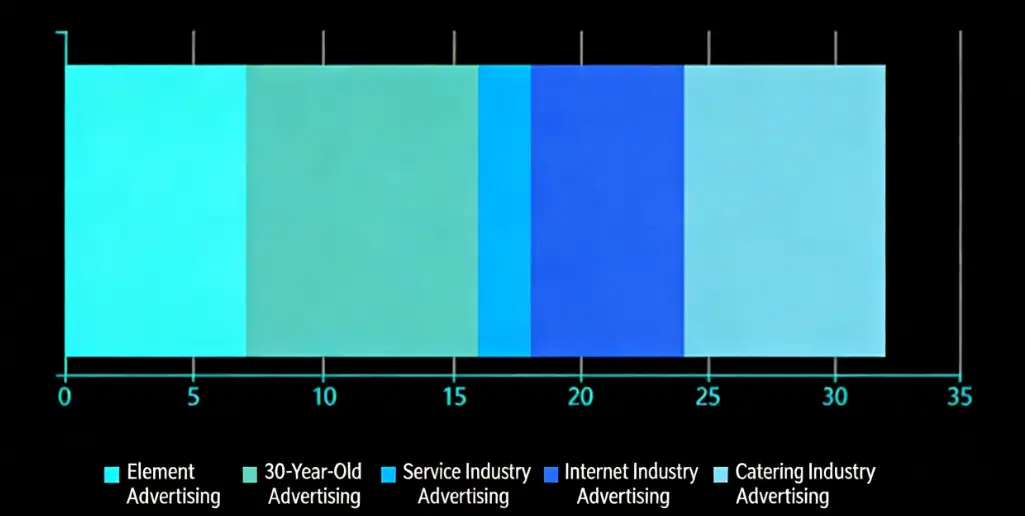

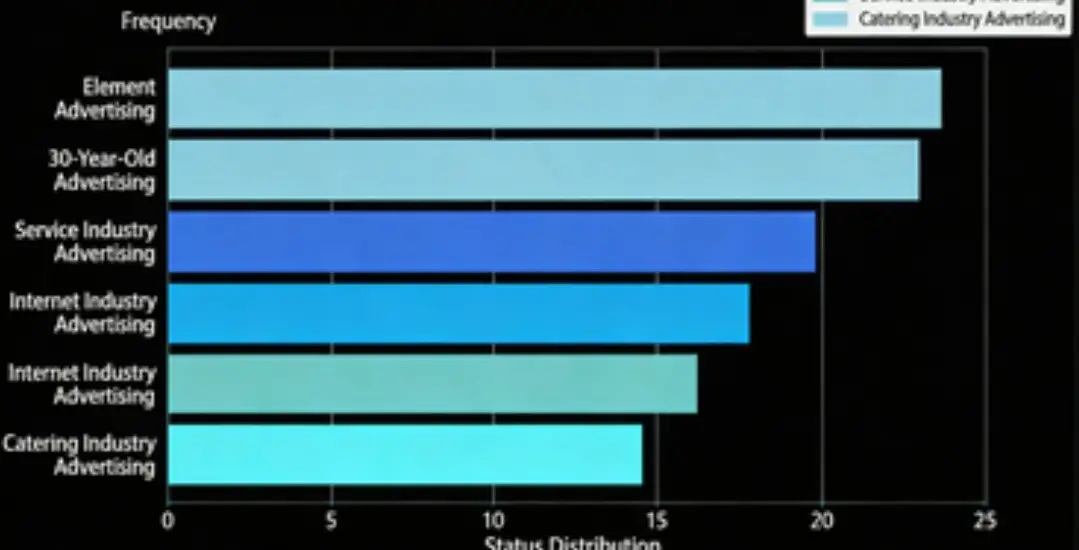
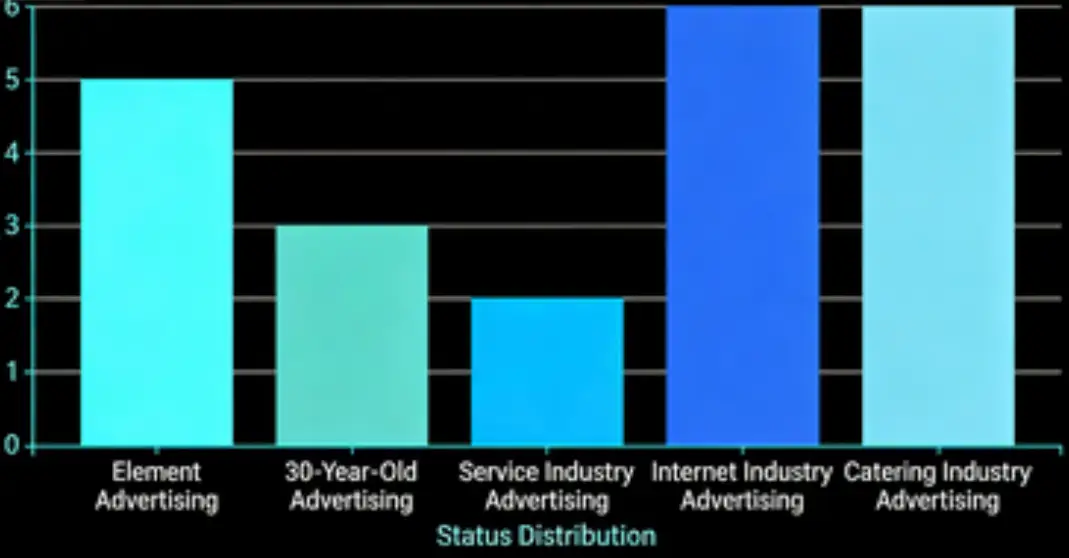
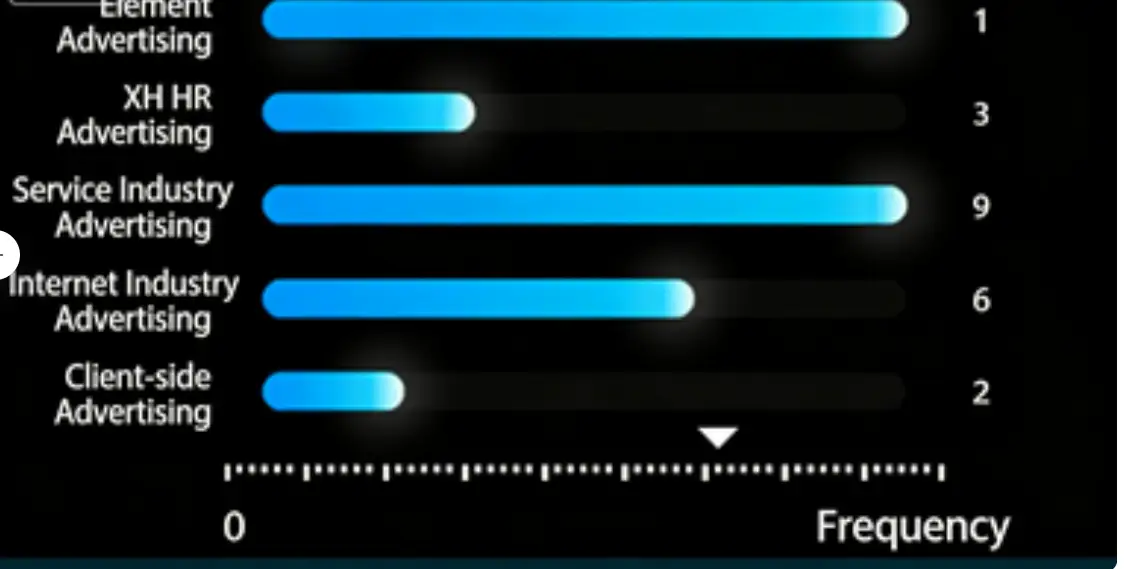

Component Description:
Category axis, suitable for discrete category data return format, such as bar chart.
Request Method: POST
https://report.tingyun.com/example/category.json
Parameters:
| Field | Type | Description | Required |
|---|---|---|---|
| currentTime | Number | Current timestamp. | Yes |
| token | String | Salt value, verification rule is md5(timePeriod+currentTime+configured token). For example: if timePeriod is 30, currentTime is 1513137332798, token is abc, then md5(301513137332798abc) should be computed. | No |
| timePeriod | Number | Time range in minutes. | Yes |
Correct Response Data:
| Field | Type | Description |
|---|---|---|
| value | Number | Average value, this key may not exist. It can be omitted if the traffic light does not exist. |
| xAxis | Object[] | Default horizontal axis configuration. |
| type | String | Horizontal axis type, can be empty, default is category. |
| data | Object[] | Horizontal axis data. |
| yAxis | Object[] | Default vertical axis configuration. This parameter can be omitted, then by default there is only one vertical axis, with type (type) as value and name (name) empty. |
| type | String | Vertical axis type, can be empty, default is value. |
| name | String | Vertical axis name, can be empty, corresponds to the unit in the large screen project. |
| forward | String | Chart direction, 0: horizontal, 1: vertical, may not exist, default is 0. |
| stacked | String | Whether the bar graphs in series are stacked, 0 for not stacked, 1 for stacked, may not exist, default is 0. |
| area | String | Whether the line graphs in series are stacked, 0 for not stacked, 1 for stacked, may not exist, default is 0. |
| series | Object[] | Data object. |
| name | String | Data item name. |
| type | String | Horizontal axis graph type, supports line, bar, default is line, may not exist. |
| data | Number[] | Data items, specific data length is the same as category. |
| yAxisIndex | Number | Which axis the data item uses, starting from 0, may not exist, default is 0. |
Example:
  HTTP/1.1 200 OK
{
    "value": 123,
    "xAxis": [
        {
            "type": "category",
            "data": [
                "Jan",
                "Feb",
                "Mar",
                "Apr",
                "May",
                "Jun",
                "Jul",
                "Aug",
                "Sep",
                "Oct",
                "Nov",
                "Dec"
            ]
        }
    ],
    "yAxis": [
        {
            "type": "value",
            "name": "seconds"
        },
        {
            "type": "value",
            "name": "times"
        }
    ],
    "forward": 0,
    "stack": 0,
    "area": 0,
    "series": [
        {
            "name": "Response Time",
            "type": "line",
            "data": [
                2.6,
                5.9,
                9,
                26.4,
                28.7,
                70.7,
                175.6,
                182.2,
                48.7,
                18.8,
                6,
                2.3
            ]
        },
        {
            "name": "Visit Count",
            "type": "bar",
            "yAxisIndex": 1,
            "data": [
                2,
                4.9,
                7,
                23.2,
                25.6,
                76.7,
                135.6,
                162.2,
                32.6,
                20,
                6.4,
                3.3
            ]
        }
    ]
}
3D Bar Chart
Component Name: 3D Bar Chart
Component Style:

Component Description:
3D bar chart, suitable for time series data format, only supports one set of data. If this component is used for large screen display, it is recommended to use a host with higher configuration.
Request Method: POST
https://report.tingyun.com/example/browser/ls-uv.json
Parameters:
| Field | Type | Description | Required |
|---|---|---|---|
| currentTime | Number | Current timestamp. | Yes |
| token | String | Salt value, verification rule is md5(timePeriod+currentTime+configured token). For example: if timePeriod is 30, currentTime is 1513137332798, token is abc, then md5(301513137332798abc) should be computed. | No |
| timePeriod | Number | Time range in minutes. | Yes |
Correct Response Data:
| Field | Type | Description |
|---|---|---|
| code | Number | Status code. |
| msg | String | Status description. |
| data | Object | Data object. |
| series | Object[] | |
| data | Object[] | |
| x | Number | X-axis data, only supports timestamp. |
| y | Number | Y-axis data. |
| name | String | Metric name. |
| type | String | Chart type, only supports column. |
| yAxis | String | Y-axis index. |
| yAxis | Object[] | Y-axis configuration. |
| tickUnit | String | Y-axis unit. |
Example:
  HTTP/1.1 200 OK
{
    "code": 200,
    "msg": "success",
    "data": {
        "series": [
            {
                "data": [
                    {
                        "x": 1556005200000,
                        "y": 3
                    },
                    {
                        "x": 1556005260000,
                        "y": 13
                    },
                    {
                        "x": 1556005320000,
                        "y": 4
                    }
                ],
                "name": "UV",
                "type": "column",
                "yAxis": 0
            }
        ],
        "yAxis": [
            {
                "tickUnit": "times"
            }
        ]
    }
}
3D Bar Chart 2
Component Name: 3D Bar Chart 2
Component Style:

Component Description:
None
Request Method: POST
https://doc.tingyun.com/sense/example/bard33ds1.json
Parameters:
| Field | Type | Description | Required |
|---|---|---|---|
| currentTime | Number | Current timestamp | Yes |
| token | String | Salt value, verification rule is md5(timePeriod+currentTime+configured token). For example: if timePeriod is 30, currentTime is 1513137332798, token is abc, then md5(301513137332798abc) should be computed. | No |
| timePeriod | Number | Time range in minutes | Yes |
Correct Response Data:
| Field | Type | Description |
|---|---|---|
| title | String | Title name, optional parameter |
| total | Number | Total sum, optional parameter |
| series | Array | Can be any number of data items |
| name | String | Name |
| unit | String | Unit, %, ms, etc. Optional parameter |
| value | Number | Number type |
| color | String | Bar color, "#77E5FF". Optional parameter |
Example:
{
	"title": "Business System Count",
	"total": 49,
	"series": [
		{
			"name": "Normal",
			"unit": "count",
			"value": 30
		},
		{
			"name": "Severe",
			"unit": "count",
			"value": 9
		},
		{
			"name": "Unknown",
			"unit": "count",
			"value": 10
		}
	]
}
3D Stacked Bar Chart
Component Name: 3D Stacked Bar Chart
Component Style:

Style 1: This style has a fixed format (highly customized) with strict API requirements. The legend must have 4 items, data must be divided into two groups, and each group must contain two sets of data.

Style 2: This style has more flexible data configuration. The number of legend items and data items is not fixed. The style is controlled by different API fields. If the API is switched after component creation, it needs to be saved and refreshed to take effect.
Component Description:
Stacked bar chart return format, data.series must return two sets of data.
Request Method: POST
https://report.tingyun.com/example/stackbar.json
Parameters:
| Field | Type | Description | Required |
|---|---|---|---|
| currentTime | Number | Current timestamp. | Yes |
| token | String | Salt value, verification rule is md5(timePeriod+currentTime+configured token). For example: if timePeriod is 30, currentTime is 1513137332798, token is abc, then md5(301513137332798abc) should be computed. | No |
| timePeriod | Number | Time range in minutes. | Yes |
Style 1 Correct Response Data:
| Field | Type | Description |
|---|---|---|
| status | Number | Status code |
| data | Object | |
| max | String | Y-axis maximum value |
| legend | Object[] | Legend |
| name | String | Legend name |
| series | Object[] | Data |
| id | String | id |
| totalname | String | Name 1 |
| total | Number | Name 1 number |
| relatedname | String | Name 2 |
| related | Number | Name 2 number |
| series | Object[] | Stacked chart data |
| name | String | Name |
| list | Object[] | Data set |
Example:
Style 1:
  HTTP/1.1 200 OK
{
    "status": 200,
    "data": {
        "max": 200,
        "legend": [
            {
                "name": "Critical"
            },
            {
                "name": "Major"
            },
            {
                "name": "Minor"
            },
            {
                "name": "Non-fault inquiry"
            }
        ],
        "series": [
            {
                "id": 1,
                "totalname": "ICTSM Total",
                "total": 90,
                "relatedname": "Related Project QTY",
                "related": 47,
                "series": [
                    {
                        "name": "L2",
                        "list": [
                            48,
                            12,
                            28,
                            36
                        ]
                    },
                    {
                        "name": "L3",
                        "list": [
                            48,
                            29,
                            44,
                            24
                        ]
                    }
                ]
            },
            {
                "id": 2,
                "totalname": "ICTOM Total",
                "total": 99,
                "relatedname": "Related Project QTY",
                "related": 67,
                "series": [
                    {
                        "name": "L2",
                        "list": [
                            43,
                            38,
                            18,
                            7
                        ]
                    },
                    {
                        "name": "L3",
                        "list": [
                            23,
                            29,
                            29,
                            27
                        ]
                    }
                ]
            }
        ]
    }
}
Style 2 Correct Response Data:
| Field | Type | Description |
|---|---|---|
| status | Number | Status code |
| data | Object | |
| max | String | Y-axis maximum value |
| legend | Object[] | Legend |
| name | String | Legend name |
| series | Object[] | Data |
| id | String | id |
| singseries | Object[] | Stacked chart data |
| name | String | Name |
| list | Object[] | Data set |
| Style 2: |
  HTTP/1.1 200 OK
{
    "status": 200,
    "data": {
        "max": 200,
        "legend": [
            {
                "name": "Critical"
            },
            {
                "name": "Major"
            },
            {
                "name": "Minor"
            },
            {
                "name": "Non-fault inquiry"
            }
        ],
        "singseries":{
          "id": 1,
          "series": [
            {
              "name": "L1",
              "list": [
                20,
                30,
                40,
                50
              ]
            },
            {
              "name": "L2",
              "list": [
               30,
               0,
               50,
               0
              ]
            },
            {
              "name": "L3",
              "list": [
               30,
               0,
               50,
               20
              ]
            },
            {
              "name": "L4",
              "list": [
               30,
               10,
               50,
               20
              ]
            }
          ]
        }
    }
}
Color Bar Chart
Component Name: Color Bar Chart
Component Style:

Component Description: The number of rows is determined by the number of data items. Row spacing can be configured in the component. The color of each bar can be directly defined via the interface or configured in the component.
Request Method: POST
https://doc.tingyun.com/sense/example/barbpi.json
Parameters:
| Field | Type | Description | Required |
|---|---|---|---|
| currentTime | Number | Current timestamp | Yes |
| token | String | Salt value, verification rule is md5(timePeriod+currentTime+configured token). For example: if timePeriod is 30, currentTime is 1513137332798, token is abc, then md5(301513137332798abc) should be computed. | No |
| timePeriod | Number | Time range in minutes | Yes |
Correct Response Data:
| Field | Type | Description |
|---|---|---|
| series | Array | Can be any number of data items |
| name | String | Name |
| value | Number | Value, must be a number |
| color | String | Bar color, "#77E5FF" |
If the value contains decimals, the component will display an integer rounded. The color can be passed via the interface or configured directly in the component. The color configured in the component has higher priority than the color passed via the interface.
Example:
 {
    "series": [
        { "name": "Revenue Dept 1", "value": 1000, "color": "77E5FF" },
        { "name": "Finance Dept", "value": 25966, "color": "#EDFF77" },
        { "name": "Operations Dept 2", "value": 145896, "color": "#7639FF" },
        { "name": "Order Submission", "value": 245896, "color": "#88FF77" },
        { "name": "Sales Dept", "value": 78526, "color": "#FF7042" },
        { "name": "Revenue Dept 1-1", "value": 2568, "color": "#77E5FF" },
        { "name": "Finance Dept-2", "value": 9584, "color": "#EDFF77" },
        { "name": "Operations Dept 2-3", "value": 545896, "color": "#7639FF" },
        { "name": "Order Submission-4", "value": 9849, "color": "#88FF77" },
        { "name": "Sales Dept-5", "value": 58952, "color": "#FF7042" }
    ]
}
Database Access, CSV Access
The SQL query result and CSV file content both have 4 columns. The field names can be arbitrarily specified, but the field order cannot be changed:
| Field Order | Type | Description |
|---|---|---|
| name | String | Name |
| unit | String | Unit |
| value | Number | Value |
| color | String | Color |
Using MySQL as an example, the SQL example is as follows:
SELECT name, unit, value, color FROM color_metrics_test
CSV example is as follows:
name,unit,value,color
Completed Business,count,431,#77E5FF
Errored Business,count,188,#F30B49
Users Affected by Errors,count,256,#FF3B3B
Average Response Time,ms,330,#15F4D1
Gradient Bar Chart
Component Name: Gradient Bar Chart
Component Style:

Component Description: This is grouped data. The legend data determines how many data items are in each group. The color of the legend can be directly defined via the interface or configured in the component.
Request Method: POST
https://doc.tingyun.com/sense/example/bargroupbpi.json
Parameters:
| Field | Type | Description | Required |
|---|---|---|---|
| currentTime | Number | Current timestamp | Yes |
| token | String | Salt value, verification rule is md5(timePeriod+currentTime+configured token). For example: if timePeriod is 30, currentTime is 1513137332798, token is abc, then md5(301513137332798abc) should be computed. | No |
| timePeriod | Number | Time range in minutes | Yes |
Correct Response Data:
| Field | Type | Description |
|---|---|---|
| legend | Array | Legend data, the length of the array is the length of the value array in series |
| name | String | Legend name |
| color | String | Legend color |
| series | Array | Can be any number of data items |
| name | String | Data name |
| value | Array | Values in the array must be numbers, the array length should match the legend length |
Example: Example 1:
{
    "legend": [
        { "name": "Success", "color": "#36C5FF" },
        { "name": "Failure", "color": "#F40C4A" }
    ],
    "series": [
        { "name": "Revenue Dept 1", "value": [50, 80] },
        { "name": "Finance Dept", "value": [10, 90] },
        { "name": "Operations Dept 2", "value": [70, 50] },
        { "name": "Order Submission", "value": [90, 20] },
        { "name": "Sales Dept", "value": [50, 40] }
    ]
}
Example 2:
{
    "legend": [
        { "name": "Success", "color": "#36C5FF" },
        { "name": "Failure", "color": "#F40C4A" },
        { "name": "Unknown", "color": "#FF0C2B" },
    ],
    "series": [
        { "name": "Revenue Dept 1", "value": [50, 80, 20] },
        { "name": "Finance Dept", "value": [10, 90, 10] },
        { "name": "Operations Dept 2", "value": [70, 50, 21] },
        { "name": "Order Submission", "value": [90, 20, 45] },
        { "name": "Sales Dept", "value": [50, 40, 25] }
    ]
}
Database Access, CSV Access
The SQL query result and CSV file content both have 4 columns. The field names can be arbitrarily specified, but the field order cannot be changed:
| Field Order | Type | Description |
|---|---|---|
| name1 | String | Color meaning |
| color | String | Color |
| name2 | String | Name |
| value | Number | Value |
Using MySQL as an example, the SQL example is as follows:
SELECT name1, color, name2, value FROM fade_bar_chart_test
CSV example is as follows:
name1,color,name2,value
Success,#36C5FF,Revenue Dept 1,600
Failure,#F40C4A,Revenue Dept 1,800
Unknown,#666666,Revenue Dept 1,100
Success,#36C5FF,Finance Dept,300
Failure,#F40C4A,Finance Dept,900
Unknown,#666666,Finance Dept,100
Success,#36C5FF,Operations Dept 2,400
Failure,#F40C4A,Operations Dept 2,300
Unknown,#666666,Operations Dept 2,100
Core Metrics
Component Name: Core Metrics
Component Style:
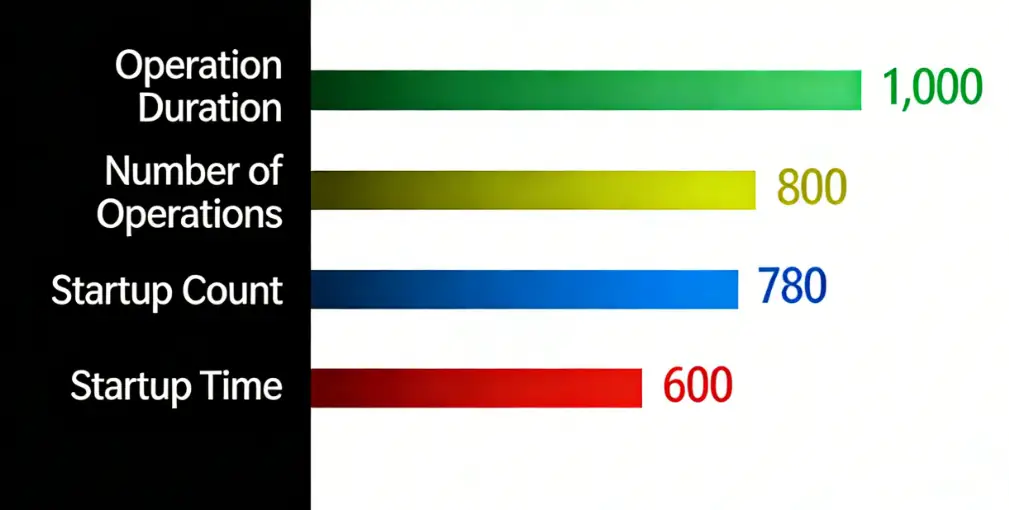
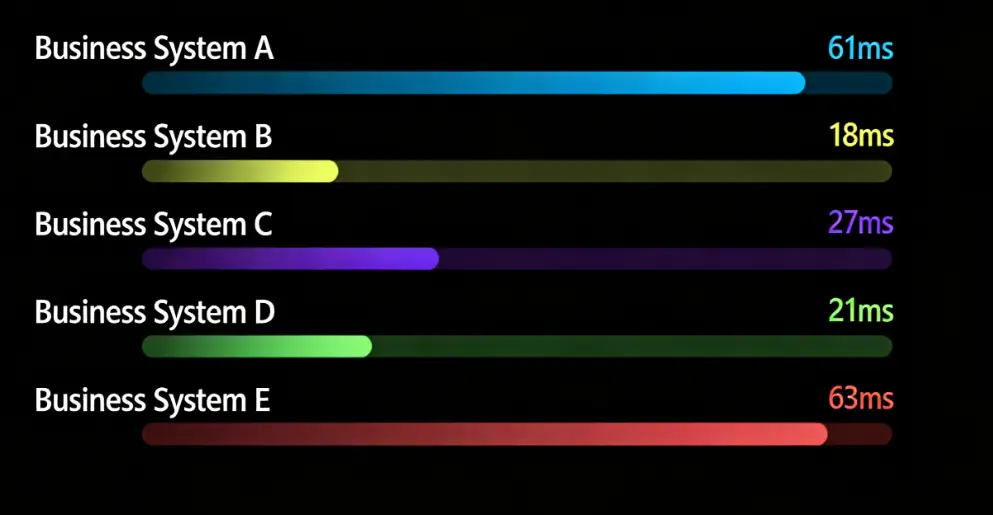
Component Description:
The number of rows is determined by the number of data items. Row spacing and rectangle width can be configured in the component. The color of each bar can be directly defined via the interface or configured in the component.
Request Method: POST
https://doc.tingyun.com/sense/example/barcoreindex.json
Parameters:
| Field | Type | Description | Required |
|---|---|---|---|
| currentTime | Number | Current timestamp | Yes |
| token | String | Salt value, verification rule is md5(timePeriod+currentTime+configured token). For example: if timePeriod is 30, currentTime is 1513137332798, token is abc, then md5(301513137332798abc) should be computed. | No |
| timePeriod | Number | Time range in minutes | Yes |
Correct Response Data:
| Field | Type | Description |
|---|---|---|
| series | Array | Can be any number of data items |
| name | String | Name |
| unit | String | Unit, %, ms, etc. Optional parameter |
| value | Number | Number type |
| color | String | Bar color, "#77E5FF". Optional parameter |
| value supports decimals. | ||
| color can be passed via the interface or configured directly in the component. The color configured in the component has higher priority than the color passed via the interface. |
Example 1:
{
  "series": [
      { "name": "Operation Time", "value": 1000},
      { "name": "Operation Count","value": 800},
      { "name": "Startup Count","value": 780},
      { "name": "Startup Time","value": 600}
  ]
}
Example 2:
{
	"series": [
		{
			"name": "Business System A",
			"unit": "ms",
			"value": 61
		},
		{
			"name": "Business System B",
			"value": 18,
			"unit": "ms"
		},
		{
			"name": "Business System C",
			"unit": "ms",
			"value": 27
		},
		{
			"name": "Business System D",
			"unit": "ms",
			"value": 21
		},
		{
			"name": "Business System E",
			"unit": "ms",
			"value": 63
		}
	]
}
Line Chart
Line Chart
Component Name: Line Chart
Component Style:

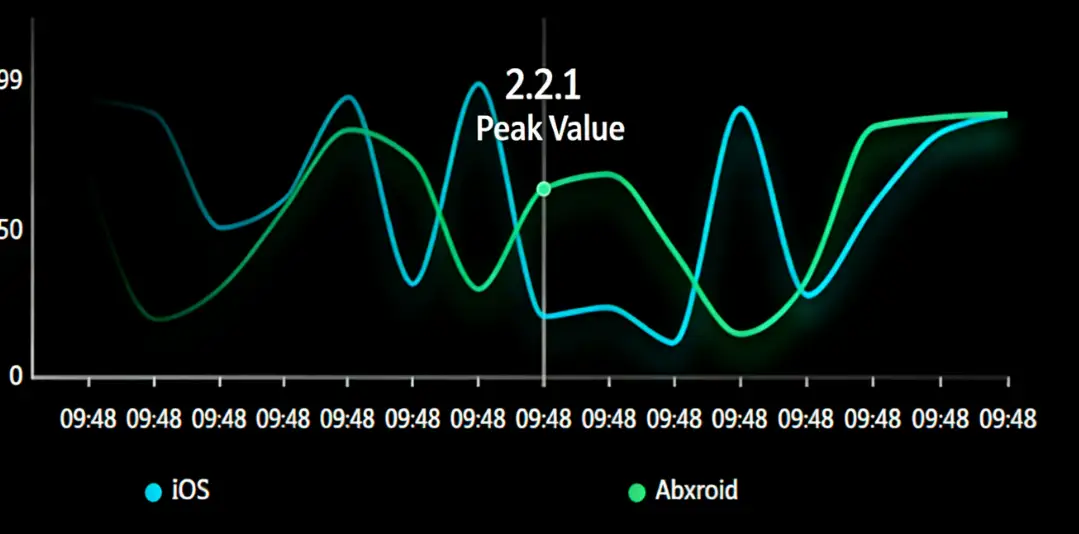
Component Description:
Time axis, suitable for time series and numerical data return format, such as line chart.
Request Method: POST
https://report.tingyun.com/example/time.json
Parameters:
| Field | Type | Required | Description |
|---|---|---|---|
| currentTime | Number | Yes | Current timestamp. |
| token | String | No | Salt value, used to verify parameter integrity. Verification rule is md5(timePeriod+currentTime+configured token). For example: if timePeriod is 30, currentTime is 1513137332798, token is abc, then md5(301513137332798abc) should be computed. |
| timePeriod | Number | Yes | Time range in minutes. |
Correct Response Data:
| Field | Type | Description |
|---|---|---|
| value | Number | Average value, this key may not exist. It can be omitted if the traffic light does not exist. |
| xAxis | Object[] | Default horizontal axis configuration. This parameter can be omitted, then by default there is only one vertical axis, with type (type) as value. |
| type | String | Default horizontal axis configuration, and type (type) is value, time for time series. |
| yAxis | Object[] | Default vertical axis configuration. This parameter can be omitted, then by default there is only one vertical axis, with type (type) as value, name (name) empty. |
| type | String | Vertical axis type, can be empty, default is value. |
| name | String | Vertical axis name, can be empty, corresponds to the unit in the large screen project. |
| forward | String | Chart direction, 0: horizontal, 1: vertical, may not exist, default is 0. |
| stacked | String | Whether the bar graphs in series are stacked, 0 for not stacked, 1 for stacked, may not exist, default is 0. |
| area | String | Whether the line graphs in series are stacked, 0 for not stacked, 1 for stacked, may not exist, default is 0. |
| series | Object[] | Data object. |
| name | String | Data item name. |
| type | String | Horizontal axis graph type, supports line, bar, default is line, may not exist. |
| data | Object[] | Data items. |
| x | Number | Data item horizontal axis data. |
| y | Number | Data item vertical axis data. |
| yAxisIndex | Number | Which axis the data item uses, starting from 0, may not exist, default is 0. |
| xAxisIndex | Number | Which X-axis the data item uses, starting from 0, may not exist, default is 0. |
Example:
 HTTP/1.1 200 OK
{
    "value": 123,
    "xAxis": [
        {
            "type": "time"
        }
    ],
    "yAxis": [
        {
            "type": "value",
            "name": "seconds"
        },
        {
            "type": "value",
            "name": "times"
        }
    ],
    "forward": 0,
    "stack": 0,
    "area": 0,
    "series": [
        {
            "name": "Response Time",
            "type": "line",
            "data": [
                {
                    "x": 1544496360000,
                    "y": 122
                },
                {
                    "x": 1544496420000,
                    "y": 422
                }
            ]
        },
        {
            "name": "Visit Count",
            "type": "bar",
            "yAxisIndex": 1,
            "data": [
                {
                    "x": 1544496360000,
                    "y": 22
                },
                {
                    "x": 1544496420000,
                    "y": 122
                }
            ]
        }
    ]
}
Line Chart 2
Component Name: Line Chart 2
Component Style:
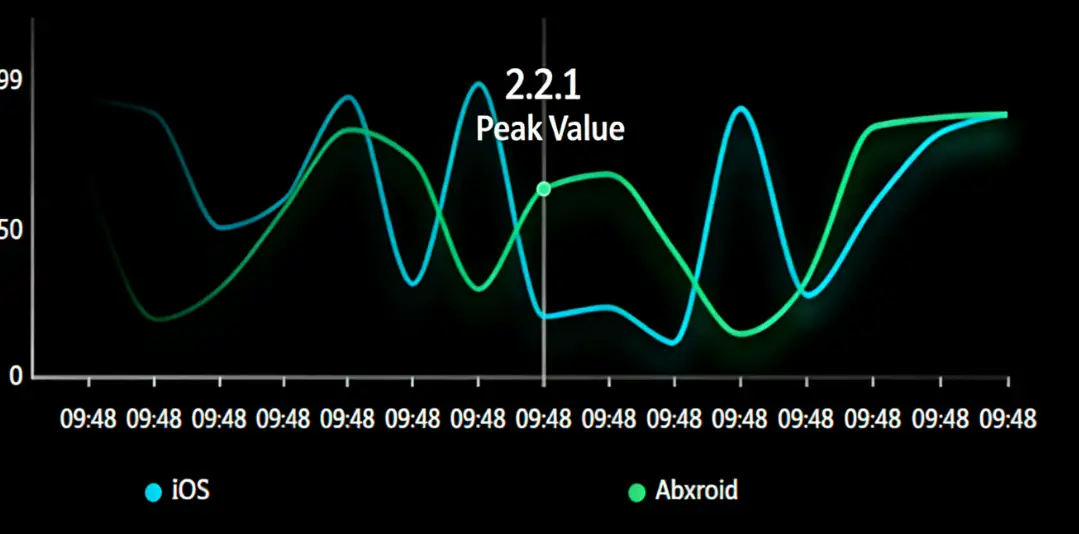
Component Description:
Line chart, currently supports up to 5 data sets. The component can display additional information. The component supports mouse interaction in projection mode. Moving the mouse within the coordinate area displays values and other information. Clicking on the legend hides that data set.
Request Method: POST
https://doc.tingyun.com/sense/example/lineroewe.json
Parameters:
| Field | Type | Description | Required |
|---|---|---|---|
| currentTime | Number | Current timestamp. | Yes |
| token | String | Salt value, verification rule is md5(timePeriod+currentTime+configured token). For example: if timePeriod is 30, currentTime is 1513137332798, token is abc, then md5(301513137332798abc) should be computed. | No |
| timePeriod | Number | Time range in minutes. | Yes |
Correct Response Data:
| Field | Type | Description |
|---|---|---|
| series | Array | Data array, maximum 5 sets. |
| name | String | Name |
| data | Array | Data |
| x | Number | Number type, required |
| y | Number | Standard timestamp format |
| info | Object | Additional information, will be always displayed in the component, use sparingly. |
| maintitle | String | Main title |
| subtitle | String | Subtitle |
Example:
{
	"series": [
		{
			"name": "IOS",
			"data": [
				{
					"y": 23,
					"x": 1600150920000
				},
				{
					"y": 68,
					"x": 1600064520000
				},
				{
					"y": 83,
					"x": 1599978120000
				},
				{
					"y": 70,
					"x": 1599891720000
				},
				{
					"y": 48,
					"x": 1599805320000
				},
				{
					"y": 63,
					"x": 1599718920000
				},
				{
					"y": 19,
					"x": 1599632520000
				},
				{
					"y": 66,
					"x": 1599546120000
				},
				{
					"y": 17,
					"x": 1599459720000
				},
				{
					"y": 98,
					"x": 1599373320000
				},
				{
					"y": 81,
					"x": 1599286920000
				},
				{
					"y": 63,
					"x": 1599200520000
				},
				{
					"y": 94,
					"x": 1599114120000
				},
				{
					"y": 24,
					"x": 1599027720000
				},
				{
					"y": 77,
					"x": 1598941320000
				}
			]
		},
		{
			"name": "Android",
			"data": [
				{
					"y": 69,
					"x": 1600150920000
				},
				{
					"y": 46,
					"x": 1600064520000
				},
				{
					"y": 55,
					"x": 1599978120000
				},
				{
					"y": 29,
					"x": 1599891720000
				},
				{
					"y": 20,
					"x": 1599805320000
				},
				{
					"y": 41,
					"x": 1599718920000
				},
				{
					"y": 16,
					"x": 1599632520000
				},
				{
					"y": 28,
					"x": 1599546120000,
					"info": {
						"maintitle": "2.2.11111111",
						"subtitle": "Version Release"
					}
				},
				{
					"y": 10,
					"x": 1599459720000
				},
				{
					"y": 67,
					"x": 1599373320000
				},
				{
					"y": 44,
					"x": 1599286920000
				},
				{
					"y": 94,
					"x": 1599200520000
				},
				{
					"y": 49,
					"x": 1599114120000
				},
				{
					"y": 22,
					"x": 1599027720000
				},
				{
					"y": 13,
					"x": 1598941320000
				}
			]
		}
	]
}
ECharts Line Chart
Component Name: ECharts Line Chart
Component Style:
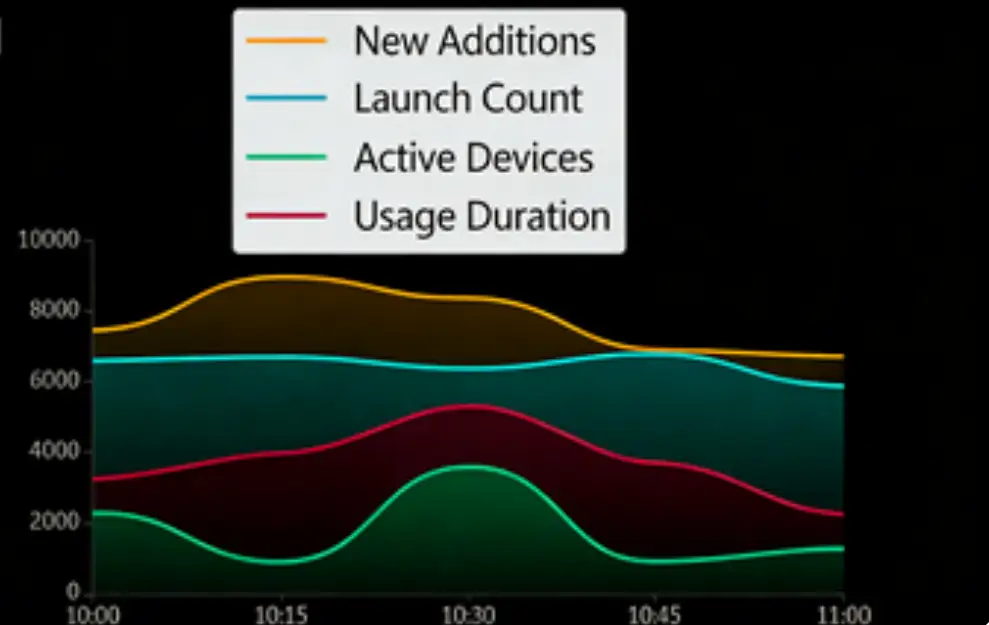
Component Description:
Developed based on echarts 4.X, refer to the official echarts documentation.
Request Method: POST
https://doc.tingyun.com/sense/example/sense3LineChar2.json
Parameters:
| Field | Type | Description | Required |
|---|---|---|---|
| currentTime | Number | Current timestamp | Yes |
| token | String | Salt value, verification rule is md5(timePeriod+currentTime+configured token). For example: if timePeriod is 30, currentTime is 1513137332798, token is abc, then md5(301513137332798abc) should be computed. | No |
| timePeriod | Number | Time range in minutes | Yes |
Correct Response Data:
| Type | Description |
|---|---|
| 2D Array | Refer to echarts' dataset |
The data format can refer to echarts 4.X's dataset: [https://echarts.apache.org/zh/tutorial.html#%E4%BD%BF%E7%94%A8%20dataset%20%E7%AE%A1%E7%90%86%E6%95%B0%E6%8D%AE](https://echarts.apache.org/zh/tutorial.html#使用 dataset 管理数据)
The number of data display items can be configured in the developer configuration. echarts does not automatically update the series configuration based on the number of data items; it needs to be updated manually.
Example:
{
	"source": [
		[
			"product",
			"10:00",
			"10:15",
			"10:30",
			"10:45",
			"11:00"
		],
		[
			"New Count",
			789,
			409,
			674,
			398,
			814
		],
		[
			"Startup Count",
			406,
			375,
			913,
			540,
			972
		],
		[
			"Active Devices",
			70,
			278,
			409,
			340,
			329
		],
		[
			"Usage Duration",
			671,
			330,
			875,
			21,
			728
		]
	]
}
Line Area Chart
Component Name: Line Area Chart
Component Style:

Component Description:
Area/Line chart, supports switching between area and line display modes. The length of the xAxis:data field array must match the length of the data field in series.
Request Method: POST
https://doc.tingyun.com/sense/example/linearea.json
Parameters:
| Field | Type | Required | Description |
|---|---|---|---|
| currentTime | Number | Yes | Current timestamp. |
| token | String | No | Salt value, used to verify parameter integrity. Verification rule is md5(timePeriod+currentTime+configured token). For example: if timePeriod is 30, currentTime is 1513137332798, token is abc, then md5(301513137332798abc) should be computed. |
| timePeriod | Number | Yes | Time range in minutes. |
Correct Response Data:
| Field | Type | Description |
|---|---|---|
| xAxis | Object | x-axis |
| data | Array | Array, values are string type |
| series | Array | Data series, corresponds to number of data items |
| name | String | Data name |
| value | Number/String | Data value, can be empty |
| data | Array | x-axis coordinates |
Example:
{
	"xAxis": {
		"data": [
			"Jan",
			" ",
			" ",
			" ",
			" ",
			"Jun",
			" ",
			" ",
			" ",
			" ",
			" ",
			"Dec"
		]
	},
	"series": [
		{
			"name": "One Web",
			"value": 67,
			"data": [
				86,
				47,
				36,
				93,
				67,
				33,
				62,
				80,
				19,
				43,
				80,
				53
			]
		},
		{
			"name": "Wechat Service Account",
			"value": 47,
			"data": [
				53,
				87,
				45,
				96,
				37,
				25,
				20,
				96,
				22,
				77,
				91,
				56
			]
		},
		{
			"name": "MB Miniprogram",
			"value": 5,
			"data": [
				85,
				39,
				39,
				55,
				47,
				10,
				22,
				66,
				46,
				93,
				85,
				20
			]
		}
	]
}
Mini Area Chart
Component Name: Mini Area Chart
Component Style:
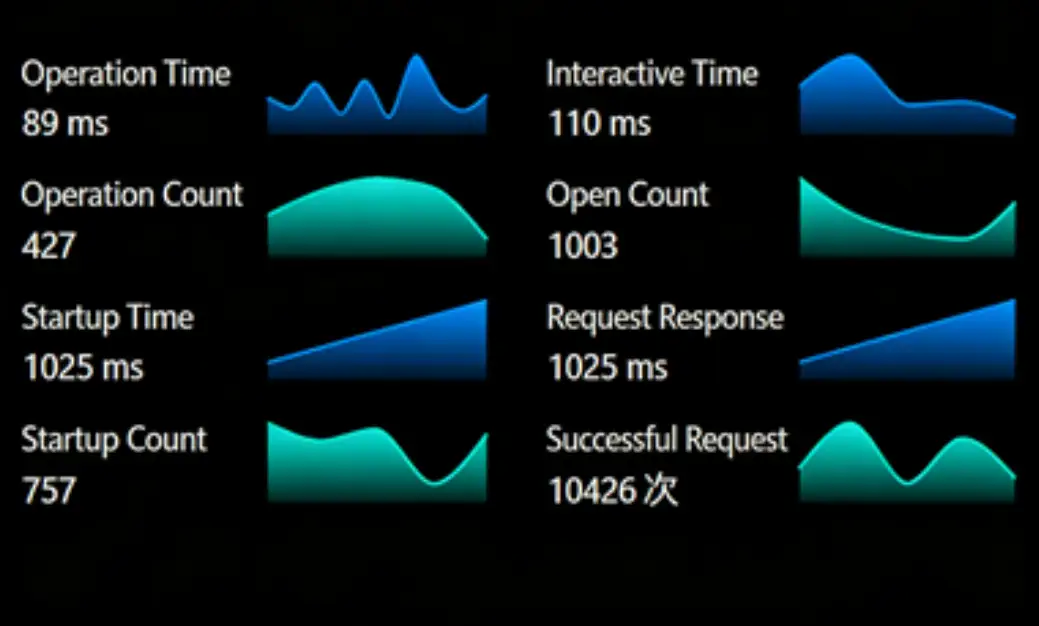
Component Description:
Mini area chart, supports multiple data sets and customizable number of columns.
Request Method: POST
https://doc.tingyun.com/example/miniareas.json
Parameters:
| Field | Type | Required | Description |
|---|---|---|---|
| currentTime | Number | Yes | Current timestamp. |
| token | String | No | Salt value, used to verify parameter integrity. Verification rule is md5(timePeriod+currentTime+configured token). For example: if timePeriod is 30, currentTime is 1513137332798, token is abc, then md5(301513137332798abc) should be computed. |
| timePeriod | Number | Yes | Time range in minutes. |
Correct Response Data:
| Field | Type | Description |
|---|---|---|
| series | Array | Data |
| name | String | Name |
| value | Number | Value |
| unit | String | Unit |
| data | Array | Each item in array must be numeric type |
Example:
{
	"series": [
		{
			"name": "Operation Time",
			"value": 89,
			"unit": "ms",
			"data": [
				36,
				4,
				18,
				33,
				95,
				46,
				19,
				34,
				97,
				40
			]
		},
		{
			"name": "Time to Interactive",
			"value": 110,
			"unit": "ms",
			"data": [
				88,
				71,
				51,
				85,
				37
			]
		},
		{
			"name": "Operation Count",
			"value": 427,
			"data": [
				17,
				12,
				42,
				30,
				26
			]
		},
		{
			"name": "Open Count",
			"value": 1003,
			"data": [
				53,
				86,
				68,
				99,
				87
			]
		},
		{
			"name": "Startup Time",
			"value": 1025,
			"unit": "ms",
			"data": [
				25,
				48
			]
		},
		{
			"name": "Request Response Time",
			"value": 1025,
			"unit": "ms",
			"data": [
				35,
				89
			]
		},
		{
			"name": "Startup Count",
			"value": 757,
			"data": [
				79,
				98,
				20,
				5,
				17
			]
		},
		{
			"name": "Successful Request Count",
			"value": 10426,
			"unit": "times",
			"data": [
				98,
				75,
				90,
				53,
				77
			]
		}
	]
}
Carousel Line Chart
Component Name: Carousel Line Chart
Component Style:
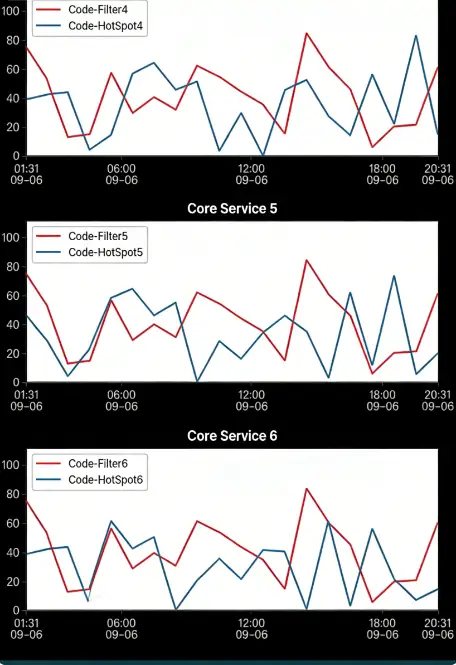
Component Description:
Carousel line chart developed based on ECharts. Users can achieve various ECharts charts through flexible configuration.
Default configuration has xAxis:"type"= "time", meaning X-axis defaults to time axis. To use category axis, need to configure type=category. Data in series still maintains two-dimensional array format. Specific configuration information can refer to ECharts official website.
Request Method: POST
https://doc.tingyun.com/sense/example/sense3LineCharplus.json
Parameters:
| Field | Type | Description | Required |
|---|---|---|---|
| currentTime | Number | Current timestamp. | Yes |
| token | String | Salt value, verification rule is md5(timePeriod+currentTime+configured token). For example: if timePeriod is 30, currentTime is 1513137332798, token is abc, then md5(301513137332798abc) should be computed. | No |
| timePeriod | Number | Time range in minutes. | Yes |
Correct Response Data:
| Field | Type | Description |
|---|---|---|
| title | String | Title |
| series | Array | Refer to ECharts documentation |
Example:
[
{
"title": "Core Service 1",
"series": [
{
"name": "Code-Filter1",
"type": "line",
"symbol": "none",
"data": [
[
1630925882877,
55
],
[
1630929482877,
68
],
[
1630933082877,
71
],
[
1630936682877,
30
],
[
1630940282877,
48
],
[
1630943882877,
39
],
[
1630947482877,
19
],
[
1630951082877,
31
],
[
1630954682877,
55
],
[
1630958282877,
56
],
[
1630961882877,
14
],
[
1630965482877,
56
],
[
1630969082877,
71
],
[
1630972682877,
60
],
[
1630976282877,
46
],
[
1630979882877,
52
],
[
1630983482877,
15
],
[
1630987082877,
27
],
[
1630990682877,
21
],
[
1630994282877,
7
]
]
},
{
"name": "Code-HotSpot1",
"type": "line",
"symbol": "none",
"data": [
[
1630925882877,
39
],
[
1630929482877,
32
],
[
1630933082877,
37
],
[
1630936682877,
49
],
[
1630940282877,
25
],
[
1630943882877,
64
],
[
1630947482877,
58
],
[
1630951082877,
8
],
[
1630954682877,
42
],
[
1630958282877,
52
],
[
1630961882877,
1
],
[
1630965482877,
60
],
[
1630969082877,
31
],
[
1630972682877,
56
],
[
1630976282877,
47
],
[
1630979882877,
38
],
[
1630983482877,
62
],
[
1630987082877,
63
],
[
1630990682877,
40
],
[
1630994282877,
8
]
]
}
]
},
{
"title": "Core Service 2",
"series": [
{
"name": "Code-Filter2",
"type": "line",
"symbol": "none",
"data": [
[
1630925882877,
55
],
[
1630929482877,
68
],
[
1630933082877,
71
],
[
1630936682877,
30
],
[
1630940282877,
48
],
[
1630943882877,
39
],
[
1630947482877,
19
],
[
1630951082877,
31
],
[
1630954682877,
55
],
[
1630958282877,
56
],
[
1630961882877,
14
],
[
1630965482877,
56
],
[
1630969082877,
71
],
[
1630972682877,
60
],
[
1630976282877,
46
],
[
1630979882877,
52
],
[
1630983482877,
15
],
[
1630987082877,
27
],
[
1630990682877,
21
],
[
1630994282877,
7
]
]
},
{
"name": "Code-HotSpot2",
"type": "line",
"symbol": "none",
"data": [
[
1630925882877,
34
],
[
1630929482877,
42
],
[
1630933082877,
29
],
[
1630936682877,
32
],
[
1630940282877,
63
],
[
1630943882877,
62
],
[
1630947482877,
1
],
[
1630951082877,
47
],
[
1630954682877,
34
],
[
1630958282877,
1
],
[
1630961882877,
55
],
[
1630965482877,
39
],
[
1630969082877,
58
],
[
1630972682877,
54
],
[
1630976282877,
53
],
[
1630979882877,
55
],
[
1630983482877,
65
],
[
1630987082877,
25
],
[
1630990682877,
28
],
[
1630994282877,
53
]
]
}
]
},
{
"title": "Core Service 3",
"series": [
{
"name": "Code-Filter3",
"type": "line",
"symbol": "none",
"data": [
[
1630925882877,
55
],
[
1630929482877,
68
],
[
1630933082877,
71
],
[
1630936682877,
30
],
[
1630940282877,
48
],
[
1630943882877,
39
],
[
1630947482877,
19
],
[
1630951082877,
31
],
[
1630954682877,
55
],
[
1630958282877,
56
],
[
1630961882877,
14
],
[
1630965482877,
56
],
[
1630969082877,
71
],
[
1630972682877,
60
],
[
1630976282877,
46
],
[
1630979882877,
52
],
[
1630983482877,
15
],
[
1630987082877,
27
],
[
1630990682877,
21
],
[
1630994282877,
7
]
]
},
{
"name": "Code-HotSpot3",
"type": "line",
"symbol": "none",
"data": [
[
1630925882877,
50
],
[
1630929482877,
8
],
[
1630933082877,
38
],
[
1630936682877,
60
],
[
1630940282877,
56
],
[
1630943882877,
0
],
[
1630947482877,
53
],
[
1630951082877,
17
],
[
1630954682877,
5
],
[
1630958282877,
48
],
[
1630961882877,
42
],
[
1630965482877,
62
],
[
1630969082877,
59
],
[
1630972682877,
63
],
[
1630976282877,
38
],
[
1630979882877,
63
],
[
1630983482877,
5
],
[
1630987082877,
45
],
[
1630990682877,
56
],
[
1630994282877,
30
]
]
}
]
},
{
"title": "Core Service 4",
"series": [
{
"name": "Code-Filter4",
"type": "line",
"symbol": "none",
"data": [
[
1630925882877,
55
],
[
1630929482877,
68
],
[
1630933082877,
71
],
[
1630936682877,
30
],
[
1630940282877,
48
],
[
1630943882877,
39
],
[
1630947482877,
19
],
[
1630951082877,
31
],
[
1630954682877,
55
],
[
1630958282877,
56
],
[
1630961882877,
14
],
[
1630965482877,
56
],
[
1630969082877,
71
],
[
1630972682877,
60
],
[
1630976282877,
46
],
[
1630979882877,
52
],
[
1630983482877,
15
],
[
1630987082877,
27
],
[
1630990682877,
21
],
[
1630994282877,
7
]
]
},
{
"name": "Code-HotSpot4",
"type": "line",
"symbol": "none",
"data": [
[
1630925882878,
11
],
[
1630929482878,
43
],
[
1630933082878,
56
],
[
1630936682878,
43
],
[
1630940282878,
2
],
[
1630943882878,
56
],
[
1630947482878,
3
],
[
1630951082878,
10
],
[
1630954682878,
40
],
[
1630958282878,
40
],
[
1630961882878,
67
],
[
1630965482878,
62
],
[
1630969082878,
67
],
[
1630972682878,
15
],
[
1630976282878,
59
],
[
1630979882878,
18
],
[
1630983482878,
56
],
[
1630987082878,
60
],
[
1630990682878,
25
],
[
1630994282878,
14
]
]
}
]
},
{
"title": "Core Service 5",
"series": [
{
"name": "Code-Filter5",
"type": "line",
"symbol": "none",
"data": [
[
1630925882878,
55
],
[
1630929482878,
68
],
[
1630933082878,
71
],
[
1630936682878,
30
],
[
1630940282878,
48
],
[
1630943882878,
39
],
[
1630947482878,
19
],
[
1630951082878,
31
],
[
1630954682878,
55
],
[
1630958282878,
56
],
[
1630961882878,
14
],
[
1630965482878,
56
],
[
1630969082878,
71
],
[
1630972682878,
60
],
[
1630976282878,
46
],
[
1630979882878,
52
],
[
1630983482878,
15
],
[
1630987082878,
27
],
[
1630990682878,
21
],
[
1630994282878,
7
]
]
},
{
"name": "Code-HotSpot5",
"type": "line",
"symbol": "none",
"data": [
[
1630925882878,
47
],
[
1630929482878,
51
],
[
1630933082878,
24
],
[
1630936682878,
10
],
[
1630940282878,
58
],
[
1630943882878,
6
],
[
1630947482878,
16
],
[
1630951082878,
29
],
[
1630954682878,
34
],
[
1630958282878,
72
],
[
1630961882878,
65
],
[
1630965482878,
68
],
[
1630969082878,
12
],
[
1630972682878,
53
],
[
1630976282878,
41
],
[
1630979882878,
59
],
[
1630983482878,
63
],
[
1630987082878,
20
],
[
1630990682878,
5
],
[
1630994282878,
48
]
]
}
]
},
{
"title": "Core Service 6",
"series": [
{
"name": "Code-Filter6",
"type": "line",
"symbol": "none",
"data": [
[
1630925882878,
55
],
[
1630929482878,
68
],
[
1630933082878,
71
],
[
1630936682878,
30
],
[
1630940282878,
48
],
[
1630943882878,
39
],
[
1630947482878,
19
],
[
1630951082878,
31
],
[
1630954682878,
55
],
[
1630958282878,
56
],
[
1630961882878,
14
],
[
1630965482878,
56
],
[
1630969082878,
71
],
[
1630972682878,
60
],
[
1630976282878,
46
],
[
1630979882878,
52
],
[
1630983482878,
15
],
[
1630987082878,
27
],
[
1630990682878,
21
],
[
1630994282878,
7
]
]
},
{
"name": "Code-HotSpot6",
"type": "line",
"symbol": "none",
"data": [
[
1630925882878,
46
],
[
1630929482878,
3
],
[
1630933082878,
21
],
[
1630936682878,
57
],
[
1630940282878,
12
],
[
1630943882878,
22
],
[
1630947482878,
16
],
[
1630951082878,
23
],
[
1630954682878,
73
],
[
1630958282878,
67
],
[
1630961882878,
65
],
[
1630965482878,
40
],
[
1630969082878,
45
],
[
1630972682878,
60
],
[
1630976282878,
54
],
[
1630979882878,
64
],
[
1630983482878,
13
],
[
1630987082878,
23
],
[
1630990682878,
42
],
[
1630994282878,
14
]
]
}
]
},
{
"title": "Core Service 7",
"series": [
{
"name": "Code-Filter7",
"type": "line",
"symbol": "none",
"data": [
[
1630925882878,
55
],
[
1630929482878,
68
],
[
1630933082878,
71
],
[
1630936682878,
30
],
[
1630940282878,
48
],
[
1630943882878,
39
],
[
1630947482878,
19
],
[
1630951082878,
31
],
[
1630954682878,
55
],
[
1630958282878,
56
],
[
1630961882878,
14
],
[
1630965482878,
56
],
[
1630969082878,
71
],
[
1630972682878,
60
],
[
1630976282878,
46
],
[
1630979882878,
52
],
[
1630983482878,
15
],
[
1630987082878,
27
],
[
1630990682878,
21
],
[
1630994282878,
7
]
]
},
{
"name": "Code-HotSpot7",
"type": "line",
"symbol": "none",
"data": [
[
1630925882878,
17
],
[
1630929482878,
33
],
[
1630933082878,
53
],
[
1630936682878,
15
],
[
1630940282878,
29
],
[
1630943882878,
0
],
[
1630947482878,
10
],
[
1630951082878,
70
],
[
1630954682878,
68
],
[
1630958282878,
58
],
[
1630961882878,
62
],
[
1630965482878,
35
],
[
1630969082878,
74
],
[
1630972682878,
39
],
[
1630976282878,
62
],
[
1630979882878,
4
],
[
1630983482878,
39
],
[
1630987082878,
34
],
[
1630990682878,
12
],
[
1630994282878,
30
]
]
}
]
},
{
"title": "Core Service 8",
"series": [
{
"name": "Code-Filter8",
"type": "line",
"symbol": "none",
"data": [
[
1630925882878,
55
],
[
1630929482878,
68
],
[
1630933082878,
71
],
[
1630936682878,
30
],
[
1630940282878,
48
],
[
1630943882878,
39
],
[
1630947482878,
19
],
[
1630951082878,
31
],
[
1630954682878,
55
],
[
1630958282878,
56
],
[
1630961882878,
14
],
[
1630965482878,
56
],
[
1630969082878,
71
],
[
1630972682878,
60
],
[
1630976282878,
46
],
[
1630979882878,
52
],
[
1630983482878,
15
],
[
1630987082878,
27
],
[
1630990682878,
21
],
[
1630994282878,
7
]
]
},
{
"name": "Code-HotSpot8",
"type": "line",
"symbol": "none",
"data": [
[
1630925882878,
44
],
[
1630929482878,
48
],
[
1630933082878,
17
],
[
1630936682878,
36
],
[
1630940282878,
18
],
[
1630943882878,
2
],
[
1630947482878,
62
],
[
1630951082878,
67
],
[
1630954682878,
47
],
[
1630958282878,
78
],
[
1630961882878,
26
],
[
1630965482878,
80
],
[
1630969082878,
19
],
[
1630972682878,
57
],
[
1630976282878,
4
],
[
1630979882878,
50
],
[
1630983482878,
25
],
[
1630987082878,
11
],
[
1630990682878,
14
],
[
1630994282878,
41
]
]
}
]
},
{
"title": "Core Service 9",
"series": [
{
"name": "Code-Filter9",
"type": "line",
"symbol": "none",
"data": [
[
1630925882878,
55
],
[
1630929482878,
68
],
[
1630933082878,
71
],
[
1630936682878,
30
],
[
1630940282878,
48
],
[
1630943882878,
39
],
[
1630947482878,
19
],
[
1630951082878,
31
],
[
1630954682878,
55
],
[
1630958282878,
56
],
[
1630961882878,
14
],
[
1630965482878,
56
],
[
1630969082879,
71
],
[
1630972682879,
60
],
[
1630976282879,
46
],
[
1630979882879,
52
],
[
1630983482879,
15
],
[
1630987082879,
27
],
[
1630990682879,
21
],
[
1630994282879,
7
]
]
},
{
"name": "Code-HotSpot9",
"type": "line",
"symbol": "none",
"data": [
[
1630925882879,
41
],
[
1630929482879,
18
],
[
1630933082879,
42
],
[
1630936682879,
39
],
[
1630940282879,
14
],
[
1630943882879,
51
],
[
1630947482879,
64
],
[
1630951082879,
33
],
[
1630954682879,
85
],
[
1630958282879,
17
],
[
1630961882879,
80
],
[
1630965482879,
3
],
[
1630969082879,
49
],
[
1630972682879,
13
],
[
1630976282879,
53
],
[
1630979882879,
17
],
[
1630983482879,
9
],
[
1630987082879,
1
],
[
1630990682879,
31
],
[
1630994282879,
17
]
]
}
]
}
]
Metrics
Performance Metrics
Component Name: Performance Metrics
Component Styles:

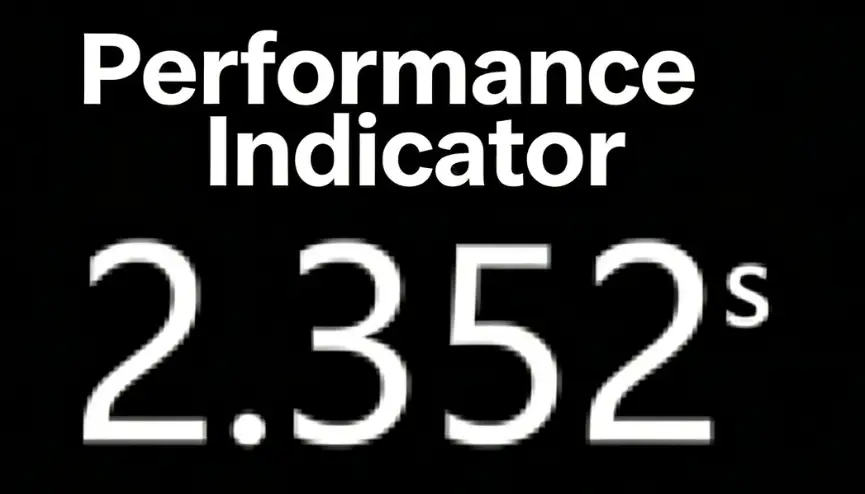


Component Description:
Flip card style return format, similar to App product PV and Browser PV, such as performance metrics.
Request Method: POST
https://report.tingyun.com/example/pv.json
Parameters:
| Field | Type | Description | Required |
|---|---|---|---|
| currentTime | Number | Current timestamp. | Yes |
| token | String | Salt value, verification rule is md5(timePeriod+currentTime+configured token), e.g., timePeriod is 30, currentTime is 1513137332798, token is abc, then md5(301513137332798abc) should be calculated. | No |
| timePeriod | Number | Time range in minutes. | Yes |
Correct Response Data:
| Field | Type | Description |
|---|---|---|
| value | String | Value |
| unit | String | Unit |
Example:
   HTTP/1.1 200 OK
{
    "value": 2500,
    "unit": "s"
}
Database Access, CSV Access
SQL query results and CSV file content should have 2 columns. Field names can be arbitrary, but the field order cannot change:
| Field Order | Type | Description |
|---|---|---|
| value | Number | Value |
| unit | String | Unit |
Using MySQL as an example, SQL example is as follows:
SELECT value, unit FROM performance_metrics_test
CSV example is as follows:
value,unit
1234,ms
Bubble Chart
Component Name: Bubble Chart
Component Styles:

Component Description:
Bubble chart return format.
Request Method: POST
https://report.tingyun.com/example/bubble.json
Parameters:
| Field | Type | Description | Required |
|---|---|---|---|
| currentTime | Number | Current timestamp. | Yes |
| token | String | Salt value, verification rule is md5(timePeriod+currentTime+configured token), e.g., timePeriod is 30, currentTime is 1513137332798, token is abc, then md5(301513137332798abc) should be calculated. | No |
| timePeriod | Number | Time range in minutes. | Yes |
Correct Response Data:
| Field | Type | Description |
|---|---|---|
| series | Object[] | Data object array. |
| name | String | Data item display. |
| value | Number | Metric item value. |
| unit | String | Metric unit. |
Example:
 HTTP/1.1 200 OK
{
    "series": [
        {
            "name": "Heilongjiang Province",
            "value": 76,
            "unit": "%"
        },
        {
            "name": "Qinghai Province",
            "value": 86,
            "unit": "%"
        },
        {
            "name": "Sichuan Province",
            "value": 12,
            "unit": "%"
        },
        {
            "name": "Guizhou Province",
            "value": 11,
            "unit": "%"
        },
        {
            "name": "Shanxi Province",
            "value": 27,
            "unit": "%"
        },
        {
            "name": "Hainan Province",
            "value": 81,
            "unit": "%"
        },
        {
            "name": "Guangxi Zhuang Autonomous Region",
            "value": 41,
            "unit": "%"
        },
        {
            "name": "Yunnan Province",
            "value": 63,
            "unit": "%"
        },
        {
            "name": "Liaoning Province",
            "value": 39,
            "unit": "%"
        }
    ]
}
Database Access, CSV Access
SQL query results and CSV file content should have 3 columns. Field names can be arbitrary, but the field order cannot change:
| Field Order | Type | Description |
|---|---|---|
| name | String | Name |
| value | Number | Value |
| unit | String | Unit |
Using MySQL as an example, SQL example is as follows:
SELECT name, value, unit FROM bubble_chart_test
CSV example is as follows:
name,value,unit
Heilongjiang Province,76,%
Qinghai Province,76,%
Sichuan Province,86,%
Guizhou Province,12,%
Shanxi Province,27,%
Hainan Province,81,%
PV
Component Name: PV
Component Styles:

Component Description:
PV numeric component, suitable for displaying various numeric data. If this component is used on a large screen, it is recommended to use a host with higher configuration.
Request Method: POST
https://report.tingyun.com/example/browser/lspv.json
Parameters:
| Field | Type | Description | Required |
|---|---|---|---|
| currentTime | Number | Current timestamp. | Yes |
| token | String | Salt value, verification rule is md5(timePeriod+currentTime+configured token), e.g., timePeriod is 30, currentTime is 1513137332798, token is abc, then md5(301513137332798abc) should be calculated. | No |
| timePeriod | Number | Time range in minutes. | Yes |
Correct Response Data:
| Field | Type | Description |
|---|---|---|
| code | Number | Status code. |
| msg | String | Status description. |
| data | Object | Data object. |
| value | Number | Numeric value. |
Example:
    HTTP/1.1 200 OK
{
    "code": 200,
    "msg": "success",
    "data": {
        "pv": 50
    }
}
Database Access, CSV Access
SQL query results and CSV file content should have 1 column. Field names can be arbitrary, but the field order cannot change:
| Field Order | Type | Description |
|---|---|---|
| pv | Number | Value |
Using MySQL as an example, SQL example is as follows:
SELECT pv FROM pv_test
CSV example is as follows:
pv
500
Numeric Metric
Component Name: Numeric Metric
Component Styles:

Component Description:
Numeric metric return format.
Request Method: POST
https://report.tingyun.com/example/pv.json
Parameters:
| Field | Type | Description | Required |
|---|---|---|---|
| currentTime | Number | Current timestamp | Yes |
| token | String | Salt value, verification rule is md5(timePeriod+currentTime+configured token), e.g., timePeriod is 30, currentTime is 1513137332798, token is abc, then md5(301513137332798abc) should be calculated | No |
| timePeriod | Number | Time range in minutes | Yes |
Correct Response Data:
| Field | Type | Description |
|---|---|---|
| value | String | Value |
| unit | String | Unit |
Example:
   HTTP/1.1 200 OK
{
    "value": 2500,
    "unit": "s"
}
Database Access, CSV Access
SQL query results and CSV file content should have 2 columns. Field names can be arbitrary, but the field order cannot change:
| Field Order | Type | Description |
|---|---|---|
| value | Number | Value |
| unit | String | Unit |
Using MySQL as an example, SQL example is as follows:
SELECT value, unit FROM performance_metrics_test
CSV example is as follows:
value,unit
1234,ms
Metrics Component
Component Name: Metrics Component
Component Styles:

Component Description:
Metrics component return format.
Request Method: POST
https://report.tingyun.com/example/browser/performance-list.json
Parameters
| Field | Type | Description | Required |
|---|---|---|---|
| currentTime | Number | Current timestamp. | Yes |
| token | String | Salt value, verification rule is md5(timePeriod+currentTime+configured token), e.g., timePeriod is 30, currentTime is 1513137332798, token is abc, then md5(301513137332798abc) should be calculated. | No |
| timePeriod | Number | Time range in minutes. | Yes |
Correct Response Data
| Field | Type | Description |
|---|---|---|
| code | Number | Status code |
| msg | String | Status description |
| data | Object[] | |
| name | String | Metric name |
| unit | String | Metric unit |
| value | String | Value |
Example
  HTTP/1.1 200 OK
{
  "code": 200,
  "msg": "success",
  "data": [
    {
      "name": "First Screen",
      "unit": "ms",
      "value": 1000
    }
  ]
}
Database Access, CSV Access
SQL query results and CSV file content should have 3 columns. Field names can be arbitrary, but the field order cannot change:
| Field Order | Type | Description |
|---|---|---|
| name | String | Name |
| unit | String | Unit |
| value | Number | Value |
Using MySQL as an example, SQL example is as follows:
SELECT name, unit, value FROM metrics_test
CSV example is as follows:
name,unit,value
First Screen,ms,1234
Circular Proportion Chart
Component Name: Circular Proportion Chart
Component Styles:

Component Description:
Circular proportion chart return format
Request Method: POST
https://report.tingyun.com/example/pie.json
Parameters
| Field | Type | Description | Required |
|---|---|---|---|
| currentTime | Number | Current timestamp | Yes |
| token | String | Salt value, verification rule is md5(timePeriod+currentTime+configured token), e.g., timePeriod is 30, currentTime is 1513137332798, token is abc, then md5(301513137332798abc) should be calculated | No |
| timePeriod | Number | Time range in minutes | Yes |
Correct Response Data
| Field | Type | Description |
|---|---|---|
| value | Number | Average value, this key can be absent, may not be returned when traffic light is not present |
| unit | String | Unit |
| series | Object[] | Data object array |
| name | String | Data item name |
| data | Object[] | Data items |
| name | Number | Data item display |
| value | Number | Performance metric |
Example
  HTTP/1.1 200 OK
{
  "data": [
    {
      "name": "Slow Page Proportion",
      "unit": "%",
      "value": 24
    }
  ]
}
User Experience Score
Component Name: User Experience Score
Component Styles:
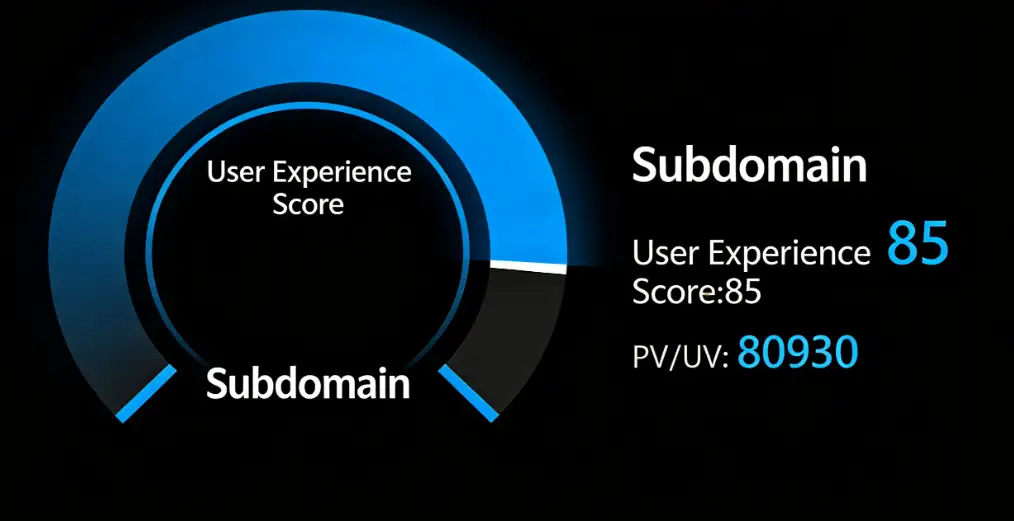
Component Description:
User experience score return format
Request Method: POST
https://report.tingyun.com/example/pie.json
Parameters
| Field | Type | Description | Required |
|---|---|---|---|
| currentTime | Number | Current timestamp | Yes |
| token | String | Salt value, verification rule is md5(timePeriod+currentTime+configured token), e.g., timePeriod is 30, currentTime is 1513137332798, token is abc, then md5(301513137332798abc) should be calculated | No |
| timePeriod | Number | Time range in minutes | Yes |
Correct Response Data
| Field | Type | Description |
|---|---|---|
| value | Number | Average value, this key can be absent, may not be returned when traffic light is not present |
| unit | String | Unit |
| series | Object[] | Data object array |
| name | String | Data item name |
| data | Object[] | Data items |
| name | Number | Data item display |
| value | Number | Performance metric |
Example
  HTTP/1.1 200 OK
{
    "value": 1.68,
    "unit": "Seconds",
    "series": [
        {
            "name": "DNS",
            "data": [
                {
                    "name": "wgz",
                    "value": 16
                },
                {
                    "name": "wgz2",
                    "value": 6
                }
            ]
        }
    ]
}
Database Access, CSV Access
SQL query results and CSV file content should have 3 columns. Field names can be arbitrary, but the field order cannot change:
| Field Order | Type | Description |
|---|---|---|
| name1 | String | Data name |
| name2 | String | Data item name |
| value | Number | Value |
Using MySQL as an example, SQL example is as follows:
SELECT name1, name2, value FROM proportion_test
CSV example is as follows:
name1,name2,value
DNS,Error Rate,111
DNS,Throughput,222
Data Overview Component
Component Name: Data Overview Component
Component Styles:
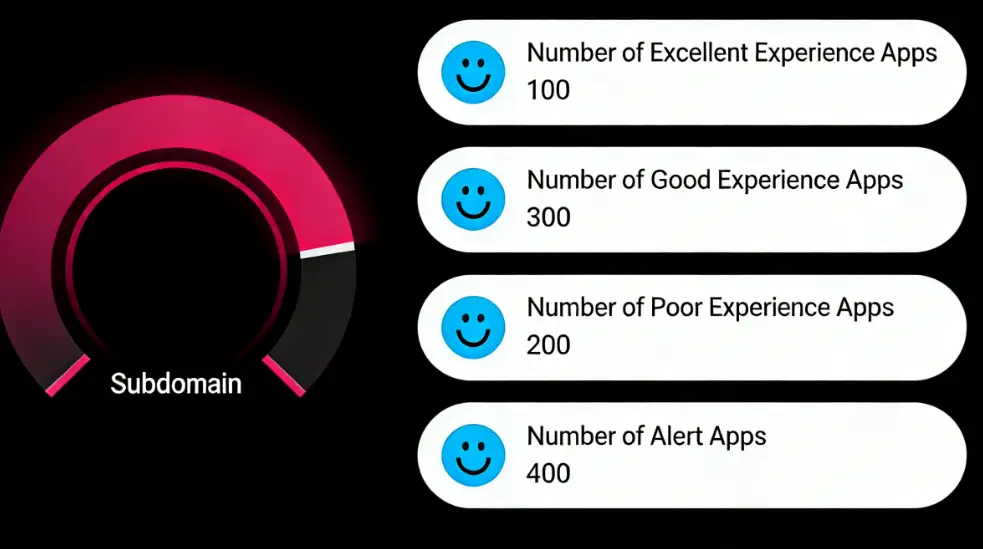
Component Description: Data overview component return format.
Request Method: POST
https://doc.tingyun.com/sense/example/userExperienceReview.json
Parameters:
| Field | Type | Description | Required |
|---|---|---|---|
| currentTime | Number | Current timestamp | Yes |
| token | String | Salt value, verification rule is md5(timePeriod+currentTime+configured token), e.g., timePeriod is 30, currentTime is 1513137332798,token is abc, then md5(301513137332798abc) should be calculated | No |
| timePeriod | Number | Time range in minutes | Yes |
Correct Response Data:
| Field | Type | Description |
|---|---|---|
| picedata | Object | Left side data, type is object |
| name | String | Data name |
| value | Number | Data value |
| datamap | Object[] | Right side list data, type is array |
| value | Number | id, starting value is 1 |
| key | String | Data name |
| pice | Number | Data value |
Example:
{"status":200,
"data":{
            "picedata": { "name": "Subdomain", "value": 80 },
            "datamap": [
              { "value": 1,  "key": "Excellent Experience App Count", "pice": 1500},
              { "value": 2,  "key": "Good Experience App Count", "pice": 260}
              ]
        }
}
Metrics Proportion Chart
Component Name: Metrics Proportion Chart
Component Styles:

Component Description: percent is not a required field. If not passed, a complete ring is displayed and the percentage in the middle is not shown.
Request Method: POST
https://doc.tingyun.com/sense/example/Reviewpie4.json
Parameters:
| Field | Type | Description | Required |
|---|---|---|---|
| currentTime | Number | Current timestamp | Yes |
| token | String | Salt value, verification rule is md5(timePeriod+currentTime+configured token), e.g., timePeriod is 30, currentTime is 1513137332798,token is abc, then md5(301513137332798abc) should be calculated | No |
| timePeriod | Number | Time range in minutes | Yes |
Correct Response Data:
| Field | Type | Description |
|---|---|---|
| status | Number | Status code |
| data | Object[] | Data |
| name | String | Name |
| value | Number | Value |
| percent | Number | Percentage |
Example:
{
  "status": 200,
  "data": {
    "name": "Pro Total Users",
    "value": 39000,
    "percent": 30
  }
}
Database Access, CSV Access
SQL query results and CSV file content should have 3 columns. Field names can be arbitrary, but the field order cannot change:
| Field Order | Type | Description |
|---|---|---|
| name | String | Name |
| value | Number | Value |
| percent | Number | Percentage |
Using MySQL as an example, SQL example is as follows:
SELECT name, value, percent FROM metrics_proportion_test
CSV example is as follows:
name,value,percent
Pro Total Users,59000,50
Dashboard Gauge
Component Name: Dashboard Gauge
Component Styles:

Component Description: The component displays a percentage. The range is an integer from 0-100. Decimal parts will be rounded. The passed name is not displayed in the component. The color of the component can be set in segments in the configuration.
Request Method: POST
https://doc.tingyun.com/sense/example/gaugebard3.json
Parameters:
| Field | Type | Description | Required |
|---|---|---|---|
| currentTime | Number | Current timestamp | Yes |
| token | String | Salt value, verification rule is md5(timePeriod+currentTime+configured token), e.g., timePeriod is 30, currentTime is 1513137332798,token is abc, then md5(301513137332798abc) should be calculated | No |
| timePeriod | Number | Time range in minutes | Yes |
Correct Response Data:
| Field | Type | Description |
|---|---|---|
| name | String | Name |
| percent | Number | Integer between 0 and 100 |
If a decimal is passed, it will be rounded. The color of the value can be configured in the component. Different colors are displayed according to intervals.
Example:
 {
    "name":"Business Availability",
    "percent": 80
}
Database Access, CSV Access
SQL query results and CSV file content should have 1 column. Field names can be arbitrary, but the field order cannot change:
| Field Order | Type | Description |
|---|---|---|
| percent | Number | Value |
Using MySQL as an example, SQL example is as follows:
SELECT percent FROM dashboard_test
CSV example is as follows:
percent
34
Color Bar Metrics
Component Name: Color Bar Metrics
Component Styles:

Component Description: The number of data bars passed can be 1-n. The number of rows displayed will adapt according to the width. The color of each bar can be defined directly through the interface or configured in the component.
Request Method: POST
https://doc.tingyun.com/sense/example/colorsbarsd3.json
Parameters:
| Field | Type | Description | Required |
|---|---|---|---|
| currentTime | Number | Current timestamp | Yes |
| token | String | Salt value, verification rule is md5(timePeriod+currentTime+configured token), e.g., timePeriod is 30, currentTime is 1513137332798,token is abc, then md5(301513137332798abc) should be calculated | No |
| timePeriod | Number | Time range in minutes | Yes |
Correct Response Data:
| Field | Type | Description |
|---|---|---|
| series | Array | Can be any number of data bars |
| name | String | Name |
| unit | String | Unit |
| value | Number | Value, must be numeric type |
| color | String | bar color, "#77E5FF" |
If value contains decimals, the component will display rounded integers. Color can be passed through the interface or configured directly in the component. The color configured in the component has higher priority than the color value passed through the interface.
Example:
 {
    "series": [
        { "name": "Completed Business Count","unit":"Transactions", "value": "25983542", "color":"#77E5FF"},
        { "name": "Errored Business Count","unit":"Transactions", "value": "695", "color":"#F30B49"},
        { "name": "Users Affected by Errors","unit":"Persons", "value": "152", "color":"#FF3B3B"},
        { "name": "Average Response Time","unit":"ms", "value": "59", "color":"#15F4D1"}
    ]
}
Database Access, CSV Access
SQL query results and CSV file content should have 4 columns. Field names can be arbitrary, but the field order cannot change:
| Field Order | Type | Description |
|---|---|---|
| name | String | Name |
| unit | String | Unit |
| value | Number | Value |
| color | String | Color |
Using MySQL as an example, SQL example is as follows:
SELECT name, unit, value, color FROM color_metrics_test
CSV example is as follows:
name,unit,value,color
Completed Business Count,Transactions,431,#77E5FF
Errored Business Count,Transactions,188,#F30B49
Users Affected by Errors,Persons,256,#FF3B3B
Average Response Time,ms,330,#15F4D1
Multi-dimensional Metrics
Component Name: Multi-dimensional Metrics
Component Styles:
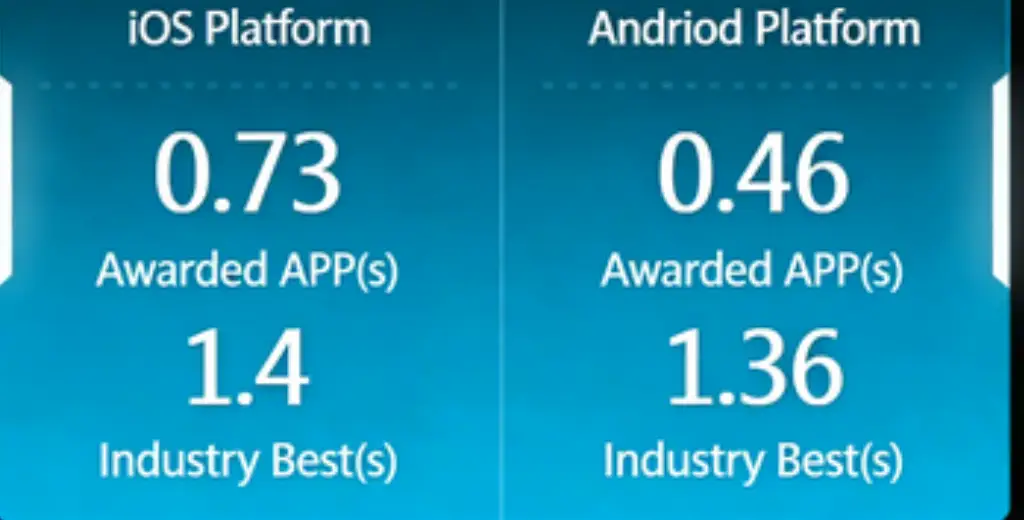
Component Description:
Multi-dimensional metrics component, supports multiple sets of data. Supports custom background color and transparency.
Request Method: POST
https://doc.tingyun.com/sense/example/multimetric.json
Parameters:
| Field | Type | Description | Required |
|---|---|---|---|
| currentTime | Number | Current timestamp. | Yes |
| token | String | Salt value, verification rule is md5(timePeriod+currentTime+configured token), e.g., timePeriod is 30, currentTime is 1513137332798, token is abc, then md5(301513137332798abc) should be calculated. | No |
| timePeriod | Number | Time range in minutes. | Yes |
Correct Response Data:
| Field | Type | Description |
|---|---|---|
| series | Array | Data array |
| title | String | Title, supports passing "" (empty string) and then customizing the title in the configuration item |
| data | Array | Data |
| value | Number/String | Default numeric type, also supports decimals and string types. When an empty string is passed, it is not displayed. |
| name | String | Name |
| unit | String | Unit, non-required field |
Example:
{
	"series": [
		{
			"title": "IOS End",
			"data": [
				{
					"name": "Roewe APP",
					"value": 1.4,
					"unit": "s"
				},
				{
					"name": "Industry Best",
					"value": 0.84,
					"unit": "s"
				}
			]
		},
		{
			"title": "Android End",
			"data": [
				{
					"name": "Roewe APP",
					"value": 1.317,
					"unit": "s"
				},
				{
					"name": "Industry Best",
					"value": 1.26,
					"unit": "s"
				}
			]
		}
	]
}
Star Rating Chart
Component Name: Star Rating Chart
Component Styles:

Component Description:
Star rating chart return format.
Request Method: POST
https://report.tingyun.com/example/multimetric-star.json
Parameters:
| Field | Type | Description | Required |
|---|---|---|---|
| currentTime | Number | Current timestamp. | Yes |
| token | String | Salt value, verification rule is md5(timePeriod+currentTime+configured token), e.g., timePeriod is 30, currentTime is 1513137332798, token is abc, then md5(301513137332798abc) should be calculated. | No |
| timePeriod | Number | Time range in minutes. | Yes |
Correct Response Data:
| Field | Type | Description |
|---|---|---|
| series | Object[] | Data items. |
| name | String | Title. |
| data | Object[] | Metric items. |
| value | Number | Metric value. |
| name | String | Metric name. |
Example:
   HTTP/1.1 200 OK
{
    "series": [
      {
        "name": "Service App",
        "data": [
          {
            "value": 4.3,
            "name": "iOS"
          },
          {
            "value": 2.7,
            "name": "Android"
          }
        ]
      },
      {
        "name": "My Start",
        "data": [
          {
            "value": 36.7,
            "name": "iOS"
          },
          {
            "value": 5.8,
            "name": "Android"
          }
        ]
      }
    ]
}
Radar Chart
Radar Chart
Component Name: Radar Chart
Component Styles:
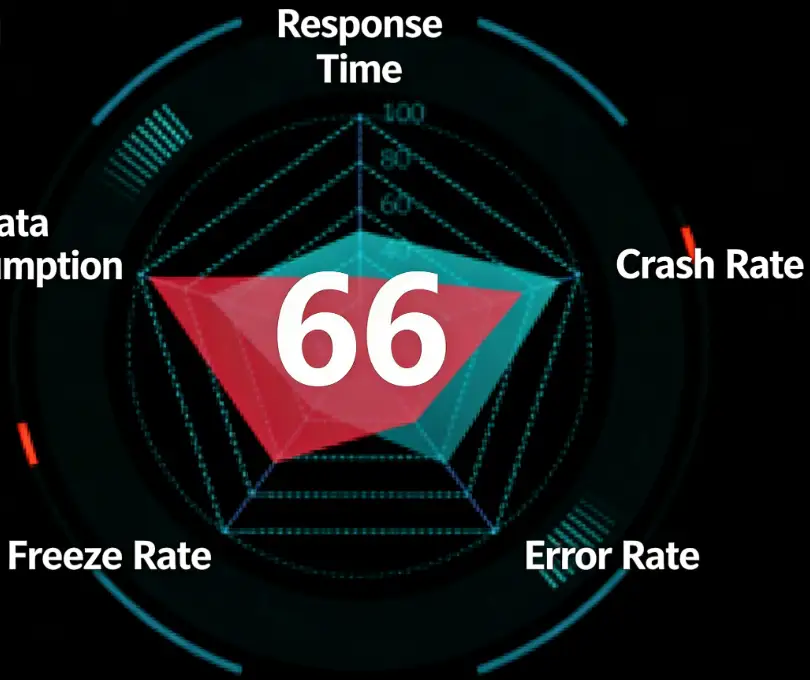
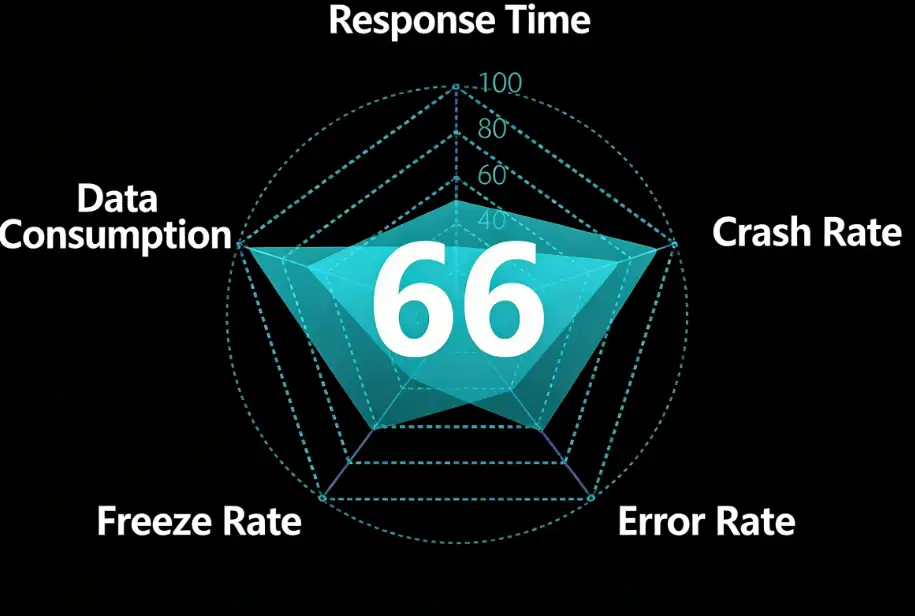
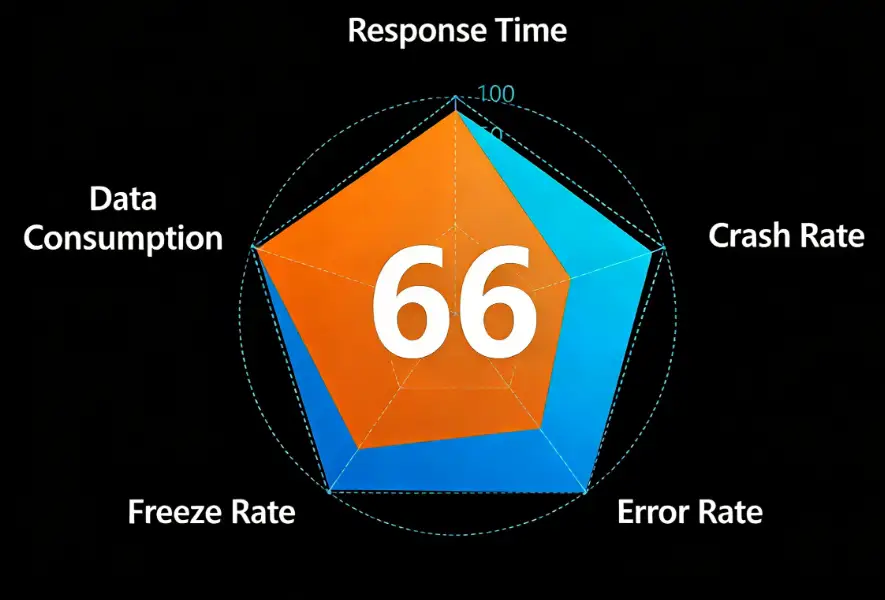
Component Description:
Radar chart (non-3D radar chart).
Request Method: POST
https://report.tingyun.com/example/radar.json
Parameters:
| Field | Type | Description | Required |
|---|---|---|---|
| currentTime | Number | Current timestamp. | Yes |
| token | String | Salt value, verification rule is md5(timePeriod+currentTime+configured token), e.g., timePeriod is 30, currentTime is 1513137332798, token is abc, then md5(301513137332798abc) should be calculated. | No |
| timePeriod | Number | Time range in minutes. | Yes |
Correct Response Data:
| Field | Type | Description |
|---|---|---|
| value | Number | Radar center metric value. |
| indicator | Object[] | Metric items and names. |
| series | Object[] | Data object array. |
| name | String | Data item name. |
| value | Object[] | Metric item values. |
Example:
  HTTP/1.1 200 OK
{
    "value": 67,
    "indicator": [
        {
            "name": "Metric A",
            "max": 100
        },
        {
            "name": "Metric B",
            "max": 100
        },
        {
            "name": "Metric C",
            "max": 100
        },
        {
            "name": "Metric D",
            "max": 100
        },
        {
            "name": "Metric E",
            "max": 100
        },
        {
            "name": "Metric F",
            "max": 100
        }
    ],
    "series": [
        {
            "name": "Industry",
            "value": [
                89,
                90,
                99,
                96,
                97,
                95
            ]
        },
        {
            "name": "Current",
            "value": [
                70,
                60,
                40,
                30,
                50,
                95
            ]
        }
    ]
}
Database Access, CSV Access
SQL query results and CSV file content should have 5 columns. Field names can be arbitrary, but the field order cannot change:
| Field Order | Type | Description |
|---|---|---|
| value1 | Number | Radar chart value |
| name1 | String | Metric name |
| max | Number | Metric maximum value |
| name2 | String | Data name |
| value2 | Number | Data value |
Using MySQL as an example, SQL example is as follows:
SELECT value1, name1, max, name2, value2 FROM radar_test
CSV example is as follows:
value1,name1,max,name2,value2
15,1Response Time,100,Data1,72
15,2Data Usage,100,Data1,74
15,3Lag Rate,100,Data1,43
15,4Error Rate,100,Data1,60
15,5Crash Rate,100,Data1,78
15,6New Column,100,Data1,88
15,1Response Time,100,Data2,61
15,2Data Usage,100,Data2,57
15,3Lag Rate,100,Data2,82
15,4Error Rate,100,Data2,48
15,5Crash Rate,100,Data2,40
15,6New Column,100,Data2,11
3D Radar Chart
Component Name: 3D Radar Chart
Component Styles:

Component Description:
If this component is used on a large screen, it is recommended to use a host with higher configuration.
Request Method: POST
https://report.tingyun.com/example/browser/ux-score.json
Parameters:
| Field | Type | Description | Required |
|---|---|---|---|
| currentTime | Number | Current timestamp. | Yes |
| token | String | Salt value, verification rule is md5(timePeriod+currentTime+configured token), e.g., timePeriod is 30, currentTime is 1513137332798, token is abc, then md5(301513137332798abc) should be calculated. | No |
| timePeriod | Number | Time range in minutes. | Yes |
Correct Response Data:
| Field | Type | Description |
|---|---|---|
| code | Number | Status code. |
| msg | String | Status description. |
| data | Object | Data object. |
| value | String | Data object. |
| indicator | Object[] | Radar chart metric configuration, supports only 6 metrics. |
| name | String | Metric name. |
| max | String | Metric maximum value. |
| series | Object[] | |
| name | Number | Name. |
| value | Object[] | Metric data, corresponds one-to-one with metric configuration. |
Example:
 HTTP/1.1 200 OK
{
    "code": 200,
    "msg": "success",
    "data": {
        "value": 100.0,
        "indicator": [
            {
                "name": "White Screen",
                "max": 100
            },
            {
                "name": "Slow Page Proportion",
                "max": 100
            },
            {
                "name": "Interactive",
                "max": 100
            },
            {
                "name": "Operation Time",
                "max": 100
            },
            {
                "name": "Operation Availability",
                "max": 100
            },
            {
                "name": "First Screen",
                "max": 100
            }
        ],
        "series": [
            {
                "name": "User Experience Score",
                "value": [
                    100,
                    100,
                    100,
                    100,
                    98,
                    100
                ]
            }
        ]
    }
}
Database Access, CSV Access
SQL query results and CSV file content should have 5 columns. Field names can be arbitrary, but the field order cannot change:
| Field Order | Type | Description |
|---|---|---|
| value1 | Number | Radar chart value |
| name1 | String | Metric name |
| max | Number | Metric maximum value |
| name2 | String | Data name |
| value2 | Number | Data value |
Using MySQL as an example, SQL example is as follows:
SELECT value1, name1, max, name2, value2 FROM radar_test
CSV example is as follows:
value1,name1,max,name2,value2
15,1Response Time,100,Data1,72
15,2Data Usage,100,Data1,74
15,3Lag Rate,100,Data1,43
15,4Error Rate,100,Data1,60
15,5Crash Rate,100,Data1,78
15,6New Column,100,Data1,88
15,1Response Time,100,Data2,61
15,2Data Usage,100,Data2,57
15,3Lag Rate,100,Data2,82
15,4Error Rate,100,Data2,48
15,5Crash Rate,100,Data2,40
15,6New Column,100,Data2,11
Mesh Radar Chart
Component Name: Mesh Radar Chart
Component Styles:

Component Description:
If this component is used on a large screen, it is recommended to use a host with higher emergency configuration.
Request Method: POST
https://report.tingyun.com/example/browser/ux-score.json
Request Parameters:
| Field | Type | Description | Required |
|---|---|---|---|
| currentTime | Number | Current timestamp. | Yes |
| token | String | Salt value, verification rule is md5(timePeriod+currentTime+configured token), e.g., timePeriod is 30, currentTime is 1513137332798, token is abc, then md5(301513137332798abc) should be calculated. | No |
| timePeriod | Number | Time range in minutes. | Yes |
Return Parameters:
| Field | Type | Description |
|---|---|---|
| code | Number | Status code. |
| msg | String | Status description. |
| data | Object | Data object. |
| value | String | Data object. |
| indicator | Object[] | Radar chart metric configuration, supports only 6 metrics. |
| name | String | Metric name. |
| max | String | Metric maximum value. |
| series | Object[] | |
| name | Number | Name. |
| value | Object[] | Metric data, corresponds one-to-one with metric configuration. |
Example:
 HTTP/1.1 200 OK
{
    "code": 200,
    "msg": "success",
    "data": {
        "value": 100.0,
        "indicator": [
            {
                "name": "White Screen",
                "max": 100
            },
            {
                "name": "Slow Page Proportion",
                "max": 100
            },
            {
                "name": "Interactive",
                "max": 100
            },
            {
                "name": "Operation Time",
                "max": 100
            },
            {
                "name": "Operation Availability",
                "max": 100
            },
            {
                "name": "First Screen",
                "max": 100
            }
        ],
        "series": [
            {
                "name": "User Experience Score",
                "value": [
                    100,
                    100,
                    100,
                    100,
                    98,
                    100
                ]
            }
        ]
    }
}
Database Access, CSV Access
SQL query results and CSV file content should have 5 columns. Field names can be arbitrary, but the field order cannot change:
| Field Order | Type | Description |
|---|---|---|
| value1 | Number | Radar chart value |
| name1 | String | Metric name |
| max | Number | Metric maximum value |
| name2 | String | Data name |
| value2 | Number | Data value |
Using MySQL as an example, SQL example is as follows:
SELECT value1, name1, max, name2, value2 FROM radar_test
CSV example is as follows:
value1,name1,max,name2,value2
15,1Response Time,100,Data1,72
15,2Data Usage,100,Data1,74
15,3Lag Rate,100,Data1,43
15,4Error Rate,100,Data1,60
15,5Crash Rate,100,Data1,78
15,6New Column,100,Data1,88
15,1Response Time,100,Data2,61
15,2Data Usage,100,Data2,57
15,3Lag Rate,100,Data2,82
15,4Error Rate,100,Data2,48
15,5Crash Rate,100,Data2,40
15,6New Column,100,Data2,11
Rotating Radar Chart
Component Name: Rotating Radar Chart
Component Styles:
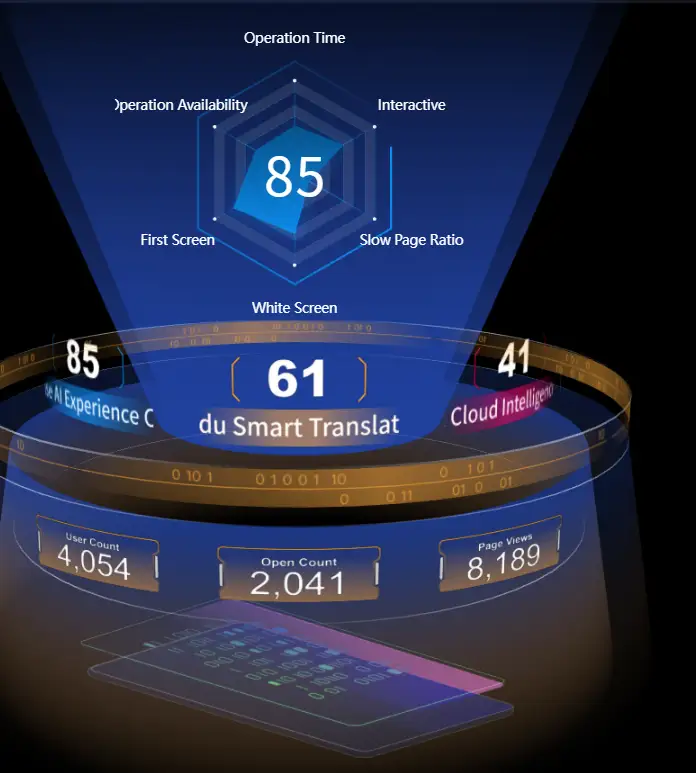
Component Description:
Configuration items as follows:
- Carousel time interval
- Color and data configuration
When there is only 1 set of data, it will automatically duplicate into 2 copies, becoming 3 sets of data for carousel. When there are only 2 sets of data, the first set will be duplicated to become 3 sets of data for carousel.
Request Method: POST
https://doc.tingyun.com/sense/example/centerRadar.json
Parameters:
| Field | Type | Description | Required |
|---|---|---|---|
| currentTime | Number | Current timestamp. | Yes |
| token | String | Salt value, verification rule is md5(timePeriod+currentTime+configured token), e.g., timePeriod is 30, currentTime is 1513137332798, token is abc, then md5(301513137332798abc) should be calculated. | No |
| timePeriod | Number | Time range in minutes. | Yes |
Correct Response Data:
| Field | Type | Description |
|---|---|---|
| series | Array | Data |
| name | String | Title |
| value | Number | Value |
| data | Array | Sub-data |
| name | String | Name |
| value | String | Value |
| radar | Object | Radar data |
| value | String | Value |
| indicator | Array | Radar axis values |
| name | String | Name |
| max | Number | Maximum value |
| series | Array | Axis corresponding values |
| name | String | Name |
| value | String | Value |
Example:
{
	"series": [
		{
			"name": "Circular Vision Research Institute",
			"value": 79,
			"data": [
				{
					"name": "User Volume",
					"value": 66807
				},
				{
					"name": "Open Count",
					"value": 16172
				},
				{
					"name": "Page Views",
					"value": 38250
				}
			],
			"radar": {
				"value": 79,
				"indicator": [
					{
						"name": "Request Time",
						"max": 100
					},
					{
						"name": "JS Error Rate",
						"max": 100
					},
					{
						"name": "Lag Rate",
						"max": 100
					},
					{
						"name": "Operation Availability",
						"max": 100
					},
					{
						"name": "Load Time",
						"max": 100
					},
					{
						"name": "Request Error Rate",
						"max": 100
					},
					{
						"name": "on Ready",
						"max": 100
					}
				],
				"series": [
					{
						"name": "Data One",
						"value": [
							46,
							95,
							18,
							41,
							79,
							67,
							28
						]
					}
				]
			}
		},
		{
			"name": "NetEase AI Experience Center",
			"value": 35,
			"data": [
				{
					"name": "User Volume",
					"value": 52151
				},
				{
					"name": "Open Count",
					"value": 43907
				},
				{
					"name": "Page Views",
					"value": 10827
				}
			],
			"radar": {
				"value": 35,
				"indicator": [
					{
						"name": "Request Time",
						"max": 100
					},
					{
						"name": "JS Error Rate",
						"max": 100
					},
					{
						"name": "Lag Rate",
						"max": 100
					},
					{
						"name": "Operation Availability",
						"max": 100
					},
					{
						"name": "Load Time",
						"max": 100
					},
					{
						"name": "Request Error Rate",
						"max": 100
					},
					{
						"name": "on Ready",
						"max": 100
					}
				],
				"series": [
					{
						"name": "Data One",
						"value": [
							49,
							11,
							20,
							77,
							85,
							52,
							86
						]
					}
				]
			}
		},
		{
			"name": "NetEase Auto",
			"value": 31,
			"data": [
				{
					"name": "User Volume",
					"value": 54886
				},
				{
					"name": "Open Count",
					"value": 43033
				},
				{
					"name": "Page Views",
					"value": 5502
				}
			],
			"radar": {
				"value": 31,
				"indicator": [
					{
						"name": "Request Time",
						"max": 100
					},
					{
						"name": "JS Error Rate",
						"max": 100
					},
					{
						"name": "Lag Rate",
						"max": 100
					},
					{
						"name": "Operation Availability",
						"max": 100
					},
					{
						"name": "Load Time",
						"max": 100
					},
					{
						"name": "Request Error Rate",
						"max": 100
					},
					{
						"name": "on Ready",
						"max": 100
					}
				],
				"series": [
					{
						"name": "Data One",
						"value": [
							88,
							48,
							85,
							57,
							27,
							34,
							62
						]
					}
				]
			}
		}
	]
}
Map
Map
Component Name: Map
Component Styles:
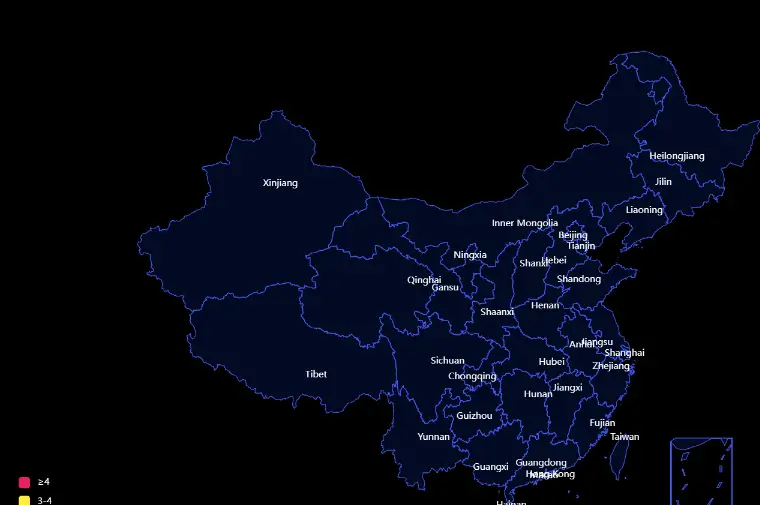
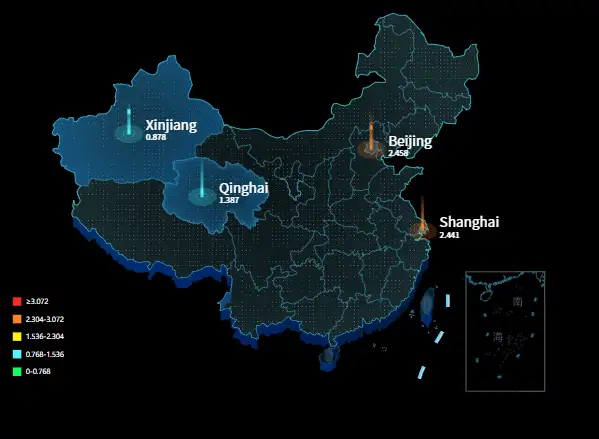
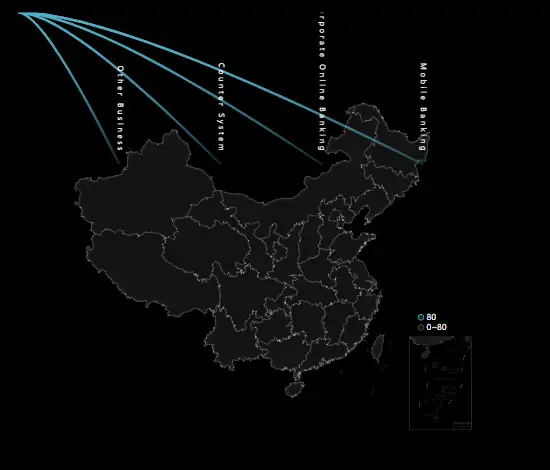
Component Description:
China map return format, applicable to all China map return formats in components, component names such as: Map and 3D Map's China map can all return according to this protocol specification.
Request Method: POST
https://report.tingyun.com/example/china.json
Parameters:
| Field | Type | Description | Required |
|---|---|---|---|
| currentTime | Number | Current timestamp. | Yes |
| token | String | Salt value, verification rule is md5(timePeriod+currentTime+configured token), e.g., timePeriod is 30, currentTime is 1513137332798, token is abc, then md5(301513137332798abc) should be calculated. | No |
| timePeriod | Number | Time range in minutes. | Yes |
Correct Response Data:
| Field | Type | Description |
|---|---|---|
| value | Number | Performance value ##.# |
| unit | String | Unit 'seconds' |
| legend | Object | legend data |
| data | Object[] | legend data |
| name | String | legend name |
| series | Object[] | Data items |
| name | String | Region name |
| value | Number | Performance metric |
| legendNo | Number | Which legend to use, starts from 0 |
Example:
HTTP/1.1 200 OK
{
    "value": 1.78,
    "unit": "seconds",
    "series": [
        {
            "name": "Beijing",
            "value": 800
        {
            "name": "Shanghai",
            "value": 580
    ]
}
Database Access, CSV Access
SQL query results and CSV file content should have 2 columns. Field names can be arbitrary, but the field order cannot change:
| Field Order | Type | Description |
|---|---|---|
| name | String | City name |
| value | Number | Value |
Using MySQL as an example, SQL example is as follows:
SELECT name, value FROM china_map_test
CSV example is as follows:
name,value
Beijing,1000
Shanghai,800
Guangdong,500
Shenzhen,300
China Map
Component Name: Map/3D Map
Component Styles:


Component Description:
China map return format, applicable to all China map return formats in components, component names such as: Map and 3D Map's China map can all return according to this protocol specification.
Request Method: POST
https://report.tingyun.com/example/china.json
Parameters:
| Field | Type | Required | Description |
|---|---|---|---|
| currentTime | Number | Yes | Current timestamp. |
| token | String | No | Salt value, used to verify parameter integrity. Verification rule is md5(timePeriod+currentTime+configured token). E.g., timePeriod is 30, currentTime is 1513137332798, token is abc, then md5(301513137332798abc) should be calculated. |
| timePeriod | Number | Yes | Time range in minutes. |
Correct Response Data:
| Field | Type | Description |
|---|---|---|
| value | Number | Performance value ##.#. |
| unit | String | Unit 'seconds'. |
| series | Object[] | Data items. |
| name | String | Region name. |
| Value | Number | Performance metric. |
Example:
   HTTP/1.1 200 OK
{
    "value": 1.78,
    "unit": "seconds",
    "series": [
        {
            "name": "Beijing",
            "value": 800
        },
        {
            "name": "Shanghai",
            "value": 580
        }
    ]
}
Database Access, CSV Access
SQL query results and CSV file content should have 2 columns. Field names can be arbitrary, but the field order cannot change:
| Field Order | Type | Description |
|---|---|---|
| name | String | City name |
| value | Number | Value |
Using MySQL as an example, SQL example is as follows:
SELECT name, value FROM china_map_test
CSV example is as follows:
name,value
Beijing,1000
Shanghai,800
Guangdong,500
Shenzhen,300
World Map
Component Name: World Map
Component Styles:

Component Description:
The usage path for World Map is: 3D Map > Select World Map in the map type on the right.
Request Method: POST
https://report.tingyun.com/example/world.json
Parameters:
| Field | Type | Description | Required |
|---|---|---|---|
| currentTime | Number | Current timestamp. | Yes |
| token | String | Salt value, verification rule is md5(timePeriod+currentTime+configured token), e.g., timePeriod is 30, currentTime is 1513137332798, token is abc, then md5(301513137332798abc) should be calculated. | No |
| timePeriod | Number | Time range in minutes. | Yes |
Correct Response Data:
| Field | Type | Description |
|---|---|---|
| value | Number | Performance value ##.#. |
| unit | String | Unit 'seconds'. |
| series | Object[] | Data items. |
| name | String | Region name. |
| Value | Number | Performance metric. |
Example:
   HTTP/1.1 200 OK
{
    "value": 1.78,
    "unit": "seconds",
    "series": [
        {
            "name": "China",
            "value": 800
        },
        {
            "name": "United States",
            "value": 580
        }
    ]
}
3D World Map
Component Name: 3D World Map
Component Styles:

Component Description:
3D World Map return format. If this component is used on a large screen, it is recommended to use a host with higher configuration.
Request Method: POST
https://report.tingyun.com/example/world3d.json
Parameters:
| Field | Type | Description | Required |
|---|---|---|---|
| currentTime | Number | Current timestamp. | Yes |
| token | String | Salt value, verification rule is md5(timePeriod+currentTime+configured token), e.g., timePeriod is 30, currentTime is 1513137332798, token is abc, then md5(301513137332798abc) should be calculated. | No |
| timePeriod | Number | Time range in minutes. | Yes |
Correct Response Data:
| Field | Type | Description |
|---|---|---|
| value | Number | Average value |
| series | Object[] | Data items |
| name | String | Region name |
| title | String | Title |
| value | Number | Map display value |
| tip | Object | Bubble |
| series | Object[] | Bubble pie chart |
| name | String | Name |
| data | Object[] | |
| name | String | Pie chart data item name |
| value | Number | Pie chart data item value |
| list | Object | |
| series | Object[] | List |
| title | String | List title |
| data | Object[] | List data |
| node | String | Display field 1 |
| alarmname | String | Display field 2 |
Example:
      HTTP/1.1 200 OK
 {
    "unit": "s",
    "value":243,
    "series": [
        {
            "name": "Germany",
            "title": "HEC",
            "value": 163,
            "tip": {
                "series": [
                    {
                        "scope": 81,
                        "name": "Total",
                        "data": [
                            {
                                "name": "Critical",
                                "value": 43
                            },
                            {
                                "name": "Major",
                                "value": 28
                            },
                            {
                                "name": "Mimor",
                                "value": 27
                            },
                            {
                                "name": "Warring",
                                "value": 39
                            }
                        ]
                    }
                ],
                "list": {
                    "series": [
                        {
                            "title": "Critical Alarm",
                            "data": [
                                {
                                    "node": "117.231.48.129",
                                    "alarmname": "ch"
                                }
                            ]
                        }
                    ]
                }
            }
        }
    ]
}
3D Earth
Component Name: 3D Earth
Component Styles:

Component Description:
3D Earth, suitable for text data display. If this component is used on a large screen, it is recommended to use a host with higher configuration.
Request Method: POST
https://report.tingyun.com/example/browser/map.json
Parameters:
| Field | Type | Description | Required |
|---|---|---|---|
| currentTime | Number | Current timestamp. | Yes |
| token | String | Salt value, verification rule is md5(timePeriod+currentTime+configured token), e.g., timePeriod is 30, currentTime is 1513137332798, token is abc, then md5(301513137332798abc) should be calculated. | No |
| timePeriod | Number | Time range in minutes. | Yes |
Correct Response Data:
| Field | Type | Description |
|---|---|---|
| code | Number | Status code |
| msg | String | Status description |
| data | Object | Data object |
| unit | String | Unit |
| data | Object[] | |
| firstscreen | Number | Metric value |
| name | String | Metric name |
| type | String | Data type |
Example:
 HTTP/1.1 200 OK
{
    "code": 200,
    "msg": "success",
    "data": {
        "unit": "ms",
        "data": [
            {
                "firstScreen": 987.0,
                "name": "New Zealand",
                "type": "country"
            },
            {
                "firstScreen": 983.0,
                "name": "Japan",
                "type": "country"
            },
            {
                "firstScreen": 980.0,
                "name": "England",
                "type": "country"
            },
            {
                "firstScreen": 972.0,
                "name": "China",
                "type": "country"
            },
            {
                "firstScreen": 971.0,
                "name": "France",
                "type": "country"
            },
            {
                "firstScreen": 967.0,
                "name": "Australia",
                "type": "country"
            }
        ]
    }
}
Database Access, CSV Access
SQL query results and CSV file content should have 5 columns. Field names can be arbitrary, but the field order cannot change:
| Field Order | Type | Description |
|---|---|---|
| unit | String | Unit |
| name | String | Name |
| type | String | Type |
| locationId | Number | Value |
| firstScreen | Number | Metric value |
Using MySQL as an example, SQL example is as follows:
SELECT unit, name, type, locationId, firstScreen FROM earth_3d_test
CSV example is as follows:
unit,name,type,locationId,firstScreen
ms,China,country,25,111.22
ms,Japan,country,45,222.33
Proportion Chart
Proportion Chart
Component Name: Proportion Chart
Component Styles:
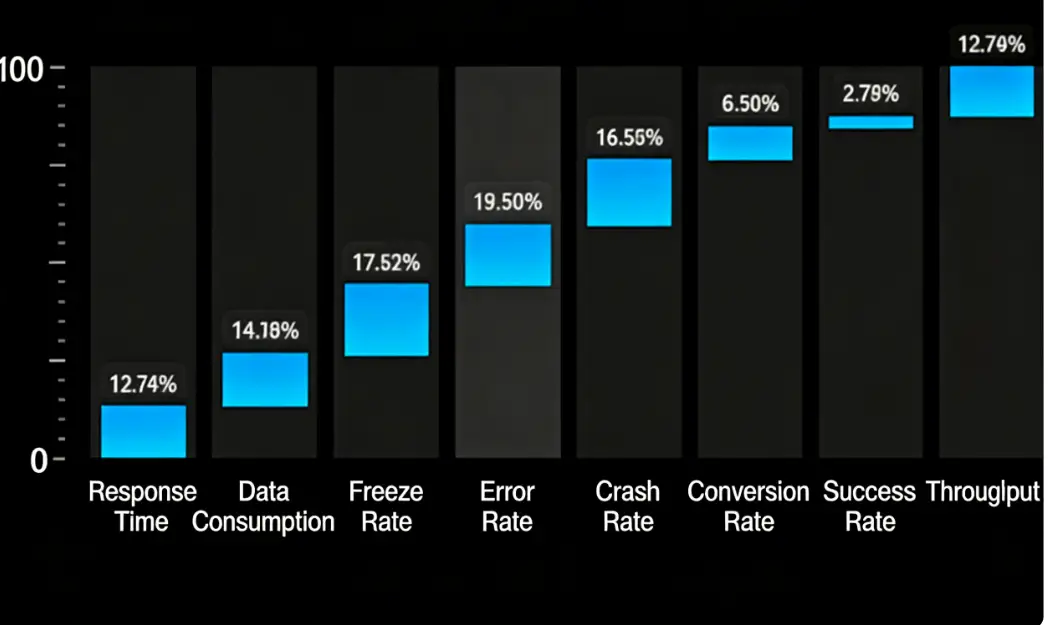
Component Description:
Proportion chart return format
Request Method: POST
https://report.tingyun.com/example/pie.json
Parameters
| Field | Type | Description | Required |
|---|---|---|---|
| currentTime | Number | Current timestamp | Yes |
| token | String | Salt value, verification rule is md5(timePeriod+currentTime+configured token), e.g., timePeriod is 30, currentTime is 1513137332798, token is abc, then md5(301513137332798abc) should be calculated | No |
| timePeriod | Number | Time range in minutes | Yes |
Correct Response Data
| Field | Type | Description |
|---|---|---|
| value | Number | Average value, this key can be absent, may not be returned when traffic light is not present |
| unit | String | Unit |
| series | Object[] | Data object array |
| name | String | Data item name |
| data | Object[] | Data items |
| name | Number | Data item display |
| value | Number | Performance metric |
Example
  HTTP/1.1 200 OK
{
  "data": [
    {
      "name": "Slow Page Proportion",
      "unit": "%",
      "value": 24
    }
  ]
}
Database Access, CSV Access
SQL query results and CSV file content should have 3 columns. Field names can be arbitrary, but the field order cannot change:
| Field Order | Type | Description |
|---|---|---|
| name1 | String | Data name |
| name2 | String | Data item name |
| value | Number | Value |
Using MySQL as an example, SQL example is as follows:
SELECT name1, name2, value FROM proportion_test
CSV example is as follows:
name1,name2,value
DNS,Error Rate,111
DNS,Throughput,222
3D Water Column Chart
Component Name: 3D Water Column Chart
Component Styles:

Component Description:
3D water column chart return format.
Request Method: POST
https://report.tingyun.com/example/pie.json
Parameters:
| Field | Type | Description | Required |
|---|---|---|---|
| currentTime | Number | Current timestamp. | Yes |
| token | String | Salt value, verification rule is md5(timePeriod+currentTime+configured token), e.g., timePeriod is 30, currentTime is 1513137332798, token is abc, then md5(301513137332798abc) should be calculated. | No |
| timePeriod | Number | Time range in minutes. | Yes |
Correct Response Data:
| Field | Type | Description |
|---|---|---|
| value | Number | Average value, this key can be absent, may not be returned when traffic light is not present. |
| unit | String | Unit. |
| series | Object[] | Data object array. |
| name | String | Data item name. |
| data | Object[] | Data items. |
| name | Number | Data item display. |
| value | Number | Performance metric. |
Example:
  HTTP/1.1 200 OK
{
    "value": 1.68,
    "unit": "seconds",
    "series": [
        {
            "name": "DNS",
            "data": [
                {
                    "name": "wgz",
                    "value": 16
                },
                {
                    "name": "wgz2",
                    "value": 6
                }
            ]
        }
    ]
}
Database Access, CSV Access
SQL query results and CSV file content should have 3 columns. Field names can be arbitrary, but the field order cannot change:
| Field Order | Type | Description |
|---|---|---|
| name1 | String | Data name |
| name2 | String | Data item name |
| value | Number | Value |
Using MySQL as an example, SQL example is as follows:
SELECT name1, name2, value FROM proportion_test
CSV example is as follows:
name1,name2,value
DNS,Error Rate,111
DNS,Throughput,222
Classification Proportion Chart
Component Name: Classification Proportion Chart
Component Styles:
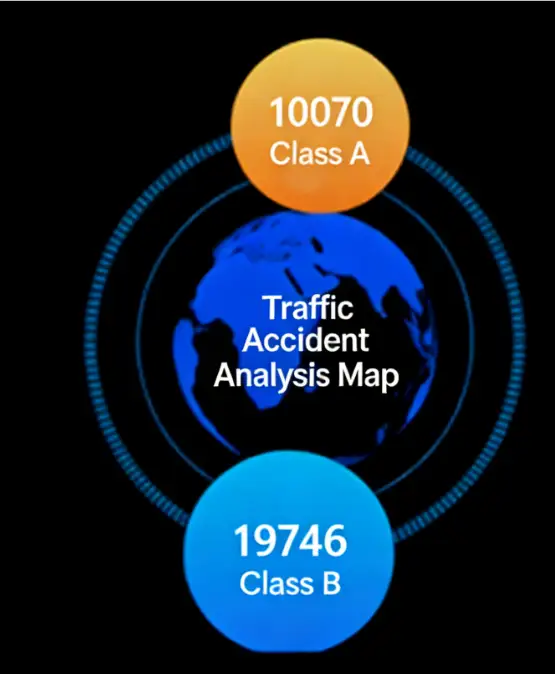
Component Description:
Classification proportion chart return format.
Request Method: POST
https://report.tingyun.com/example/pie.json
Parameters:
| Field | Type | Description | Required |
|---|---|---|---|
| currentTime | Number | Current timestamp. | Yes |
| token | String | Salt value, verification rule is md5(timePeriod+currentTime+configured token), e.g., timePeriod is 30, currentTime is 1513137332798, token is abc, then md5(301513137332798abc) should be calculated. | No |
| timePeriod | Number | Time range in minutes. | Yes |
Correct Response Data:
| Field | Type | Description |
|---|---|---|
| value | Number | Average value, this key can be absent, may not be returned when traffic light is not present. |
| unit | String | Unit. |
| series | Object[] | Data object array. |
| name | String | Data item name. |
| data | Object[] | Data items. |
| name | Number | Data item display. |
| value | Number | Performance metric. |
Example:
  HTTP/1.1 200 OK
{
  "data": [
    {
      "name": "Slow Page Proportion",
      "unit": "%",
      "value": 24
    }
  ]
}
Database Access, CSV Access
SQL query results and CSV file content should have 3 columns. Field names can be arbitrary, but the field order cannot change:
| Field Order | Type | Description |
|---|---|---|
| name1 | String | Data name |
| name2 | String | Data item name |
| value | Number | Value |
Using MySQL as an example, SQL example is as follows:
SELECT name1, name2, value FROM proportion_test
CSV example is as follows:
name1,name2,value
DNS,Error Rate,111
DNS,Throughput,222
3D Pie Proportion Chart
Component Name: 3D Pie Proportion Chart
Component Styles:

Component Description:
3D pie proportion chart return format.
Request Method: POST
https://report.tingyun.com/example/pie.json
Parameters:
| Field | Type | Description | Required |
|---|---|---|---|
| currentTime | Number | Current timestamp | Yes |
| token | String | Salt value, verification rule is md5(timePeriod+currentTime+configured token), e.g., timePeriod is 30, currentTime is 1513137332798, token is abc, then md5(301513137332798abc) should be calculated | No |
| timePeriod | Number | Time range in minutes | Yes |
Correct Response Data:
| Field | Type | Description |
|---|---|---|
| value | Number | Average value, this key can be absent, may not be returned when traffic light is not present. |
| unit | String | Unit. |
| series | Object[] | Data object array. |
| name | String | Data item name. |
| data | Object[] | Data items. |
| name | Number | Data item display. |
| value | Number | Performance metric. |
Example:
  HTTP/1.1 200 OK
{
  "data": [
    {
      "name": "Slow Page Proportion",
      "unit": "%",
      "value": 24
    }
  ]
}
Database Access, CSV Access
SQL query results and CSV file content should have 3 columns. Field names can be arbitrary, but the field order cannot change:
| Field Order | Type | Description |
|---|---|---|
| name1 | String | Data name |
| name2 | String | Data item name |
| value | Number | Value |
Using MySQL as an example, SQL example is as follows:
SELECT name1, name2, value FROM proportion_test
CSV example is as follows:
name1,name2,value
DNS,Error Rate,111
DNS,Throughput,222
Method Proportion Chart
Component Name: Method Proportion Chart
Component Styles:
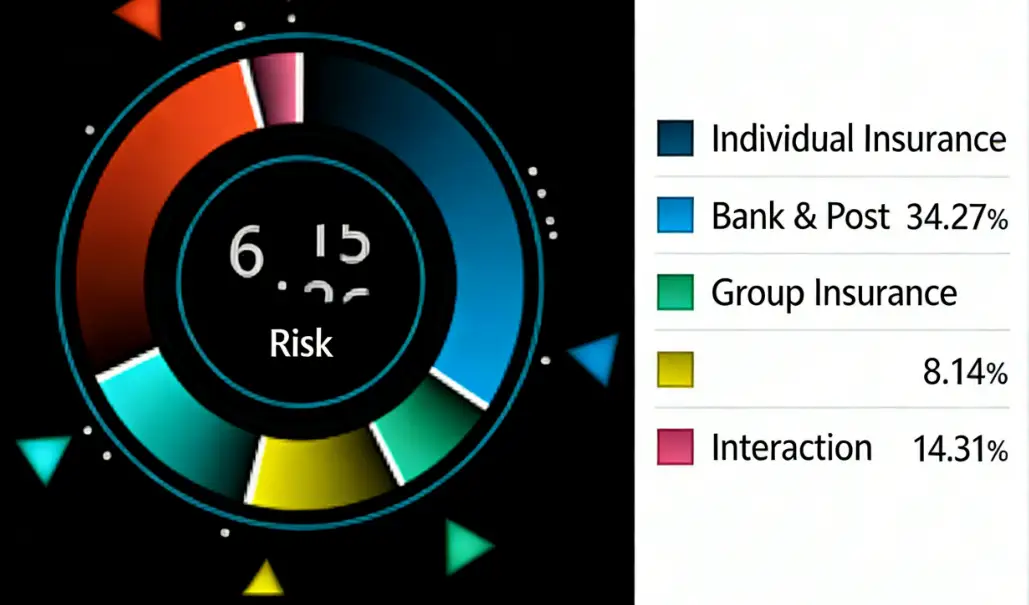
Component Description:
Method proportion chart return format.
Request Method: POST
https://report.tingyun.com/example/pie.json
Parameters:
| Field | Type | Description | Required |
|---|---|---|---|
| currentTime | Number | Current timestamp. | Yes |
| token | String | Salt value, verification rule is md5(timePeriod+currentTime+configured token), e.g., timePeriod is 30, currentTime is 1513137332798, token is abc, then md5(301513137332798abc) should be calculated. | No |
| timePeriod | Number | Time range in minutes. | Yes |
Correct Response Data:
| Field | Type | Description |
|---|---|---|
| value | Number | Average value, this key can be absent, may not be returned when traffic light is not present. |
| unit | String | Unit. |
| series | Object[] | Data object array. |
| name | String | Data item name. |
| data | Object[] | Data items. |
| name | Number | Data item display. |
| value | Number | Performance metric. |
Example:
  HTTP/1.1 200 OK
{
  "data": [
    {
      "name": "Slow Page Proportion",
      "unit": "%",
      "value": 24
    }
  ]
}
Database Access, CSV Access
SQL query results and CSV file content should have 3 columns. Field names can be arbitrary, but the field order cannot change:
| Field Order | Type | Description |
|---|---|---|
| name1 | String | Data name |
| name2 | String | Data item name |
| value | Number | Value |
Using MySQL as an example, SQL example is as follows:
SELECT name1, name2, value FROM proportion_test
CSV example is as follows:
name1,name2,value
DNS,Error Rate,111
DNS,Throughput,222
Tables
Carousel List
Component Name: Carousel List
Component Styles:


Component Description:
Carousel list return format.
Request Method: POST
https://report.tingyun.com/example/owslist.json
Parameters:
| Field | Type | Description | Required |
|---|---|---|---|
| currentTime | Number | Current timestamp. | Yes |
| token | String | Salt value, verification rule is md5(timePeriod+currentTime+configured token), e.g., timePeriod is 30, currentTime is 1513137332798, token is abc, then md5(301513137332798abc) should be calculated. | No |
| timePeriod | Number | Time range in minutes. | Yes |
Correct Response Data:
| Field | Type | Description |
|---|---|---|
| status | Number | Status code. |
| menus | Object[] | |
| name | String | List category. |
| seriestitle | Object[] | List headers. |
| textAlign | Object[] | List styles, options: left/right/center. |
| series | Object[] | List data. |
| name | String | List display data 1. |
| num | String | List display data 2. |
Note: seriestitle is the table header, the number of data items determines the number of columns. The length of the arrays in textAlign and series[i] should match the number of columns in the header.
Example:
{
    "status": 200,
    "menus": [
        {
            "id": 1,
            "name": "TT in Progress for Projects",
            "seriestitle": ["Customer","Version","SR QTY"],
            "textAlign":["left","center","center"],
            "series": [
                ["dkjyvmj.info........clf.tn","1.1.0",40],
                ["zbpqjndpf.info........slvrwebbvc.tc","2.1.0",50]
            ]
        },
        {
            "id": 2,
            "name": "TT Untimely Response",
            "seriestitle": ["Customer","Version","SR QTY"],
            "textAlign":["left","center","center"],
            "series": [
                ["dkjyvmj.info........clf.tn","1.1.0",40],
                ["zbpqjndpf.info........slvrwebbvc.tc","2.1.0",50]
            ]
        },
        {
            "id": 3,
            "name": "OWS Platform Version",
            "seriestitle": ["Customer","Version","SR QTY"],
            "textAlign":["left","right","center"],
            "series": [
                ["dkjyvmj.info........clf.tn","1.1.0",40],
                ["zbpqjndpf.info........slvrwebbvc.tc","2.1.0",50]
            ]
        }
    ]
}
Database Access, CSV Access
SQL query results and CSV file content should have 5 columns. Field names can be arbitrary, but the field order cannot change:
| Field Order | Type | Description |
|---|---|---|
| id | Number | Group id, data in the same group has the same id |
| name | String | Group name, data in the same group has the same name |
| seriestitle | String | Column names of the header, multiple column names separated by " |
| textAlign | String | Alignment of the header, multiple columns separated by " |
| series | String | Data, data from different columns separated by " |
Using MySQL as an example, SQL example is as follows:
SELECT id, name, seriestitle, textAlign, series FROM ows_list_test
CSV example is as follows:
id,name,seriestitle,textAlign,series
1,Group One,a|b|c,left|right|center,1a|11|12
1,Group One,a|b|c,left|right|center,2a|21|22
1,Group One,a|b|c,left|right|center,3a|31|32
1,Group One,a|b|c,left|right|center,4a|41|42
2,Group Two,a|b|c,left|right|center,1b|11|12
2,Group Two,a|b|c,left|right|center,2b|21|22
2,Group Two,a|b|c,left|right|center,3b|31|32
3,Group Three,a|b|c,left|right|center,1c|11|12
3,Group Three,a|b|c,left|right|center,1c|21|22
4,Group Four,a|b|c,left|right|center,1d|41|42
Alarm List
Component Name: Alarm List
Component Styles:
Component Description:
Alarm list return format.
Request Method: POST
https://report.tingyun.com/example/alarmlist.json
Parameters:
| Field | Type | Description | Required |
|---|---|---|---|
| currentTime | Number | Current timestamp. | Yes |
| token | String | Salt value, verification rule is md5(timePeriod+currentTime+configured token), e.g., timePeriod is 30, currentTime is 1513137332798, token is abc, then md5(301513137332798abc) should be calculated. | No |
| timePeriod | Number | Time range in minutes. | Yes |
Correct Response Data:
| Field | Type | Description |
|---|---|---|
| series | Object[] | Data object array. |
| status | Number | Alarm icon status 3-red, 2-yellow, 1-green. |
| title | String | List title. |
| content | String | List content. |
| time | String | Time yyyy-MM-dd HH:mm:ss. |
Example:
 HTTP/1.1 200 OK
{
    "series": [
        {
            "status": 3,
            "title": "MySQL-10.128.0.36:3306/gartner",
            "content": "System unavailable",
            "time": "18:42:30"
        },
        {
            "status": 2,
            "title": "MySQL-10.128.0.36:3306/gartner",
            "content": "System availability low",
            "time": "14:42:30"
        },
        {
            "status": 1,
            "title": "MySQL-10.128.0.36:3306/gartner",
            "content": "System normal",
            "time": "10:42:30"
        }
    ]
}
Database Access, CSV Access
SQL query results and CSV file content should have 4 columns. Field names can be arbitrary, but the field order cannot change:
| Field Order | Type | Description |
|---|---|---|
| status | Number | Status |
| title | String | Title |
| content | String | Content |
| time | String | Time |
Using MySQL as an example, SQL example is as follows:
SELECT status, title, content, time FROM alarm_list_test
CSV example is as follows:
status,title,content,time
3,MySQL-10.128.0.36:3306/gartner,System unavailable,18:42:30
2,MySQL-10.128.0.36:3306/gartner,System availability low,14:42:30
1,MySQL-10.128.0.36:3306/gartner,System normal,10:42:30
Alarm List 2
Component Name: Alarm List 2
Component Styles:

Component Description:
None
Request Method: POST
https://doc.tingyun.com/sense/example/barcoreindex2.json
Parameters:
| Field | Type | Description | Required |
|---|---|---|---|
| currentTime | Number | Current timestamp | Yes |
| token | String | Salt value, verification rule is md5(timePeriod+currentTime+configured token), e.g., timePeriod is 30, currentTime is 1513137332798, token is abc, then md5(301513137332798abc) should be calculated | No |
| timePeriod | Number | Time range in minutes | Yes |
Correct Response Data:
| Field | Type | Description |
|---|---|---|
| series | Array | Can be any number of data items |
| name | String | Name |
| value | Number | Numeric type |
| color | String | Color, e.g., "#77E5FF". Optional parameter |
If value contains decimals, the component will display rounded integers. Color can be passed through the interface or configured directly in the component. The color configured in the component has higher priority than the color value passed through the interface.
Example:
{
	"series": [
		{
			"name": "Number of Alarms Occurred",
			"value": 58679,
			"color": "#00d4f3"
		},
		{
			"name": "Number of Affected Applications",
			"value": 58753,
			"color": "#08d69d"
		},
		{
			"name": "Number of Affected Transactions",
			"value": 34842,
			"color": "#00d4f3"
		},
		{
			"name": "Number of Pending Alarms",
			"value": 9411,
			"color": "#08d69d"
		}
	]
}
Multi-field List
Component Name: Multi-field List
Component Styles:

Component Description:
Regular list return format.
Request Method: POST
https://doc.tingyun.com/sense/example/sense3List.json
Parameters:
| Field | Type | Description | Required |
|---|---|---|---|
| currentTime | Number | Current timestamp | Yes |
| token | String | Salt value, verification rule is md5(timePeriod+currentTime+configured token), e.g., timePeriod is 30, currentTime is 1513137332798, token is abc, then md5(301513137332798abc) should be calculated | No |
| timePeriod | Number | Time range in minutes | Yes |
Correct Response Data:
| Field | Type | Description |
|---|---|---|
| status | Number | Status code |
| series | Object[] | |
| header | Object[] | List header |
| list | Object[] | List data |
| other | Object[] | Other data (optional field) |
| name | String | Metric name |
| value | Number | Metric value |
Example:
  HTTP/1.1 200 OK
{
    "status": 200,
    "series": [
        {
            "header": [
                {"key1":"Health"},
                {"key2":"Business System"},
                {"key3":"Response Time"},
                {"key4":"Throughput"},
                {"key5":"Peak Throughput"},
                {"key6":"Line Chart"}
            ],
            "list": [
                {"key1":"Good","key2":80,"key3":"Lag","key4":"12%","key5":"12%","key6":[12,14,15,13,18,17,16,19]},
                {"key1":"Average","key2":80,"key3":"Crash","key4":"12%","key5":"12%","key6":[12,14,15,13,18,17,16,19]},
                {"key1":"Severe","key2":80,"key3":"Response Time","key4":"12%","key5":"12%","key6":[12,14,15,13,18,17,16,19]},
            ],
            "other":[
                {"name":"Total Tasks","value":155},
                {"name":"Task Types","value":"33ms"},
            ]
        }
    ]
}
Legend List
Component Name: Legend List
Component Styles:
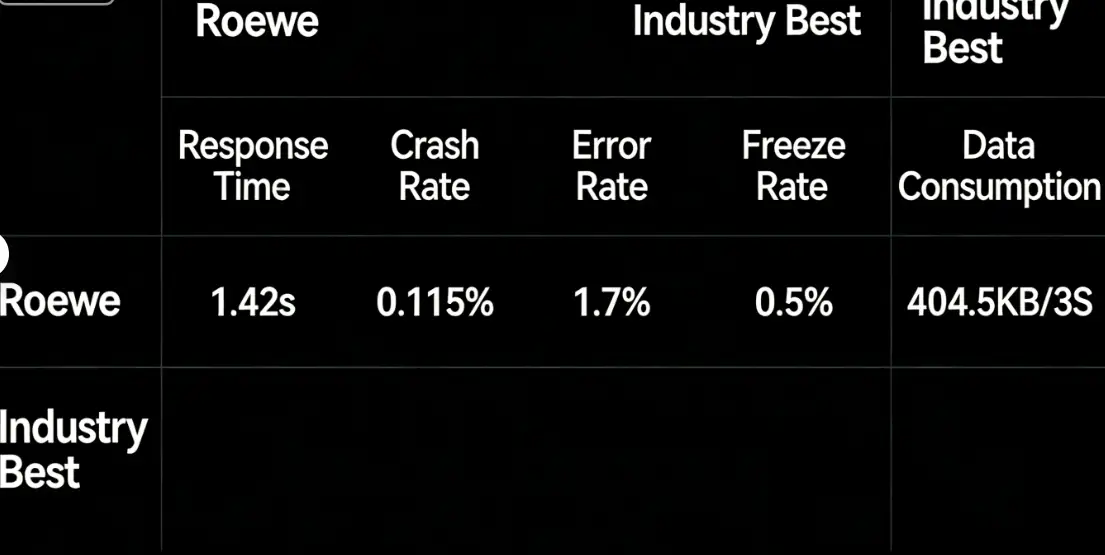
Component Description:
Regular list return format.
Request Method: POST
https://doc.tingyun.com/sense/example/tablelegend.json
Parameters:
| Field | Type | Description | Required |
|---|---|---|---|
| currentTime | Number | Current timestamp | Yes |
| token | String | Salt value, verification rule is md5(timePeriod+currentTime+configured token), e.g., timePeriod is 30, currentTime is 1513137332798, token is abc, then md5(301513137332798abc) should be calculated | No |
| timePeriod | Number | Time range in minutes | Yes |
Correct Response Data:
| Field | Type | Description |
|---|---|---|
| status | Number | Status code |
| series | Object[] | |
| header | Object[] | List header |
| legend | Object[] | Legend array |
| list | Object[] | List data |
| other | Object[] | Other data (optional field) |
| name | String | Metric name |
| value | Number | Metric value |
Example:
  HTTP/1.1 200 OK
{
    "status": 200,
    "series": [
        {
            "legend":["Roewe","Industry Best"],
            "header": [
                {"key1": "Response Time"},
                {"key2": "Crash Rate"},
                {"key3": "Error Rate"},
                {"key4": "Lag Rate"},
                {"key5": "Data Usage"}
            ],
            "list": [{
                "key1": "0.535s",
                "key2": "2.241%",
                "key3": "1.460%",
                "key4": "0.640%",
                "key5": "9.191KB"
            },{
                "key1": "",
                "key2": "",
                "key3": "",
                "key4": "",
                "key5": ""
            }]
        }
    ]
}
Alarm Fault List
Component Name: Alarm Fault List
Component Styles:
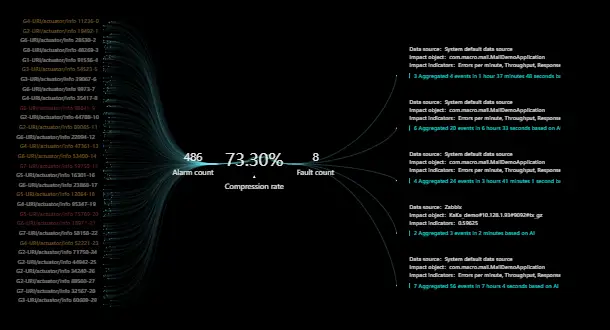
Component Description:
Alarm fault list component, the groupId of the left list corresponds to the id of the right side, the middle infolist only has three pieces of information. Through configuration, you can set the number of items displayed on the left and the carousel time interval, as well as the number of items that can be displayed on the right.
Request Method: POST
https://doc.tingyun.com/example/alarmailist.json
Parameters:
| Field | Type | Description | Required |
|---|---|---|---|
| currentTime | Number | Current timestamp. | Yes |
| token | String | Salt value, verification rule is md5(timePeriod+currentTime+configured token), e.g., timePeriod is 30, currentTime is 1513137332798, token is abc, then md5(301513137332798abc) should be calculated. | No |
| timePeriod | Number | Time range in minutes. | Yes |
Correct Response Data:
| Field | Type | Description |
|---|---|---|
| series | Array | Left list data group |
| id | Number | Left data ID (required and unique) |
| groupId | Number | Corresponding right fault list ID |
| name | String | Left data name |
| value | Number | Left data value (optional field) |
| color | String | Left data color (optional field) |
| group | Array | Right list data group |
| id | Number | Right data ID |
| name | String | Name |
| info | Array | Sub-information list |
| name | String | Sub-information title |
| value | String | Sub-information details |
| infolist | Array | Middle three columns of information |
| name | String | Name |
| value | String | Value |
Example:
{
	"infolist": [
		{
			"name": "Alarm Count",
			"value": 32389
		},
		{
			"name": "Compression Rate",
			"value": "73.30%"
		},
		{
			"name": "Fault Count",
			"value": 5
		}
	],
	"group": [
		{
			"id": 1,
			"name": "1 Aggregated 15 events in 32 minutes based on AI",
			"info": [
				{
					"name": "Affected Metrics",
					"value": "Errors per minute, Throughput, Response Time, Error Rate"
				},
				{
					"name": "Affected Object",
					"value": "com.macro.mall.MallDemoApplication"
				},
				{
					"name": "Data Source",
					"value": "Tingyun 3.0 Default Data Source"
				}
			]
		},
		{
			"id": 2,
			"name": "2 Aggregated 3 events in 2 minutes based on AI",
			"info": [
				{
					"name": "Affected Metrics",
					"value": "0.59625"
				},
				{
					"name": "Affected Object",
					"value": "KaKa_demo#10.128.1.93#9092#tx_gz"
				},
				{
					"name": "Data Source",
					"value": "Zabbix"
				}
			]
		},
		{
			"id": 3,
			"name": "3 Aggregated 4 events in 1 hour 37 minutes 48 seconds based on AI",
			"info": [
				{
					"name": "Affected Metrics",
					"value": "Errors per minute, Throughput, Response Time, Error Rate"
				},
				{
					"name": "Affected Object",
					"value": "com.macro.mall.MallDemoApplication"
				},
				{
					"name": "Data Source",
					"value": "Tingyun 3.0 Default Data Source"
				}
			]
		},
		{
			"id": 4,
			"name": "4 Aggregated 24 events in 3 hours 41 minutes 1 second based on AI",
			"info": [
				{
					"name": "Affected Metrics",
					"value": "Errors per minute, Throughput, Response Time, Error Rate"
				},
				{
					"name": "Affected Object",
					"value": "com.macro.mall.MallDemoApplication"
				},
				{
					"name": "Data Source",
					"value": "Tingyun 3.0 Default Data Source"
				}
			]
		},
		{
			"id": 5,
			"name": "5 Aggregated 2 events in 1 hour 53 seconds based on AI",
			"info": [
				{
					"name": "Affected Metrics",
					"value": "Errors per minute, Throughput, Response Time, Error Rate"
				},
				{
					"name": "Affected Object",
					"value": "com.macro.mall.MallDemoApplication"
				},
				{
					"name": "Data Source",
					"value": "Tingyun 3.0 Default Data Source"
				}
			]
		}
	],
	"series": [
		{
			"id": 1,
			"name": "G1-URI/actuator/info-001",
			"value": 44,
			"groupId": 1
		},
		{
			"id": 2,
			"name": "G1-URI/actuator/info-002",
			"value": 45,
			"groupId": 1
		},
		{
			"id": 3,
			"name": "G2-URI/actuator/info-003",
			"value": 56,
			"groupId": 2
		},
		{
			"id": 4,
			"name": "G3-URI/actuator/info-004",
			"value": 65,
			"groupId": 3
		},
		{
			"id": 5,
			"name": "G4-URI/actuator/info-005",
			"value": 34,
			"groupId": 4
		},
		{
			"id": 6,
			"name": "G5-URI/actuator/info-006",
			"value": 56,
			"groupId": 5
		},
		{
			"id": 7,
			"name": "G5-URI/actuator/info-007",
			"value": 78,
			"groupId": 5
		},
		{
			"id": 8,
			"name": "G4-URI/actuator/info-008",
			"value": 34,
			"groupId": 4
		},
		{
			"id": 9,
			"name": "G3-URI/actuator/info-009",
			"value": 23,
			"groupId": 3
		},
		{
			"id": 10,
			"name": "G2-URI/actuator/info-010",
			"value": 66,
			"groupId": 2
		}
	]
}
Alarm Information
Component Name: Alarm Information
Component Styles:

Component Description:
Configuration items as follows:
- Font size
- Font weight
- Letter spacing
The component appears when the alarm information has non-empty series, and disappears when series = null.
Request Method: POST
https://doc.tingyun.com/sense/example/alarminfolist.json
Parameters:
| Field | Type | Description | Required |
|---|---|---|---|
| currentTime | Number | Current timestamp. | Yes |
| token | String | Salt value, verification rule is md5(timePeriod+currentTime+configured token), e.g., timePeriod is 30, currentTime is 1513137332798, token is abc, then md5(301513137332798abc) should be calculated. | No |
| timePeriod | Number | Time range in minutes. | Yes |
Correct Response Data:
| Field | Type | Description |
|---|---|---|
| color | String | Component color |
| title | String | Large title on the left side of the component |
| series | Array | Component data, component disappears when series = null |
| name | String | Sub-data title |
| value | String | Sub-data content |
Example:
{
  "color": "#f52626",
  "title": "Severe",
  "series": [
    {
      "name": "Occurrence Time",
      "value": "2021-06-17 10:53:23"
    },
    {
      "name": "Duration",
      "value": "4 minutes"
    },
    {
      "name": "Event Object",
      "value": "wangyiyouche/mu/chemy"
    },
    {
      "name": "Event Description",
      "value": "Severe alarm onReady greater than or equal to threshold (onReady:1029ms, threshold:800ms)"
    }
  ]
}
Paging List
Component Name: Paging List
Component Styles:

Component Description:
Configuration items as follows:
- Text size
- Number of rows displayed per page
- Dwell time per row
- Table offset settings
- Table color configuration
Request Method: POST
https://doc.tingyun.com/sense/example/tablelist.json
Parameters:
| Field | Type | Description | Required |
|---|---|---|---|
| currentTime | Number | Current timestamp. | Yes |
| token | String | Salt value, verification rule is md5(timePeriod+currentTime+configured token), e.g., timePeriod is 30, currentTime is 1513137332798, token is abc, then md5(301513137332798abc) should be calculated. | No |
| timePeriod | Number | Time range in minutes. | Yes |
Correct Response Data:
| Field | Type | Description |
|---|---|---|
| seriestitle | Array[String] | Table header |
| textAlign | Array[String] | Table default offset settings (can be modified via configuration) |
| thwidth | Array[number] | Table relative width settings |
| params | Array[object] | Additional non-display data for each column (optional parameter, can be used for callback linkage) |
| series | Array[Array] | Data columns, data length matches table header length |
Example:
{
	"seriestitle": [
		"Page Name",
		"PV(10k)",
		"onReady(ms)",
		"Load Time(ms)",
		"Performance Score"
	],
	"textAlign": [
		"left",
		"center",
		"center",
		"center",
		"center"
	],
	"thwidth": [
		30,
		20,
		20,
		20,
		20
	],
	"params": [
		{
			"id": 1
		},
		{
			"id": 2
		},
		{
			"id": 3
		},
		{
			"id": 4
		},
		{
			"id": 5
		}
	],
	"series": [
		[
			"NetEase AI Experience Center-Home",
			24.24,
			150,
			286,
			98
		],
		[
			"wangyiai/my/cherry",
			11.5,
			432,
			989,
			92
		],
		[
			"wangyiai/card",
			10.89,
			167,
			176,
			89
		],
		[
			"wangyiai/loopart",
			83.12,
			289,
			327,
			72
		],
		[
			"NetEase AI Experience Center-Order",
			8.36,
			150,
			286,
			71
		]
	]
}
Mixed Lists
Radar Chart List
Component Name: Radar Chart List
Component Styles:

Component Description:
Radar chart list return format.
Request Method: POST
https://doc.tingyun.com/sense/example/radarapp.json
Parameters:
| Field | Type | Description | Required |
|---|---|---|---|
| currentTime | Number | Current timestamp | Yes |
| token | String | Salt value, verification rule is md5(timePeriod+currentTime+configured token), e.g., timePeriod is 30, currentTime is 1513137332798, token is abc, then md5(301513137332798abc) should be calculated | No |
| timePeriod | Number | Time range in minutes | Yes |
Correct Response Data:
| Field | Type | Description |
|---|---|---|
| code | Number | Status code. |
| msg | String | Status description. |
| data | Object | Data object. |
| seriestitle | Object[] | Table header fields |
| textAlign | Object[] | Table list css style "text-align", left, right, center…… |
| series | Object[] | Table body data |
| radars | Object[] | Radar chart data, length matches table body row count |
| value | Number | Number 0-100 |
| indicator | Object[] | Radar chart metric configuration, supports 5 or 6 metrics. |
| name | String | Metric name. |
| max | String | Metric maximum value. |
| series | Object[] | |
| name | Number | Name. |
| value | Object[] | Metric data, corresponds one-to-one with metric configuration. |
Example:
{
    "seriestitle": [
      "Application Name",
      "Score"
    ],
    "textAlign": [
      "left",
      "center"
    ],
    "series": [
      [
        "Test_health_0",
        95
      ],
      [
        "Test_health_1",
        88
      ],
      [
        "Test_health_2",
        78
      ],
      [
        "Test_health_3",
        85
      ]
    ],
    "radars": [
      {
        "value": 95,
        "indicator": [
          {
            "name": "White Screen",
            "max": 100
          },
          {
            "name": "Slow Page Proportion",
            "max": 100
          },
          {
            "name": "Interactive",
            "max": 100
          },
          {
            "name": "Operation Time",
            "max": 100
          },
          {
            "name": "Operation Availability",
            "max": 100
          },
          {
            "name": "First Screen",
            "max": 100
          }
        ],
        "series": [
          {
            "name": "User Experience Score",
            "value": [
              58,
              80,
              64,
              61,
              1,
              95
            ]
          }
        ]
      },
      {
        "value": 88,
        "indicator": [
          {
            "name": "White Screen",
            "max": 100
          },
          {
            "name": "Slow Page Proportion",
            "max": 100
          },
          {
            "name": "Interactive",
            "max": 100
          },
          {
            "name": "Operation Time",
            "max": 100
          },
          {
            "name": "Operation Availability",
            "max": 100
          },
          {
            "name": "First Screen",
            "max": 100
          }
        ],
        "series": [
          {
            "name": "User Experience Score",
            "value": [
              94,
              69,
              99,
              90,
              69,
              78
            ]
          }
        ]
      },
      {
        "value": 78,
        "indicator": [
          {
            "name": "White Screen",
            "max": 100
          },
          {
            "name": "Slow Page Proportion",
            "max": 100
          },
          {
            "name": "Interactive",
            "max": 100
          },
          {
            "name": "Operation Time",
            "max": 100
          },
          {
            "name": "Operation Availability",
            "max": 100
          },
          {
            "name": "First Screen",
            "max": 100
          }
        ],
        "series": [
          {
            "name": "User Experience Score",
            "value": [
              94,
              15,
              74,
              16,
              20,
              84
            ]
          }
        ]
      },
      {
        "value": 85,
        "indicator": [
          {
            "name": "White Screen",
            "max": 100
          },
          {
            "name": "Slow Page Proportion",
            "max": 100
          },
          {
            "name": "Interactive",
            "max": 100
          },
          {
            "name": "Operation Time",
            "max": 100
          },
          {
            "name": "Operation Availability",
            "max": 100
          },
          {
            "name": "First Screen",
            "max": 100
          }
        ],
        "series": [
          {
            "name": "User Experience Score",
            "value": [
              99,
              19,
              63,
              54,
              57,
              10
            ]
          }
        ]
      }
    ]
  }
Radar Chart List 2
Component Name: Radar Chart List 2
Component Styles:
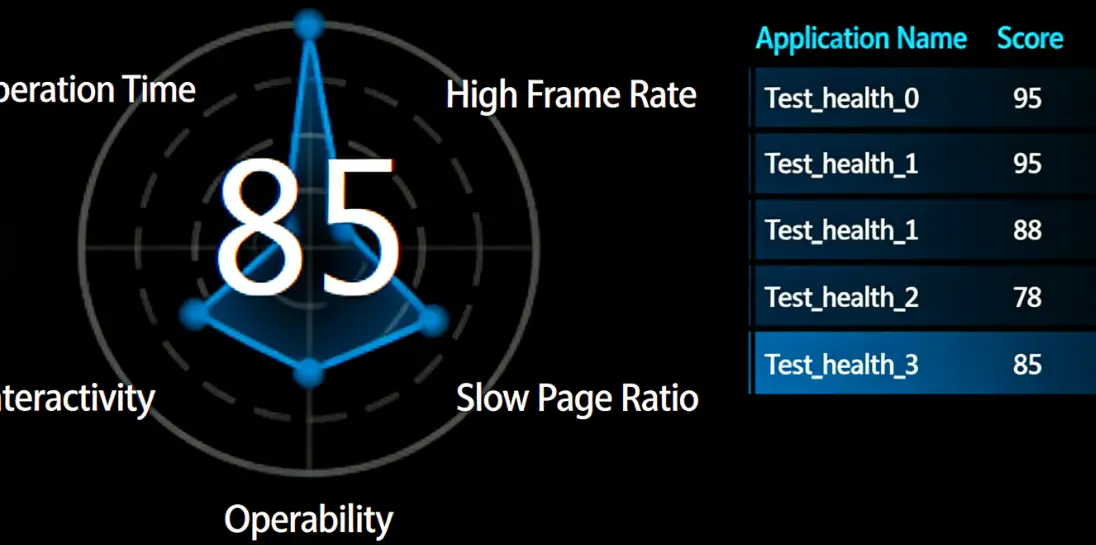

Component Description:
API same as Radar Chart List.
Radar chart supports any polygon. Supports controlling whether to display the left radar chart via API.
Radar chart color depends on the right list. The center of the radar chart can pass strings, such as "Good", "Average", etc.
Request Method: POST
https://doc.tingyun.com/sense/example/radarapp.json
Parameters:
| Field | Type | Description | Required |
|---|---|---|---|
| currentTime | Number | Current timestamp | Yes |
| token | String | Salt value, verification rule is md5(timePeriod+currentTime+configured token), e.g., timePeriod is 30, currentTime is 1513137332798, token is abc, then md5(301513137332798abc) should be calculated | No |
| timePeriod | Number | Time range in minutes | Yes |
Correct Response Data:
| Field | Type | Description |
|---|---|---|
| seriestitle | Object[] | Table header fields |
| textAlign | Object[] | Table list css style "text-align", left, right, center…… |
| series | Object[] | Table body data |
| radars | Object[] | Radar chart data, length matches table body row count. This parameter can be omitted. |
Example 1
{
    "seriestitle": [
      "Application Name",
      "Score"
    ],
    "textAlign": [
      "left",
      "center"
    ],
    "series": [
      [
        "Test_health_0",
        95
      ],
      [
        "Test_health_1",
        88
      ],
      [
        "Test_health_2",
        78
      ],
      [
        "Test_health_3",
        85
      ]
    ]
}
Example 2:
{
    "seriestitle": [
      "Application Name",
      "Score"
    ],
    "textAlign": [
      "left",
      "center"
    ],
    "series": [
      [
        "Test_health_0",
        95
      ],
      [
        "Test_health_1",
        88
      ],
      [
        "Test_health_2",
        78
      ],
      [
        "Test_health_3",
        85
      ]
    ],
    "radars": [
      {
        "value": 95,
        "indicator": [
          {
            "name": "White Screen",
            "max": 100
          },
          {
            "name": "Slow Page Proportion",
            "max": 100
          },
          {
            "name": "Interactive",
            "max": 100
          },
          {
            "name": "Operation Time",
            "max": 100
          },
          {
            "name": "Operation Availability",
            "max": 100
          },
          {
            "name": "First Screen",
            "max": 100
          }
        ],
        "series": [
          {
            "name": "User Experience Score",
            "value": [
              58,
              80,
              64,
              61,
              1,
              95
            ]
          }
        ]
      },
      {
        "value": 88,
        "indicator": [
          {
            "name": "White Screen",
            "max": 100
          },
          {
            "name": "Slow Page Proportion",
            "max": 100
          },
          {
            "name": "Interactive",
            "max": 100
          },
          {
            "name": "Operation Time",
            "max": 100
          },
          {
            "name": "Operation Availability",
            "max": 100
          },
          {
            "name": "First Screen",
            "max": 100
          }
        ],
        "series": [
          {
            "name": "User Experience Score",
            "value": [
              94,
              69,
              99,
              90,
              69,
              78
            ]
          }
        ]
      },
      {
        "value": 78,
        "indicator": [
          {
            "name": "White Screen",
            "max": 100
          },
          {
            "name": "Slow Page Proportion",
            "max": 100
          },
          {
            "name": "Interactive",
            "max": 100
          },
          {
            "name": "Operation Time",
            "max": 100
          },
          {
            "name": "Operation Availability",
            "max": 100
          },
          {
            "name": "First Screen",
            "max": 100
          }
        ],
        "series": [
          {
            "name": "User Experience Score",
            "value": [
              94,
              15,
              74,
              16,
              20,
              84
            ]
          }
        ]
      },
      {
        "value": 85,
        "indicator": [
          {
            "name": "White Screen",
            "max": 100
          },
          {
            "name": "Slow Page Proportion",
            "max": 100
          },
          {
            "name": "Interactive",
            "max": 100
          },
          {
            "name": "Operation Time",
            "max": 100
          },
          {
            "name": "Operation Availability",
            "max": 100
          },
          {
            "name": "First Screen",
            "max": 100
          }
        ],
        "series": [
          {
            "name": "User Experience Score",
            "value": [
              99,
              19,
              63,
              54,
              57,
              10
            ]
          }
        ]
      }
    ]
  }
Overview List
Component Name: Overview List
Component Styles:

Component Description:
Regular list return format.
Request Method: POST
https://doc.tingyun.com/sense/example/sense3List.json
Parameters:
| Field | Type | Description | Required |
|---|---|---|---|
| currentTime | Number | Current timestamp | Yes |
| token | String | Salt value, verification rule is md5(timePeriod+currentTime+configured token), e.g., timePeriod is 30, currentTime is 1513137332798, token is abc, then md5(301513137332798abc) should be calculated | No |
| timePeriod | Number | Time range in minutes | Yes |
Correct Response Data:
| Field | Type | Description |
|---|---|---|
| status | Number | Status code |
| series | Object[] | |
| header | Object[] | List header |
| list | Object[] | List data |
| other | Object[] | Other data (optional field) |
| name | String | Metric name |
| value | Number | Metric value |
Example:
  HTTP/1.1 200 OK
{
    "status": 200,
    "series": [
        {
            "header": [
                {"key1":"Health"},
                {"key2":"Business System"},
                {"key3":"Response Time"},
                {"key4":"Throughput"},
                {"key5":"Peak Throughput"}
            ],
            "list": [
                {"key1":"Good","key2":80,"key3":"Lag","key4":"12%","key5":"12%"},
                {"key1":"Average","key2":80,"key3":"Crash","key4":"12%","key5":"12%"},
                {"key1":"Severe","key2":80,"key3":"Response Time","key4":"12%","key5":"12%"},
            ],
            "other":[
                {"name":"Total Tasks","value":155},
                {"name":"Task Types","value":"33ms"},
            ]
        }
    ]
}
Relationship Diagram
Topology
Component Name: Topology
Component Styles:
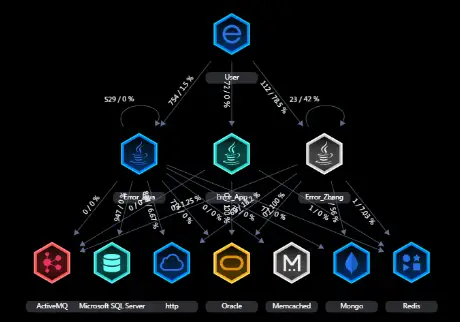
Component Description: TOPO component return format.
Request Method: POST
https://doc.tingyun.com/sense/example/topo.json
Parameters:
| Field | Type | Description | Required |
|---|---|---|---|
| currentTime | Number | Current timestamp. | Yes |
| token | String | Salt value, verification rule is md5(timePeriod+currentTime+configured token), e.g., timePeriod is 30, currentTime is 1513137332798, token is abc, then md5(301513137332798abc) should be calculated. | No |
| timePeriod | Number | Time range in minutes. | Yes |
Correct Response Data:
| Field | Type | Description |
|---|---|---|
| status | number | Status |
| data | Object | Topology data, type is object |
| linkeDataArray | Object[] | Topology connection data, type is array |
| respTime | number | Response time |
| error | number | Error rate |
| maxThrought | number | Maximum response time |
| from | string | Start node |
| to | string | Connection node |
| nodeDataArray | Object[] | Topology node data, type is array |
| id | string | Node ID, from, to, when type=11, id concatenation logic xx_[0-type]_x_x_x, type is front-end application classification, APPLICATION,BROWSER,NETWORK,APP,USER; when type=14, id concatenation logic x_x_x_x_type_x, type is database type classification, ORACLE,MYSQL,DB2,OTHER; when type=15, id concatenation logic x_x_x_x_type_x, type is NOSQL type classification,REDIS,MEMCACHED,MONGODB,OTHER; |
| graphId | number | Node position ID |
| type | number | Node type FRONT = 11;APPLICATION = 12;BIZSYSTEM = 13;DATABASE = 14;NOSQL = 15;MQ = 16;EXTERNAL = 17;GROUP = 18; |
| info | Object | Node details, type is object |
| name | string | Node name |
| health | number | Health status, node color identifier -1=default, 0=healthy, 1=warning, 2=severe, 5=canceled |
| subType | number | Node type=12 secondary classification, Oracle = 1;MySQL = 2;PostgreSQL = 3;SQLServer = 4;DB2 = 5;SQLite = 6;Sybase = 7;Derby = 8;Unknown = 9; |
Example:
{
    "status": 200,
    "data":{
        "linkeDataArray":[{
            "from": "1169_[0-User]_0_0_0_[User]",
            "to": "1169_2397_0_0_0_[apm-dc-server]",
            "error": 2,
            "respTime": 312.0263,
            "response": 28,
            "maxThrought": 0.04
        },{
            "error": 2,
            "from": "1169_2397_0_0_0_[apm-dc-server]",
            "respTime": 0,
            "response": 28,
            "maxThrought": 2.13,
            "to": "1169_0_0_MQ_Kafka_[Kafka]"
        },{
            "error": 5,
            "from": "1169_2397_0_0_0_[apm-dc-server]",
            "maxThrought": 3.08,
            "respTime": 0,
            "response": 28,
            "to": "1169_0_0_Database_MySQL_[MySQL]"
        },{
            "error": 1,
            "from": "1169_2397_0_0_0_[apm-dc-server]",
            "response": 37,
            "maxThrought": 0.01,
            "respTime": 0,
            "to": "1169_0_0_External_dubbo_[dubbo]"
        },{
            "error": 2,
            "from": "1169_2397_0_0_0_[apm-dc-server]",
            "response": 0,
            "maxThrought": 6.58,
            "respTime": 0,
            "to": "1169_0_0_NoSQL_Redis_[Redis]"
        }],
        "nodeDataArray":[{
            "graphId": 16553,
            "id": "1169_2397_0_0_0_[apm-dc-server]",
            "type": 12,
            "info":{
                "name":"A",
                "subType": 1
            }
        },{
            "graphId": 16557,
            "id": "1169_[0-User]_0_0_0_[User]",
            "type": 11,
            "info":{
                "name":"B"
            }
        },{
            "cursor": "pointer",
            "fill": "#0085c9",
            "graphId": 16565,
            "id": "1169_0_0_Database_MySQL_[MySQL]",
            "type": 14,
            "info":{
                "name":"C",
                "subType": 2
            }
        },{
            "graphId": 16566,
            "id": "1169_0_0_External_dubbo_[dubbo]",
            "type": 17,
            "info":{
                "name":"D"
            }
        },{
            "graphId": 16564,
            "id": "1169_0_0_MQ_Kafka_[Kafka]",
            "type": 16,
            "info":{
                "name":"E"
            }
        },{
            "graphId": 16567,
            "id": "1169_0_0_NoSQL_Redis_[Redis]",
            "show": 1,
            "type": 15,
            "info":{
                "name":"F"
            }
        }]
    }
}
3D Sankey Diagram
Component Name: 3D Sankey Diagram
Component Style:

Component Description: Return format for the Sankey diagram component.
Request Method: POST
https://doc.tingyun.com/sense/example/sankey.json
Parameters:
| Field | Type | Description | Required |
|---|---|---|---|
| currentTime | Number | Current timestamp. | Yes |
| token | String | Salt value. Verification rule is md5(timePeriod+currentTime+configured token). E.g., if timePeriod is 30, currentTime is 1513137332798, token is abc, then compute MD5 for '301513137332798abc'. | No |
| timePeriod | Number | Time range in minutes. | Yes |
Correct Response Data:
| Field | Type | Description |
|---|---|---|
| nodes | Object[] | Array of nodes. |
| id | Number, String | ID can be a string or number. |
| name | String | Name of the node. |
| links | Object[] | Array of links. |
| from | Number | Start point of the link, corresponds to the index in the nodes array (not the ID). |
| to | Number | End point of the link, corresponds to the index in the nodes array (not the ID). |
| weight | Number | Width of the link. |
Note: It is best for the id in nodes to use the array index, for easy correspondence with links.
Example: Example 1:
{
  "nodes": [
    { "id": 0, "name": "node0" },
    { "id": 1, "name": "node1" },
    { "id": 2, "name": "node2" },
    { "id": 3, "name": "node3" },
    { "id": 4, "name": "node4" }
  ],
  "links": [
    { "from": 0, "to": 2, "weight": 8 },
    { "from": 1, "to": 2, "weight": 2 },
    { "from": 1, "to": 3, "weight": 2 },
    { "from": 0, "to": 3, "weight": 2 },
    { "from": 2, "to": 3, "weight": 2 },
    { "from": 2, "to": 4, "weight": 2 },
    { "from": 3, "to": 4, "weight": 4 }
  ]
}
Example 2:
Field names in links can also use an alternative notation: source-target-value, which correspond to from-to-weight respectively.
{
  "nodes": [
    { "node": 0, "name": "node0" },
    { "node": 1, "name": "node1" },
    { "node": 2, "name": "node2" },
    { "node": 3, "name": "node3" },
    { "node": 4, "name": "node4" },
    { "node": 5, "name": "node5" },
    { "node": 6, "name": "node6" },
    { "node": 7, "name": "node7" },
    { "node": 8, "name": "node8" },
    { "node": 9, "name": "node9" },
    { "node": 10, "name": "node10" },
  ],
  "links": [
    { "source": 0, "target": 1, "value": 1 },
    { "source": 0, "target": 2, "value": 1 },
    { "source": 0, "target": 3, "value": 2 },
    { "source": 0, "target": 4, "value": 1 },
    { "source": 0, "target": 5, "value": 1 },
    { "source": 1, "target": 6, "value": 1 },
    { "source": 2, "target": 7, "value": 1 },
    { "source": 3, "target": 7, "value": 2 },
    { "source": 4, "target": 8, "value": 1 },
    { "source": 5, "target": 9, "value": 1 },
    { "source": 7, "target": 10, "value": 3 },
    { "source": 8, "target": 10, "value": 1 },
    { "source": 6, "target": 10, "value": 1 },
  ]
}
Hierarchy Tree
Component Name: Hierarchy Tree
Component Style:
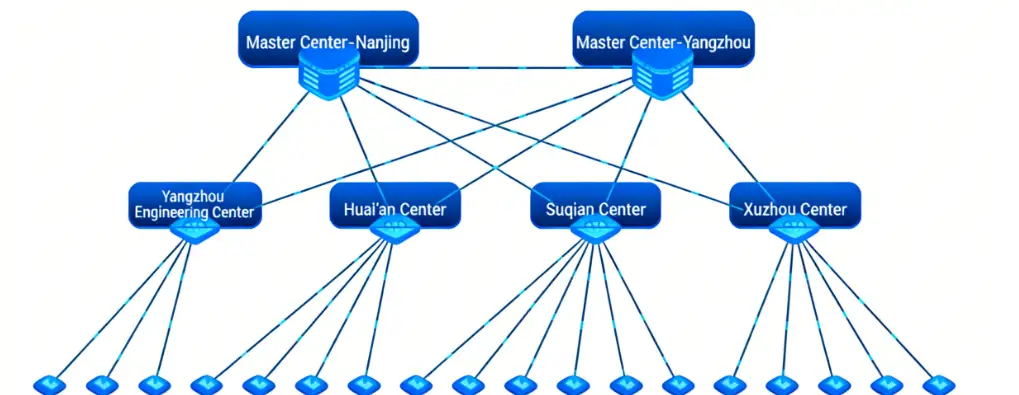
Component Description: Functional component similar to a hierarchy tree structure. Has clear hierarchical relationships, levels need to be specified via parameters. The component supports any number of levels. Icons for levels are temporarily not modifiable; icons for level three and below are the same. The component supports free dragging to reposition nodes and saving their positions. Component colors support customization.
Request Method: POST
https://doc.tingyun.com/sense/example/hierarchytree.json
Parameters:
| Field | Type | Description | Required |
|---|---|---|---|
| currentTime | Number | Current timestamp. | Yes |
| token | String | Salt value. Verification rule is md5(timePeriod+currentTime+configured token). E.g., if timePeriod is 30, currentTime is 1513137332798, token is abc, then compute MD5 for '301513137332798abc'. | No |
| timePeriod | Number | Time range in minutes. | Yes |
Correct Response Data:
| Field | Type | Description |
|---|---|---|
| nodes | Array | Array of nodes. |
| id | string | Unique id. |
| zIndex | number | Hierarchy level, smaller value means higher level. |
| name | string | Node name. |
| value | string/number | Node value, can be a number or string (e.g., Good, Excellent). |
| links | Array | Array of links. |
| source | string | Id of the link's source node. |
| target | String | Id of the link's target node. |
Example:
{
    "nodes": [

        { "id": "a1", "zIndex": 1, "name": "Main Center-Nanjing", "value": 78 },
        { "id": "a2", "zIndex": 1, "name": "Main Center-Yangzhou", "value": 87 },

        { "id": "b1", "zIndex": 2, "name": "Yangzhou Hub Center", "value": 54 },
        { "id": "b2", "zIndex": 2, "name": "Huaian Hub Center", "value": 65 },
        { "id": "b3", "zIndex": 2, "name": "Suqian Hub Center", "value": 57 },
        { "id": "b4", "zIndex": 2, "name": "Xuzhou Hub Center", "value": 55 },

        { "id": "c1", "zIndex": 3, "name": "Yangzhou Branch", "value": 23 },
        { "id": "c2", "zIndex": 3, "name": "Baoying Station", "value": 22 },
        { "id": "c3", "zIndex": 3, "name": "Jinhu Station", "value": 25 },

        { "id": "c4", "zIndex": 3, "name": "Huaian Branch", "value": 26 },
        { "id": "c5", "zIndex": 3, "name": "Huaiyin Third Station", "value": 28 },
        { "id": "c6", "zIndex": 3, "name": "Huaian Fourth Station", "value": 12 },
        { "id": "c7", "zIndex": 3, "name": "Hongze Station", "value": 17 },

        { "id": "c8", "zIndex": 3, "name": "Suqian Branch", "value": 26 },
        { "id": "c9", "zIndex": 3, "name": "Liulaojian Second Station", "value": 34 },
        { "id": "c10", "zIndex": 3, "name": "Sihong Station", "value": 38 },

        { "id": "c11", "zIndex": 3, "name": "Siyang Station", "value": 23 },
        { "id": "c12", "zIndex": 3, "name": "Suiling Second Station", "value": 19 },
        { "id": "c13", "zIndex": 3, "name": "Zaohe Second Station", "value": 12 },

        { "id": "c14", "zIndex": 3, "name": "Xuzhou Branch", "value": 27 },
        { "id": "c15", "zIndex": 3, "name": "Liushan Station", "value": 23 },
        { "id": "c16", "zIndex": 3, "name": "Pizhou Station", "value": 22 },
        { "id": "c17", "zIndex": 3, "name": "Xietai Station", "value": 45 },
        { "id": "c18", "zIndex": 3, "name": "Linjiaba Station", "value": 21 }
    ],

    "links": [
        { "source": "a1", "target": "a2" },

        { "source": "a1", "target": "b1" },
        { "source": "a1", "target": "b2" },
        { "source": "a1", "target": "b3" },
        { "source": "a1", "target": "b4" },

        { "source": "a2", "target": "b1" },
        { "source": "a2", "target": "b2" },
        { "source": "a2", "target": "b3" },
        { "source": "a2", "target": "b4" },

        { "source": "b1", "target": "c1" },
        { "source": "b1", "target": "c2" },
        { "source": "b1", "target": "c3" },

        { "source": "b2", "target": "c4" },
        { "source": "b2", "target": "c5" },
        { "source": "b2", "target": "c6" },
        { "source": "b2", "target": "c7" },

        { "source": "b3", "target": "c8" },
        { "source": "b3", "target": "c9" },
        { "source": "b3", "target": "c10" },
        { "source": "b3", "target": "c11" },
        { "source": "b3", "target": "c12" },
        { "source": "b3", "target": "c13" },

        { "source": "b4", "target": "c14" },
        { "source": "b4", "target": "c15" },
        { "source": "b4", "target": "c16" },
        { "source": "b4", "target": "c17" },
        { "source": "b4", "target": "c18" }
    ]
}
Topology 3D
Component Name: Topology 3D
Component Style:
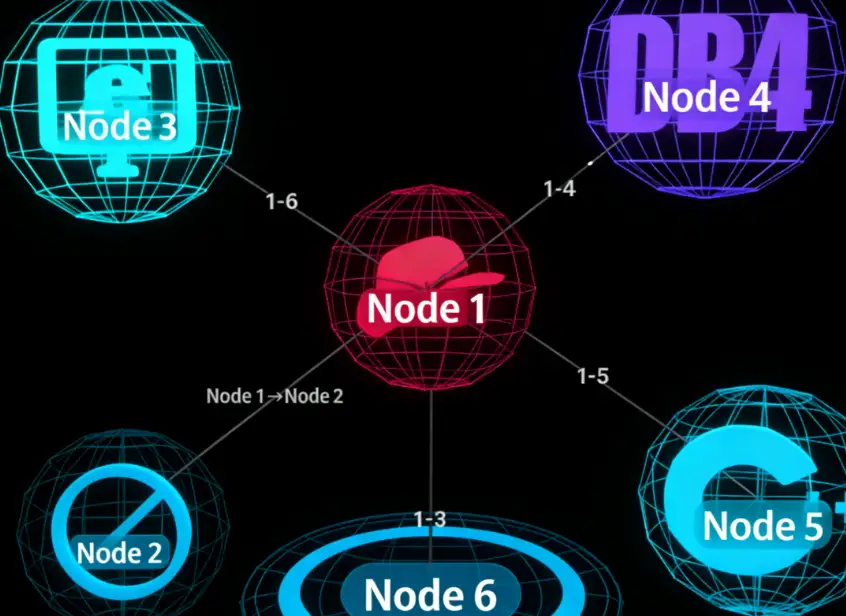
Component Description: Supports custom node colors and node models (uploading custom node models is temporarily not supported). Can read node data from configuration and set node colors based on the value field.
Request Method: POST
https://doc.tingyun.com/sense/example/topo3d.json
Parameters:
| Field | Type | Description | Required |
|---|---|---|---|
| currentTime | Number | Current timestamp. | Yes |
| token | String | Salt value. Verification rule is md5(timePeriod+currentTime+configured token). E.g., if timePeriod is 30, currentTime is 1513137332798, token is abc, then compute MD5 for '301513137332798abc'. | No |
| timePeriod | Number | Time range in minutes. | Yes |
Correct Response Data:
| Field | Type | Description |
|---|---|---|
| nodes | Array | Array of nodes. |
| id | String | Unique id of the node. |
| name | String | Name of the node. |
| value | String/Number | Value of the node, supports number and string types. |
| links | Array | Links between nodes. |
| source | String | Id of the link's source node. |
| target | String | Id of the link's target node. |
| info | String | Name of the link. |
Example:
{
    "nodes": [

        { "id": "1", "name": "Node1", "value": 22 },
        { "id": "2",  "name": "Node2", "value": 82 },
        { "id": "3", "name": "Node3", "value": 44 },
        { "id": "4",  "name": "Node4", "value": 32 },
        { "id": "5",  "name": "Node5", "value": 77 },
        { "id": "6",  "name": "Node6", "value": 65 },
        { "id": "7",  "name": "Node7", "value": 15 }
    ],
    "links": [
        { "source": "1", "target": "2","info":"Node1->Node2" },
        { "source": "1", "target": "3" },
        { "source": "1", "target": "4" },
        { "source": "1", "target": "5" },
        { "source": "1", "target": "6" },
        { "source": "1", "target": "7" }
    ]
}
Starry Sky Distribution Diagram
Component Name: Starry Sky Distribution Diagram
Component Style:
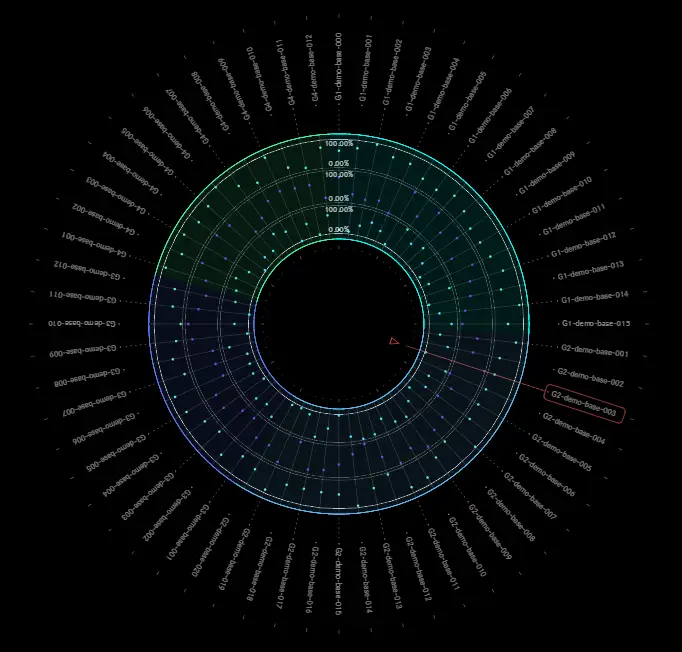
Component Description:
The component supports custom legend colors, group colors, and pointer node color configuration.
Request Method: POST
https://doc.tingyun.com/example/sense3Hostlist.json
Parameters:
| Field | Type | Required | Description |
|---|---|---|---|
| currentTime | Number | Yes | Current timestamp. |
| token | String | No | Salt value, used to verify parameter integrity. Verification rule is md5(timePeriod+currentTime+configured token). E.g., if timePeriod is 30, currentTime is 1513137332798, token is abc, then compute MD5 for '301513137332798abc'. |
| timePeriod | Number | Yes | Time range in minutes. |
Correct Response Data:
| Field | Type | Required | Description |
|---|---|---|---|
| legend | Array | Yes | Legend information. |
| name | String | Yes | Legend name. |
| max | Number | Yes | Maximum value. |
| color | String | Yes | Legend color. |
| group | Array | Yes | Group information. |
| id | Number | Yes | Unique ID. |
| name | String | Yes | Name. |
| color | String | Yes | Group color. |
| series | Array | Yes | List information. |
| name | String | Yes | Name. |
| groupId | Number | Yes | Corresponding group ID. |
| value | Number | Yes | Value. |
| data | Array | Yes | Data array, length corresponds to legend length. |
Example:
{
	"legend": [
		{
			"name": "CPU Usage",
			"max": 100,
			"color": "#31F1FF"
		},
		{
			"name": "Memory Usage",
			"max": 100,
			"color": "#704AEA"
		},
		{
			"name": "Disk Capacity",
			"max": 100,
			"color": "#52F8BD"
		}
	],
	"group": [
		{
			"id": 1,
			"name": "Business System 01",
			"color": "#00FFF9"
		},
		{
			"id": 2,
			"name": "Business System 02",
			"color": "#57BFFF"
		},
		{
			"id": 3,
			"name": "Business System 03",
			"color": "#537FFD"
		},
		{
			"id": 4,
			"name": "Business System 04",
			"color": "#36FFA0"
		}
	],
	"series": [
		{
			"name": "G1-demo-base-000",
			"groupId": 1,
			"value": 4,
			"data": [
				45,
				18,
				6
			]
		},
		{
			"name": "G1-demo-base-001",
			"groupId": 1,
			"value": 89,
			"data": [
				93,
				36,
				48
			]
		},
		{
			"name": "G1-demo-base-002",
			"groupId": 1,
			"value": 28,
			"data": [
				45,
				37,
				17
			]
		},
		{
			"name": "G1-demo-base-003",
			"groupId": 1,
			"value": 51,
			"data": [
				15,
				85,
				41
			]
		},
		{
			"name": "G1-demo-base-004",
			"groupId": 1,
			"value": 17,
			"data": [
				91,
				97,
				75
			]
		},
		{
			"name": "G1-demo-base-005",
			"groupId": 1,
			"value": 25,
			"data": [
				12,
				95,
				94
			]
		},
		{
			"name": "G1-demo-base-006",
			"groupId": 1,
			"value": 51,
			"data": [
				80,
				65,
				98
			]
		},
		{
			"name": "G1-demo-base-007",
			"groupId": 1,
			"value": 26,
			"data": [
				66,
				12,
				36
			]
		},
		{
			"name": "G1-demo-base-008",
			"groupId": 1,
			"value": 90,
			"data": [
				86,
				23,
				64
			]
		},
		{
			"name": "G1-demo-base-009",
			"groupId": 1,
			"value": 64,
			"data": [
				71,
				45,
				27
			]
		},
		{
			"name": "G1-demo-base-010",
			"groupId": 1,
			"value": 83,
			"data": [
				13,
				4,
				32
			]
		},
		{
			"name": "G1-demo-base-011",
			"groupId": 1,
			"value": 22,
			"data": [
				51,
				12,
				89
			]
		},
		{
			"name": "G1-demo-base-012",
			"groupId": 1,
			"value": 98,
			"data": [
				46,
				24,
				59
			]
		},
		{
			"name": "G1-demo-base-013",
			"groupId": 1,
			"value": 67,
			"data": [
				97,
				68,
				17
			]
		},
		{
			"name": "G1-demo-base-014",
			"groupId": 1,
			"value": 39,
			"data": [
				8,
				70,
				70
			]
		},
		{
			"name": "G1-demo-base-015",
			"groupId": 1,
			"value": 8,
			"data": [
				28,
				89,
				83
			]
		},
		{
			"name": "G2-demo-base-001",
			"groupId": 2,
			"value": 6,
			"data": [
				81,
				80,
				82
			]
		},
		{
			"name": "G2-demo-base-002",
			"groupId": 2,
			"value": 20,
			"data": [
				52,
				31,
				34
			]
		},
		{
			"name": "G2-demo-base-003",
			"groupId": 2,
			"value": 8,
			"data": [
				49,
				71,
				28
			]
		},
		{
			"name": "G2-demo-base-004",
			"groupId": 2,
			"value": 28,
			"data": [
				62,
				38,
				53
			]
		},
		{
			"name": "G2-demo-base-005",
			"groupId": 2,
			"value": 7,
			"data": [
				15,
				40,
				72
			]
		},
		{
			"name": "G2-demo-base-006",
			"groupId": 2,
			"value": 49,
			"data": [
				30,
				42,
				47
			]
		},
		{
			"name": "G2-demo-base-007",
			"groupId": 2,
			"value": 10,
			"data": [
				98,
				80,
				41
			]
		},
		{
			"name": "G2-demo-base-008",
			"groupId": 2,
			"value": 9,
			"data": [
				96,
				34,
				21
			]
		},
		{
			"name": "G2-demo-base-009",
			"groupId": 2,
			"value": 17,
			"data": [
				89,
				88,
				98
			]
		},
		{
			"name": "G2-demo-base-010",
			"groupId": 2,
			"value": 82,
			"data": [
				51,
				84,
				5
			]
		},
		{
			"name": "G2-demo-base-011",
			"groupId": 2,
			"value": 13,
			"data": [
				86,
				79,
				88
			]
		},
		{
			"name": "G2-demo-base-012",
			"groupId": 2,
			"value": 57,
			"data": [
				51,
				38,
				34
			]
		},
		{
			"name": "G2-demo-base-013",
			"groupId": 2,
			"value": 3,
			"data": [
				68,
				82,
				53
			]
		},
		{
			"name": "G2-demo-base-014",
			"groupId": 2,
			"value": 56,
			"data": [
				52,
				71,
				70
			]
		},
		{
			"name": "G2-demo-base-015",
			"groupId": 2,
			"value": 45,
			"data": [
				40,
				9,
				4
			]
		},
		{
			"name": "G2-demo-base-016",
			"groupId": 2,
			"value": 25,
			"data": [
				58,
				75,
				33
			]
		},
		{
			"name": "G2-demo-base-017",
			"groupId": 2,
			"value": 73,
			"data": [
				45,
				23,
				94
			]
		},
		{
			"name": "G2-demo-base-018",
			"groupId": 2,
			"value": 61,
			"data": [
				90,
				11,
				20
			]
		},
		{
			"name": "G2-demo-base-019",
			"groupId": 2,
			"value": 33,
			"data": [
				52,
				20,
				41
			]
		},
		{
			"name": "G2-demo-base-020",
			"groupId": 2,
			"value": 32,
			"data": [
				62,
				19,
				95
			]
		},
		{
			"name": "G3-demo-base-001",
			"groupId": 3,
			"value": 38,
			"data": [
				4,
				67,
				21
			]
		},
		{
			"name": "G3-demo-base-002",
			"groupId": 3,
			"value": 20,
			"data": [
				4,
				40,
				82
			]
		},
		{
			"name": "G3-demo-base-003",
			"groupId": 3,
			"value": 29,
			"data": [
				95,
				30,
				64
			]
		},
		{
			"name": "G3-demo-base-004",
			"groupId": 3,
			"value": 38,
			"data": [
				84,
				55,
				6
			]
		},
		{
			"name": "G3-demo-base-005",
			"groupId": 3,
			"value": 2,
			"data": [
				80,
				56,
				64
			]
		},
		{
			"name": "G3-demo-base-006",
			"groupId": 3,
			"value": 89,
			"data": [
				91,
				39,
				12
			]
		},
		{
			"name": "G3-demo-base-007",
			"groupId": 3,
			"value": 18,
			"data": [
				42,
				26,
				48
			]
		},
		{
			"name": "G3-demo-base-008",
			"groupId": 3,
			"value": 3,
			"data": [
				16,
				25,
				11
			]
		},
		{
			"name": "G3-demo-base-009",
			"groupId": 3,
			"value": 52,
			"data": [
				41,
				66,
				89
			]
		},
		{
			"name": "G3-demo-base-010",
			"groupId": 3,
			"value": 48,
			"data": [
				75,
				63,
				51
			]
		},
		{
			"name": "G3-demo-base-011",
			"groupId": 3,
			"value": 12,
			"data": [
				89,
				34,
				38
			]
		},
		{
			"name": "G3-demo-base-012",
			"groupId": 3,
			"value": 49,
			"data": [
				95,
				53,
				68
			]
		},
		{
			"name": "G4-demo-base-001",
			"groupId": 4,
			"value": 58,
			"data": [
				63,
				59,
				26
			]
		},
		{
			"name": "G4-demo-base-002",
			"groupId": 4,
			"value": 22,
			"data": [
				2,
				47,
				13
			]
		},
		{
			"name": "G4-demo-base-003",
			"groupId": 4,
			"value": 42,
			"data": [
				3,
				2,
				71
			]
		},
		{
			"name": "G4-demo-base-004",
			"groupId": 4,
			"value": 38,
			"data": [
				55,
				92,
				72
			]
		},
		{
			"name": "G4-demo-base-005",
			"groupId": 4,
			"value": 67,
			"data": [
				7,
				95,
				37
			]
		},
		{
			"name": "G4-demo-base-006",
			"groupId": 4,
			"value": 48,
			"data": [
				16,
				90,
				60
			]
		},
		{
			"name": "G4-demo-base-007",
			"groupId": 4,
			"value": 32,
			"data": [
				71,
				52,
				22
			]
		},
		{
			"name": "G4-demo-base-008",
			"groupId": 4,
			"value": 82,
			"data": [
				86,
				22,
				37
			]
		},
		{
			"name": "G4-demo-base-009",
			"groupId": 4,
			"value": 49,
			"data": [
				76,
				51,
				45
			]
		},
		{
			"name": "G4-demo-base-010",
			"groupId": 4,
			"value": 97,
			"data": [
				95,
				59,
				85
			]
		},
		{
			"name": "G4-demo-base-011",
			"groupId": 4,
			"value": 82,
			"data": [
				18,
				39,
				89
			]
		},
		{
			"name": "G4-demo-base-012",
			"groupId": 4,
			"value": 55,
			"data": [
				88,
				72,
				63
			]
		}
	]
}
Hierarchy Tree 2
Component Name: Hierarchy Tree 2
Component Style:
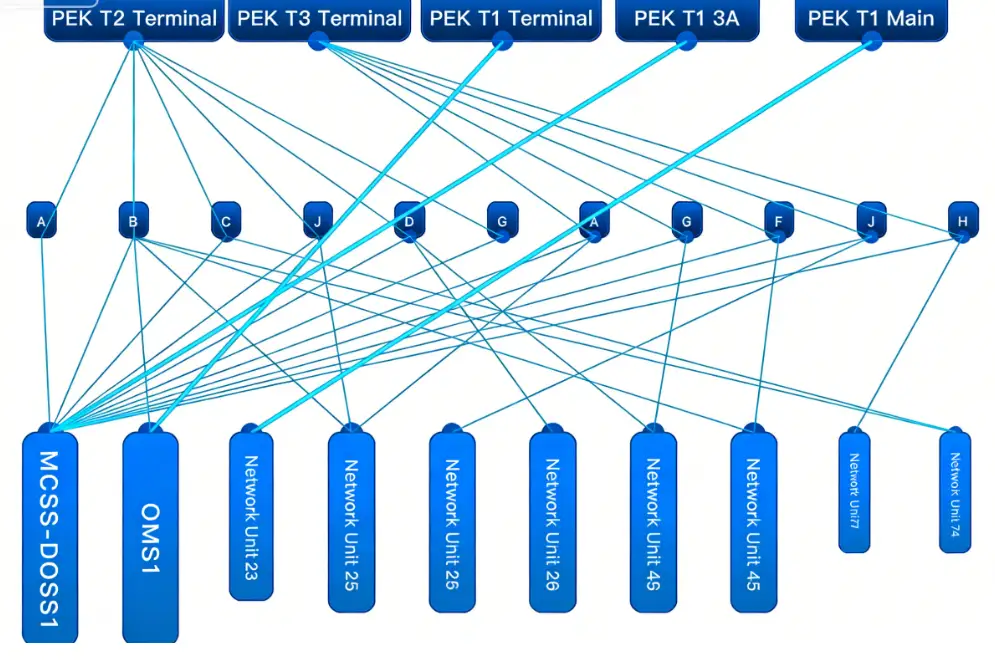
Component Description:
Highly customizable component
Functional component similar to a hierarchy tree structure. Has clear hierarchical relationships, levels need to be specified via parameters.
The component supports free dragging to reposition nodes and saving their positions. Component colors support customization.
The component can support folding through API, and even supports drilling down. Hovering over a node displays node information.
Request Method: POST
https://doc.tingyun.com/sense/example/hierarchytree2.json
Parameters:
| Field | Type | Description | Required |
|---|---|---|---|
| currentTime | Number | Current timestamp. | Yes |
| token | String | Salt value. Verification rule is md5(timePeriod+currentTime+configured token). E.g., if timePeriod is 30, currentTime is 1513137332798, token is abc, then compute MD5 for '301513137332798abc'. | No |
| timePeriod | Number | Time range in minutes. | Yes |
Correct Response Data:
| Field | Type | Description |
|---|---|---|
| nodes | Array | Array of nodes. |
| id | string | Unique id. |
| zIndex | number | Hierarchy level, smaller value means higher level. |
| name | string | Node name. |
| scale | number | Node scaling factor. |
| info | string | Node hover information. |
| hasChildren | boolean | Whether the node supports folding. |
| hasNodes | boolean | Whether the node has drill-down topology. |
| value | string/number | Node value, can be a number or string (e.g., Good, Excellent). |
| links | Array | Array of links. |
| source | string | Id of the link's source node. |
| target | String | Id of the link's target node. |
Example:
{
    "nodes": [
        {
            "id": "a",
            "zIndex": 1,
            "name": "PEK T2 Terminal",
            "value": 60,
            "scale": 1.5,
            "hasChildren": true
        },
        {
            "id": "b",
            "zIndex": 1,
            "name": "PEK T3 Terminal",
            "value": 90,
            "scale": 1.5,
            "hasChildren": true
        },
        {
            "id": "c",
            "zIndex": 1,
            "name": "PEK T1 Network",
            "value": 98,
            "scale": 1.5
        },
        {
            "id": "d",
            "zIndex": 1,
            "name": "PEK T1 3A",
            "value": 96,
            "scale": 1.5
        },
        {
            "id": "e",
            "zIndex": 1,
            "name": "PEK T1 Host",
            "value": 88,
            "scale": 1.5
        },
        {
            "id": "a1",
            "zIndex": 2,
            "name": "A",
            "value": 11,
            "scale": 1
        },
        {
            "id": "a2",
            "zIndex": 2,
            "name": "B",
            "value": 22,
            "scale": 1
        },
        {
            "id": "a3",
            "zIndex": 2,
            "name": "C",
            "value": 33,
            "scale": 1
        },
        {
            "id": "a4",
            "zIndex": 2,
            "name": "J",
            "value": 44,
            "scale": 1
        },
        {
            "id": "a5",
            "zIndex": 2,
            "name": "D",
            "value": 55,
            "scale": 1
        },
        {
            "id": "a6",
            "zIndex": 2,
            "name": "G",
            "value": 66,
            "scale": 1
        },
        {
            "id": "b1",
            "zIndex": 2,
            "name": "A",
            "value": 22,
            "scale": 1
        },
        {
            "id": "b2",
            "zIndex": 2,
            "name": "G",
            "value": 33,
            "scale": 1
        },
        {
            "id": "b3",
            "zIndex": 2,
            "name": "F",
            "value": 44,
            "scale": 1
        },
        {
            "id": "b4",
            "zIndex": 2,
            "name": "J",
            "value": 55,
            "scale": 1
        },
        {
            "id": "b5",
            "zIndex": 2,
            "name": "H",
            "value": 66,
            "scale": 1
        },
        {
            "id": "z1",
            "zIndex": 3,
            "name": "MCSS-DCS01",
            "value": 66,
            "scale": 1.8
        },
        {
            "id": "z2",
            "zIndex": 3,
            "name": "OMSE01",
            "value": 66,
            "scale": 1.8
        },
        {
            "id": "z3",
            "zIndex": 3,
            "name": "Network Unit 1",
            "value": 55,
            "scale": 1.4
        },
        {
            "id": "z4",
            "zIndex": 3,
            "name": "Network Unit 2",
            "value": 44,
            "scale": 1.5
        },
        {
            "id": "z5",
            "zIndex": 3,
            "name": "Network Unit 3",
            "value": 33,
            "scale": 1.5
        },
        {
            "id": "z6",
            "zIndex": 3,
            "name": "Network Unit 4",
            "value": 22,
            "scale": 1.5
        },
        {
            "id": "z7",
            "zIndex": 3,
            "name": "Network Unit 5",
            "value": 11,
            "scale": 1.5
        },
        {
            "id": "z8",
            "zIndex": 3,
            "name": "Network Unit 6",
            "value": 66,
            "scale": 1.5
        },
        {
            "id": "z9",
            "zIndex": 3,
            "name": "Network Unit 7",
            "value": 55,
            "scale": 1
        },
        {
            "id": "z10",
            "zIndex": 3,
            "name": "Network Unit 8",
            "value": 44,
            "scale": 1
        }
    ],
    "links": [
        {
            "source": "a",
            "target": "a1",
            "value": 1
        },
        {
            "source": "a",
            "target": "a2",
            "value": 1
        },
        {
            "source": "a",
            "target": "a3",
            "value": 1
        },
        {
            "source": "a",
            "target": "a4",
            "value": 1
        },
        {
            "source": "a",
            "target": "a5",
            "value": 1
        },
        {
            "source": "a",
            "target": "a6",
            "value": 1
        },
        {
            "source": "b",
            "target": "b1",
            "value": 1
        },
        {
            "source": "b",
            "target": "b2",
            "value": 1
        },
        {
            "source": "b",
            "target": "b3",
            "value": 1
        },
        {
            "source": "b",
            "target": "b4",
            "value": 1
        },
        {
            "source": "b",
            "target": "b5",
            "value": 1
        },
        {
            "source": "a1",
            "target": "z1",
            "value": 1
        },
        {
            "source": "a2",
            "target": "z1",
            "value": 1
        },
        {
            "source": "a3",
            "target": "z1",
            "value": 1
        },
        {
            "source": "a4",
            "target": "z1",
            "value": 1
        },
        {
            "source": "a5",
            "target": "z1",
            "value": 1
        },
        {
            "source": "a6",
            "target": "z1",
            "value": 1
        },
        {
            "source": "b1",
            "target": "z1",
            "value": 1
        },
        {
            "source": "b2",
            "target": "z1",
            "value": 1
        },
        {
            "source": "b3",
            "target": "z1",
            "value": 1
        },
        {
            "source": "b4",
            "target": "z1",
            "value": 1
        },
        {
            "source": "b5",
            "target": "z1",
            "value": 1
        },
        {
            "source": "c",
            "target": "z2",
            "value": 4
        },
        {
            "source": "d",
            "target": "z1",
            "value": 4
        },
        {
            "source": "e",
            "target": "z3",
            "value": 4
        },
        {
            "source": "a2",
            "target": "z2",
            "value": 1
        },
        {
            "source": "a2",
            "target": "z4",
            "value": 1
        },
        {
            "source": "a2",
            "target": "z8",
            "value": 1
        },
        {
            "source": "a2",
            "target": "z10",
            "value": 1
        },
        {
            "source": "a3",
            "target": "z10",
            "value": 1
        },
        {
            "source": "a4",
            "target": "z1",
            "value": 1
        },
        {
            "source": "a4",
            "target": "z4",
            "value": 1
        },
        {
            "source": "a5",
            "target": "z1",
            "value": 1
        },
        {
            "source": "a5",
            "target": "z6",
            "value": 1
        },
        {
            "source": "a5",
            "target": "z1",
            "value": 1
        },
        {
            "source": "a5",
            "target": "z7",
            "value": 1
        },
        {
            "source": "b1",
            "target": "z4",
            "value": 1
        },
        {
            "source": "b2",
            "target": "z7",
            "value": 1
        },
        {
            "source": "b3",
            "target": "z8",
            "value": 1
        },
        {
            "source": "b4",
            "target": "z5",
            "value": 1
        },
        {
            "source": "b5",
            "target": "z9",
            "value": 1
        }
    ]
}
Drill-down Example:
{
    "nodes": [
      {
        "id": "a0",
        "zIndex": 1,
        "name": "Firewall",
        "value": 10,
        "scale": 1,
        "info": "Alarm:XXX-XUIO-001"
      },
      {
        "id": "b0",
        "zIndex": 2,
        "name": "Load Balancer",
        "value": 80,
        "scale": 1
      },
      {
        "id": "c0",
        "zIndex": 3,
        "name": "MQ3A-1",
        "value": 10,
        "scale": 1
      },
      {
        "id": "c1",
        "zIndex": 3,
        "name": "MCSS-2",
        "value": 80,
        "scale": 1,
        "hasNodes": true
      },
      {
        "id": "c2",
        "zIndex": 3,
        "name": "MCSS-3",
        "value": 10,
        "scale": 1
      },
      {
        "id": "c3",
        "zIndex": 3,
        "name": "MCSS-4",
        "value": 10,
        "scale": 1,
        "info": "Alarm:XXX-MUIK-002"
      },
      {
        "id": "c4",
        "zIndex": 3,
        "name": "MQ3A-5",
        "value": 10,
        "scale": 1,
        "info": "Alarm:XXX-YUIN-003"
      },
      {
        "id": "d0",
        "zIndex": 4,
        "name": "Rounter_DCS",
        "value": 10,
        "scale": 1
      },
      {
        "id": "e0",
        "zIndex": 5,
        "name": "RCPE-E0",
        "value": 10,
        "scale": 1
      },
      {
        "id": "e1",
        "zIndex": 5,
        "name": "RCPE-E1",
        "value": 10,
        "scale": 1
      },
      {
        "id": "e2",
        "zIndex": 5,
        "name": "RCPE-E2",
        "value": 10,
        "scale": 1
      },
      {
        "id": "f0",
        "zIndex": 6,
        "name": "OMSE-F0",
        "value": 10,
        "scale": 1
      },
      {
        "id": "f1",
        "zIndex": 6,
        "name": "OMSE-F1",
        "value": 10,
        "scale": 1
      },
      {
        "id": "f2",
        "zIndex": 6,
        "name": "OMSE-F2",
        "value": 10,
        "scale": 1
      },
      {
        "id": "f3",
        "zIndex": 6,
        "name": "OMSE-F3",
        "value": 10,
        "scale": 1
      },
      {
        "id": "f4",
        "zIndex": 6,
        "name": "OMSE-F4",
        "value": 10,
        "scale": 1
      }
    ],
    "links": [
      {
        "source": "a0",
        "target": "b0",
        "value": 2
      },
      {
        "source": "b0",
        "target": "c1",
        "value": 1
      },
      {
        "source": "b0",
        "target": "e2",
        "value": 1
      },
      {
        "source": "b0",
        "target": "c2",
        "value": 1
      },
      {
        "source": "b0",
        "target": "c3",
        "value": 1
      },
      {
        "source": "c1",
        "target": "c0",
        "value": 1
      },
      {
        "source": "c3",
        "target": "c4",
        "value": 1
      },
      {
        "source": "c1",
        "target": "d0",
        "value": 1
      },
      {
        "source": "c2",
        "target": "d0",
        "value": 1
      },
      {
        "source": "c3",
        "target": "d0",
        "value": 1
      },
      {
        "source": "d0",
        "target": "e0",
        "value": 1
      },
      {
        "source": "d0",
        "target": "e1",
        "value": 1
      },
      {
        "source": "d0",
        "target": "e2",
        "value": 1
      },
      {
        "source": "e0",
        "target": "f0",
        "value": 1
      },
      {
        "source": "e0",
        "target": "f1",
        "value": 1
      },
      {
        "source": "e1",
        "target": "f1",
        "value": 1
      },
      {
        "source": "e1",
        "target": "f2",
        "value": 1
      },
      {
        "source": "e2",
        "target": "f2",
        "value": 1
      },
      {
        "source": "e2",
        "target": "f3",
        "value": 1
      },
      {
        "source": "e2",
        "target": "f4",
        "value": 1
      }
    ],
    "childrenNodes": [
      {
        "id": "c1",
        "data": {
          "nodes": [
            {
              "id": "a0",
              "zIndex": 1,
              "name": "Logical Server Unit 1",
              "value": 80,
              "scale": 1,
              "info": {}
            },
            {
              "id": "a1",
              "zIndex": 1,
              "name": "Logical Server Unit 2",
              "value": 10,
              "scale": 1
            },
            {
              "id": "b0",
              "zIndex": 2,
              "name": "RP-HSY-AZI-XX01",
              "value": 10,
              "scale": 1
            },
            {
              "id": "c0",
              "zIndex": 3,
              "name": "Virtualization Host Unit 1",
              "value": 10,
              "scale": 1
            },
            {
              "id": "c1",
              "zIndex": 3,
              "name": "Virtualization Host Unit 2",
              "value": 10,
              "scale": 1
            },
            {
              "id": "c2",
              "zIndex": 3,
              "name": "Virtualization Host Unit 3",
              "value": 10,
              "scale": 1
            },
            {
              "id": "d0",
              "zIndex": 4,
              "name": "Physical Server Device 1",
              "value": 10,
              "scale": 1
            },
            {
              "id": "d1",
              "zIndex": 4,
              "name": "Physical Server Device 2",
              "value": 10,
              "scale": 1
            },
            {
              "id": "d2",
              "zIndex": 4,
              "name": "Physical Server Device 3",
              "value": 10,
              "scale": 1
            }
          ],
          "links": [
            {
              "source": "a0",
              "target": "b0",
              "value": 1
            },
            {
              "source": "a1",
              "target": "b0",
              "value": 1
            },
            {
              "source": "b0",
              "target": "c0",
              "value": 1
            },
            {
              "source": "b0",
              "target": "c1",
              "value": 1
            },
            {
              "source": "b0",
              "target": "c2",
              "value": 1
            },
            {
              "source": "c0",
              "target": "d0",
              "value": 1
            },
            {
              "source": "c1",
              "target": "d1",
              "value": 1
            },
            {
              "source": "c2",
              "target": "d2",
              "value": 1
            }
          ]
        }
      }
    ]
  }
Ring Topology
Component Name: Ring Topology
Component Style:
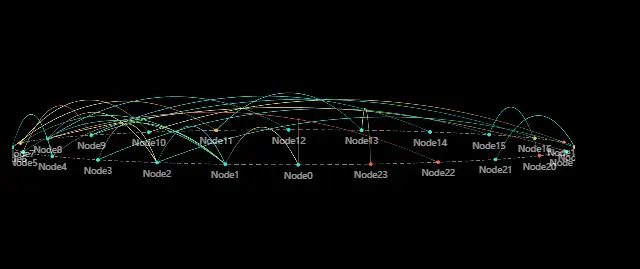
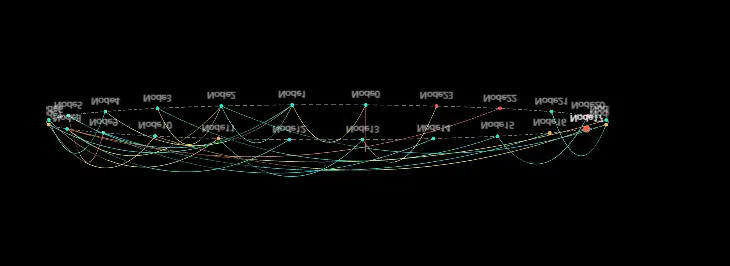 Component Description:
Ring topology diagram, requires specifying levels.
Component Description:
Ring topology diagram, requires specifying levels.
Request Method: POST
https://doc.tingyun.com/sense/example/ringtopology.json
Parameters:
| Field | Type | Description | Required |
|---|---|---|---|
| currentTime | Number | Current timestamp. | Yes |
| token | String | Salt value. Verification rule is md5(timePeriod+currentTime+configured token). E.g., if timePeriod is 30, currentTime is 1513137332798, token is abc, then compute MD5 for '301513137332798abc'. | No |
| timePeriod | Number | Time range in minutes. | Yes |
Correct Response Data:
| Field | Type | Description |
|---|---|---|
| nodes | Object[] | Array of nodes. |
| id | Number, String | ID can be a string or number. |
| name | String | Name of the node. |
| zIndex | Number | Hierarchy level of the node. |
| links | Object[] | Array of links. |
| source | Number | Start point of the link, corresponds to the index in the nodes array (not the ID). |
| target | Number | End point of the link, corresponds to the index in the nodes array (not the ID). |
| value | Number | Value of the link. |
Note: It is best for the id in nodes to use the array index, for easy correspondence with links.
Example: Example 1:
{
    "nodes": [
        {
            "id": 0,
            "zIndex": 1,
            "name": "Node0",
            "value": 22
        },
        {
            "id": 1,
            "zIndex": 1,
            "name": "Node1",
            "value": 87
        },
        {
            "id": 2,
            "zIndex": 1,
            "name": "Node2",
            "value": 49
        },
        {
            "id": 3,
            "zIndex": 1,
            "name": "Node3",
            "value": 22
        },
        {
            "id": 4,
            "zIndex": 1,
            "name": "Node4",
            "value": 50
        },
        {
            "id": 5,
            "zIndex": 1,
            "name": "Node5",
            "value": 82
        },
        {
            "id": 6,
            "zIndex": 1,
            "name": "Node6",
            "value": 49
        },
        {
            "id": 7,
            "zIndex": 1,
            "name": "Node7",
            "value": 40
        },
        {
            "id": 8,
            "zIndex": 1,
            "name": "Node8",
            "value": 86
        },
        {
            "id": 9,
            "zIndex": 1,
            "name": "Node9",
            "value": 57
        },
        {
            "id": 10,
            "zIndex": 1,
            "name": "Node10",
            "value": 55
        },
        {
            "id": 11,
            "zIndex": 1,
            "name": "Node11",
            "value": 91
        },
        {
            "id": 12,
            "zIndex": 1,
            "name": "Node12",
            "value": 28
        },
        {
            "id": 13,
            "zIndex": 1,
            "name": "Node13",
            "value": 73
        },
        {
            "id": 14,
            "zIndex": 1,
            "name": "Node14",
            "value": 73
        },
        {
            "id": 15,
            "zIndex": 1,
            "name": "Node15",
            "value": 76
        },
        {
            "id": 16,
            "zIndex": 1,
            "name": "Node16",
            "value": 96
        },
        {
            "id": 17,
            "zIndex": 1,
            "name": "Node17",
            "value": 64
        },
        {
            "id": 18,
            "zIndex": 1,
            "name": "Node18",
            "value": 55
        },
        {
            "id": 19,
            "zIndex": 1,
            "name": "Node19",
            "value": 19
        }
    ],
    "links": [
        {
            "source": 0,
            "target": 0,
            "value": 66
        },
        {
            "source": 1,
            "target": 0,
            "value": 53
        },
        {
            "source": 2,
            "target": 0,
            "value": 63
        },
        {
            "source": 3,
            "target": 1,
            "value": 16
        },
        {
            "source": 4,
            "target": 2,
            "value": 32
        },
        {
            "source": 5,
            "target": 1,
            "value": 80
        },
        {
            "source": 6,
            "target": 2,
            "value": 23
        },
        {
            "source": 7,
            "target": 2,
            "value": 12
        },
        {
            "source": 8,
            "target": 6,
            "value": 80
        },
        {
            "source": 9,
            "target": 3,
            "value": 61
        },
        {
            "source": 10,
            "target": 1,
            "value": 99
        },
        {
            "source": 11,
            "target": 0,
            "value": 13
        },
        {
            "source": 12,
            "target": 0,
            "value": 33
        },
        {
            "source": 13,
            "target": 11,
            "value": 38
        },
        {
            "source": 14,
            "target": 13,
            "value": 17
        },
        {
            "source": 15,
            "target": 9,
            "value": 86
        },
        {
            "source": 16,
            "target": 0,
            "value": 84
        },
        {
            "source": 17,
            "target": 11,
            "value": 43
        },
        {
            "source": 18,
            "target": 5,
            "value": 13
        },
        {
            "source": 19,
            "target": 8,
            "value": 99
        }
    ]
}
Example 2:
zIndex divided into two layers
{
    "nodes": [
        {
            "id": 0,
            "zIndex": 1,
            "name": "Node0",
            "value": 98
        },
        {
            "id": 1,
            "zIndex": 1,
            "name": "Node1",
            "value": 57
        },
        {
            "id": 2,
            "zIndex": 1,
            "name": "Node2",
            "value": 26
        },
        {
            "id": 3,
            "zIndex": 1,
            "name": "Node3",
            "value": 95
        },
        {
            "id": 4,
            "zIndex": 1,
            "name": "Node4",
            "value": 58
        },
        {
            "id": 5,
            "zIndex": 1,
            "name": "Node5",
            "value": 53
        },
        {
            "id": 6,
            "zIndex": 1,
            "name": "Node6",
            "value": 22
        },
        {
            "id": 7,
            "zIndex": 1,
            "name": "Node7",
            "value": 55
        },
        {
            "id": 8,
            "zIndex": 1,
            "name": "Node8",
            "value": 93
        },
        {
            "id": 9,
            "zIndex": 1,
            "name": "Node9",
            "value": 72
        },
        {
            "id": 10,
            "zIndex": 1,
            "name": "Node10",
            "value": 53
        },
        {
            "id": 11,
            "zIndex": 1,
            "name": "Node11",
            "value": 81
        },
        {
            "id": 12,
            "zIndex": 1,
            "name": "Node12",
            "value": 70
        },
        {
            "id": 13,
            "zIndex": 1,
            "name": "Node13",
            "value": 84
        },
        {
            "id": 14,
            "zIndex": 1,
            "name": "Node14",
            "value": 26
        },
        {
            "id": 15,
            "zIndex": 1,
            "name": "Node15",
            "value": 20
        },
        {
            "id": 16,
            "zIndex": 1,
            "name": "Node16",
            "value": 50
        },
        {
            "id": 17,
            "zIndex": 1,
            "name": "Node17",
            "value": 91
        },
        {
            "id": 18,
            "zIndex": 1,
            "name": "Node18",
            "value": 18
        },
        {
            "id": 19,
            "zIndex": 1,
            "name": "Node19",
            "value": 40
        },
        {
            "id": 20,
            "zIndex": 1,
            "name": "Node20",
            "value": 63
        },
        {
            "id": 21,
            "zIndex": 1,
            "name": "Node21",
            "value": 21
        },
        {
            "id": 22,
            "zIndex": 1,
            "name": "Node22",
            "value": 71
        },
        {
            "id": 23,
            "zIndex": 1,
            "name": "Node23",
            "value": 92
        },
        {
            "id": 24,
            "zIndex": 1,
            "name": "Node24",
            "value": 11
        },
        {
            "id": 25,
            "zIndex": 1,
            "name": "Node25",
            "value": 16
        },
        {
            "id": 26,
            "zIndex": 1,
            "name": "Node26",
            "value": 99
        },
        {
            "id": 27,
            "zIndex": 1,
            "name": "Node27",
            "value": 94
        },
        {
            "id": 28,
            "zIndex": 1,
            "name": "Node28",
            "value": 88
        },
        {
            "id": 29,
            "zIndex": 1,
            "name": "Node29",
            "value": 86
        },
        {
            "id": 30,
            "zIndex": 1,
            "name": "Node30",
            "value": 71
        },
        {
            "id": 31,
            "zIndex": 1,
            "name": "Node31",
            "value": 20
        },
        {
            "id": 32,
            "zIndex": 2,
            "name": "Node32",
            "value": 66
        },
        {
            "id": 33,
            "zIndex": 2,
            "name": "Node33",
            "value": 56
        },
        {
            "id": 34,
            "zIndex": 2,
            "name": "Node34",
            "value": 57
        },
        {
            "id": 35,
            "zIndex": 2,
            "name": "Node35",
            "value": 24
        }
    ],
    "links": [
        {
            "source": 34,
            "target": 22,
            "value": 75
        },
        {
            "source": 33,
            "target": 10,
            "value": 86
        },
        {
            "source": 32,
            "target": 27,
            "value": 10
        },
        {
            "source": 33,
            "target": 11,
            "value": 72
        },
        {
            "source": 33,
            "target": 10,
            "value": 68
        },
        {
            "source": 32,
            "target": 27,
            "value": 16
        },
        {
            "source": 33,
            "target": 8,
            "value": 60
        },
        {
            "source": 35,
            "target": 8,
            "value": 31
        },
        {
            "source": 34,
            "target": 13,
            "value": 67
        },
        {
            "source": 35,
            "target": 8,
            "value": 28
        },
        {
            "source": 35,
            "target": 1,
            "value": 78
        },
        {
            "source": 35,
            "target": 4,
            "value": 40
        },
        {
            "source": 33,
            "target": 27,
            "value": 58
        },
        {
            "source": 34,
            "target": 13,
            "value": 90
        },
        {
            "source": 32,
            "target": 11,
            "value": 64
        },
        {
            "source": 32,
            "target": 26,
            "value": 64
        },
        {
            "source": 33,
            "target": 6,
            "value": 18
        },
        {
            "source": 35,
            "target": 4,
            "value": 30
        },
        {
            "source": 35,
            "target": 1,
            "value": 39
        },
        {
            "source": 33,
            "target": 11,
            "value": 70
        },
        {
            "source": 32,
            "target": 12,
            "value": 90
        },
        {
            "source": 35,
            "target": 11,
            "value": 29
        },
        {
            "source": 35,
            "target": 3,
            "value": 85
        },
        {
            "source": 35,
            "target": 7,
            "value": 49
        },
        {
            "source": 34,
            "target": 27,
            "value": 79
        },
        {
            "source": 35,
            "target": 23,
            "value": 97
        },
        {
            "source": 33,
            "target": 28,
            "value": 40
        },
        {
            "source": 34,
            "target": 28,
            "value": 64
        },
        {
            "source": 32,
            "target": 26,
            "value": 19
        },
        {
            "source": 32,
            "target": 16,
            "value": 65
        },
        {
            "source": 32,
            "target": 8,
            "value": 40
        },
        {
            "source": 32,
            "target": 10,
            "value": 46
        }
    ]
}
Mixed Bar Chart
Summary Bar Chart
Component Name: Summary Bar Chart
Component Style:
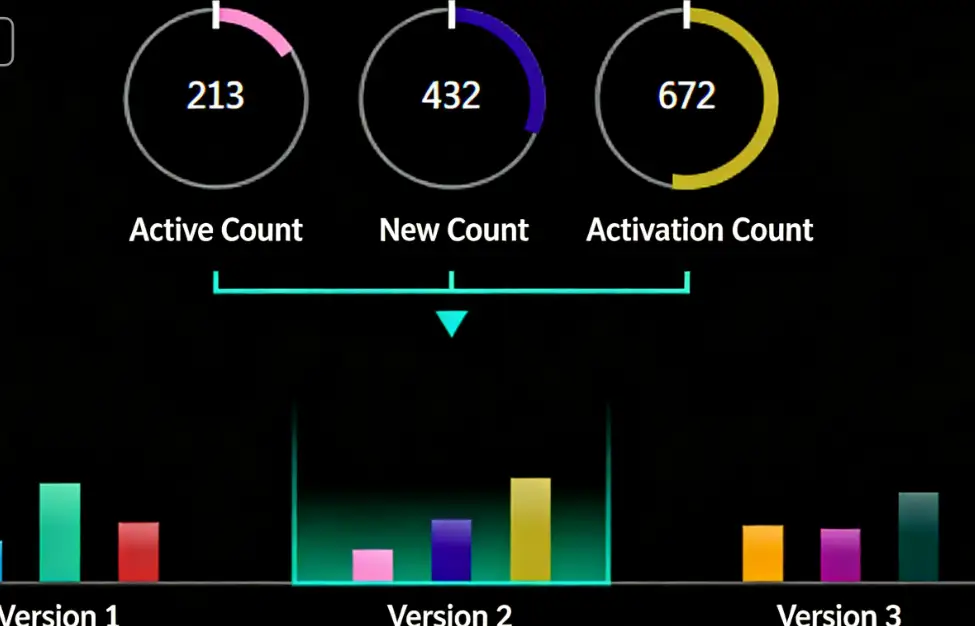
Component Description:
Displays each set of data in a rotating pie chart manner.
Request Method: POST
https://doc.tingyun.com/sense/example/bard3pie.json
Parameters:
| Field | Type | Description | Required |
|---|---|---|---|
| currentTime | Number | Current timestamp. | Yes |
| token | String | Salt value. Verification rule is md5(timePeriod+currentTime+configured token). E.g., if timePeriod is 30, currentTime is 1513137332798, token is abc, then compute MD5 for '301513137332798abc'. | No |
| timePeriod | Number | Time range in minutes. | Yes |
Correct Response Data:
| Field | Type | Description |
|---|---|---|
| series | Array | Can be any number of data items. |
| name | String | Name. |
| data | Array | Sub-data, can have multiple data items. |
| name | String | Name. |
| value | Number | Numeric type. |
| color | String | Bar color, "#77E5FF". Optional parameter. |
If value contains decimals, the component will display rounded integers. Color can be passed through the interface or configured directly in the component. The color configured in the component has higher priority than the color value passed through the interface.
Example:
{
	"series": [
		{
			"name": "Version 1",
			"data": [
				{
					"name": "Active Count",
					"value": 601,
					"color": "#0091D2"
				},
				{
					"name": "New Count",
					"value": 299,
					"color": "#27BA93"
				},
				{
					"name": "Start Count",
					"value": 589,
					"color": "#B42E2E"
				}
			]
		},
		{
			"name": "Version 2",
			"data": [
				{
					"name": "Active Count",
					"value": 362,
					"color": "#f091D2"
				},
				{
					"name": "New Count",
					"value": 446,
					"color": "#270A93"
				},
				{
					"name": "Start Count",
					"value": 708,
					"color": "#B49E2E"
				}
			]
		},
		{
			"name": "Version 3",
			"data": [
				{
					"name": "Active Count",
					"value": 233,
					"color": "#f09102"
				},
				{
					"name": "New Count",
					"value": 743,
					"color": "#970A93"
				},
				{
					"name": "Start Count",
					"value": 226,
					"color": "#042E2E"
				}
			]
		}
	]
}
Funnel Chart
Component Name : Funnel Chart
Component Style:
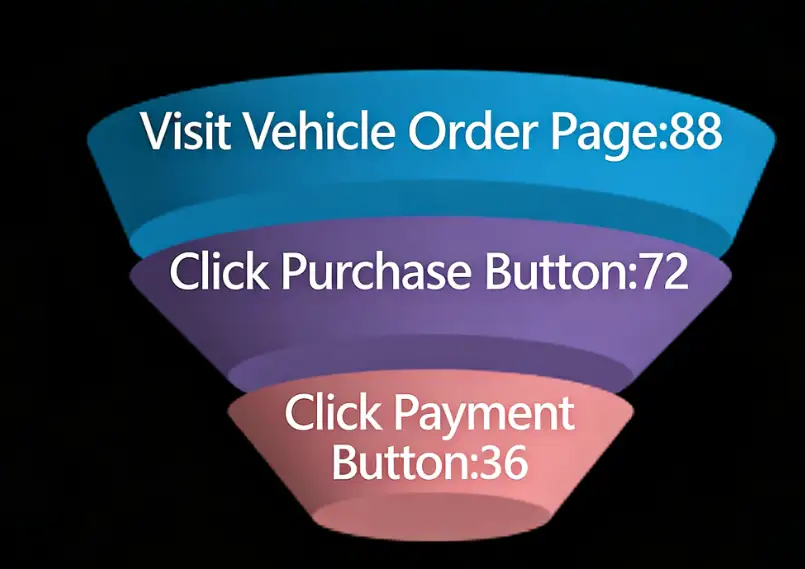
Component Description:
The funnel chart represents the flow of data, generally where values decrease (or increase) sequentially. The funnel is drawn from top to bottom in the order of the array.
Request Method: POST
https://doc.tingyun.com/sense/example/funnel3d.json
Parameters:
| Field | Type | Description | Required |
|---|---|---|---|
| currentTime | Number | Current timestamp. | Yes |
| token | String | Salt value. Verification rule is md5(timePeriod+currentTime+configured token). E.g., if timePeriod is 30, currentTime is 1513137332798, token is abc, then compute MD5 for '301513137332798abc'. | No |
| timePeriod | Number | Time range in minutes. | Yes |
Correct Response Data:
| Field | Type | Description |
|---|---|---|
| series | Array | Can be any number of data items. |
| name | String | Name. |
| value | Number | Value, must be numeric type. |
| color | String | Bar color, "#77E5FF". |
Color can be passed through the interface or configured directly in the component. The color configured in the component has higher priority than the color value passed through the interface.
Example:
{
	"series": [
		{
			"name": "Visit Vehicle Order Page",
			"value": 93
		},
		{
			"name": "Click Order Now Button",
			"value": 77
		},
		{
			"name": "Click Payment Button",
			"value": 54
		}
	]
}
Bar Line Mixed Chart
3D Bar Line Chart
Component Name: 3D Bar Line Chart
Component Style:

Component Description:
Line chart plus bar chart, suitable for time series data format. Must return two sets of type=column data and two sets of type=line data, and all four sets of data must have the same x-axis data. If using this component for large screen display, it is recommended to use a host with higher configuration.
Request Method: POST
https://report.tingyun.com/example/browser/ls-performance.json
Parameters:
| Field | Type | Description | Required |
|---|---|---|---|
| currentTime | Number | Current timestamp. | Yes |
| token | String | Salt value. Verification rule is md5(timePeriod+currentTime+configured token). E.g., if timePeriod is 30, currentTime is 1513137332798, token is abc, then compute MD5 for '301513137332798abc'. | No |
| timePeriod | Number | Time range in minutes. | Yes |
Correct Response Data:
| Field | Type | Description |
|---|---|---|
| code | Number | Status code. |
| msg | String | Status description. |
| data | Object | Data object. |
| overview | Object | |
| tick | Number | X-axis time granularity, in minutes. |
| series | Object[] | |
| data | Object[] | |
| x | Number | X-axis data, only supports timestamps. |
| y | Number | Y-axis data. |
| name | String | Data item name. |
| type | String | Horizontal coordinate graphic, column displays bar chart, line displays line chart. |
| yAxis | String | Which axis the data item uses, starting from 0. |
| yAixs | Object[] | Data item y-axis. |
| tickUnit | String | Y-axis unit. |
Example:
 {
  "id": 1,
  "code": 200,
  "data": {
    "overview": {
      "tick": 1
    },
    "yAxis": [
      {
        "tickUnit": "times"
      },
      {
        "tickUnit": "ms",
        "opposite": true
      }
    ],
    "series": [
      {
        "name": "DNS",
        "type": "column",
        "yAxis": 0,
        "data": [
          {
            "y": 460,
            "x": 1582882920000
          },
          {
            "y": 4850,
            "x": 1582882980000
          },
          {
            "y": 687,
            "x": 1582883040000
          },
          {
            "y": 4870,
            "x": 1582883100000
          },
          {
            "y": 1861,
            "x": 1582883160000
          },
          {
            "y": 3818,
            "x": 1582883220000
          },
          {
            "y": 3743,
            "x": 1582883280000
          },
          {
            "y": 2238,
            "x": 1582883340000
          },
          {
            "y": 3944,
            "x": 1582883400000
          },
          {
            "y": 1569,
            "x": 1582883460000
          },
          {
            "y": 2619,
            "x": 1582883520000
          },
          {
            "y": 3200,
            "x": 1582883580000
          },
          {
            "y": 587,
            "x": 1582883640000
          },
          {
            "y": 3625,
            "x": 1582883700000
          },
          {
            "y": 4845,
            "x": 1582883760000
          },
          {
            "y": 1635,
            "x": 1582883820000
          },
          {
            "y": 927,
            "x": 1582883880000
          },
          {
            "y": 1087,
            "x": 1582883940000
          },
          {
            "y": 4504,
            "x": 1582884000000
          },
          {
            "y": 4017,
            "x": 1582884060000
          },
          {
            "y": 1737,
            "x": 1582884120000
          },
          {
            "y": 120,
            "x": 1582884180000
          },
          {
            "y": 502,
            "x": 1582884240000
          },
          {
            "y": 829,
            "x": 1582884300000
          },
          {
            "y": 740,
            "x": 1582884360000
          },
          {
            "y": 1584,
            "x": 1582884420000
          }
        ]
      },
      {
        "name": "SSL",
        "type": "column",
        "yAxis": 0,
        "data": [
          {
            "y": 693,
            "x": 1582882920000
          },
          {
            "y": 3387,
            "x": 1582882980000
          },
          {
            "y": 3415,
            "x": 1582883040000
          },
          {
            "y": 2131,
            "x": 1582883100000
          },
          {
            "y": 4372,
            "x": 1582883160000
          },
          {
            "y": 4635,
            "x": 1582883220000
          },
          {
            "y": 959,
            "x": 1582883280000
          },
          {
            "y": 3011,
            "x": 1582883340000
          },
          {
            "y": 3242,
            "x": 1582883400000
          },
          {
            "y": 2669,
            "x": 1582883460000
          },
          {
            "y": 3593,
            "x": 1582883520000
          },
          {
            "y": 1555,
            "x": 1582883580000
          },
          {
            "y": 4464,
            "x": 1582883640000
          },
          {
            "y": 716,
            "x": 1582883700000
          },
          {
            "y": 4022,
            "x": 1582883760000
          },
          {
            "y": 733,
            "x": 1582883820000
          },
          {
            "y": 3078,
            "x": 1582883880000
          },
          {
            "y": 3298,
            "x": 1582883940000
          },
          {
            "y": 3572,
            "x": 1582884000000
          },
          {
            "y": 3659,
            "x": 1582884060000
          },
          {
            "y": 4636,
            "x": 1582884120000
          },
          {
            "y": 4128,
            "x": 1582884180000
          },
          {
            "y": 2728,
            "x": 1582884240000
          },
          {
            "y": 1947,
            "x": 1582884300000
          },
          {
            "y": 2299,
            "x": 1582884360000
          },
          {
            "y": 3340,
            "x": 1582884420000
          }
        ]
      },
      {
        "name": "First Screen",
        "type": "line",
        "yAxis": 1,
        "data": [
          {
            "y": 2066,
            "x": 1582882920000
          },
          {
            "y": 2983,
            "x": 1582882980000
          },
          {
            "y": 4851,
            "x": 1582883040000
          },
          {
            "y": 3773,
            "x": 1582883100000
          },
          {
            "y": 4532,
            "x": 1582883160000
          },
          {
            "y": 2218,
            "x": 1582883220000
          },
          {
            "y": 3912,
            "x": 1582883280000
          },
          {
            "y": 3925,
            "x": 1582883340000
          },
          {
            "y": 179,
            "x": 1582883400000
          },
          {
            "y": 2591,
            "x": 1582883460000
          },
          {
            "y": 1994,
            "x": 1582883520000
          },
          {
            "y": 859,
            "x": 1582883580000
          },
          {
            "y": 2463,
            "x": 1582883640000
          },
          {
            "y": 1287,
            "x": 1582883700000
          },
          {
            "y": 3748,
            "x": 1582883760000
          },
          {
            "y": 3555,
            "x": 1582883820000
          },
          {
            "y": 1090,
            "x": 1582883880000
          },
          {
            "y": 4991,
            "x": 1582883940000
          },
          {
            "y": 2135,
            "x": 1582884000000
          },
          {
            "y": 1881,
            "x": 1582884060000
          },
          {
            "y": 4426,
            "x": 1582884120000
          },
          {
            "y": 1893,
            "x": 1582884180000
          },
          {
            "y": 4943,
            "x": 1582884240000
          },
          {
            "y": 3629,
            "x": 1582884300000
          },
          {
            "y": 2574,
            "x": 1582884360000
          },
          {
            "y": 2310,
            "x": 1582884420000
          }
        ]
      },
      {
        "name": "Connection",
        "type": "line",
        "yAxis": 1,
        "data": [
          {
            "y": 1639,
            "x": 1582882920000
          },
          {
            "y": 970,
            "x": 1582882980000
          },
          {
            "y": 178,
            "x": 1582883040000
          },
          {
            "y": 3194,
            "x": 1582883100000
          },
          {
            "y": 129,
            "x": 1582883160000
          },
          {
            "y": 3852,
            "x": 1582883220000
          },
          {
            "y": 3424,
            "x": 1582883280000
          },
          {
            "y": 1751,
            "x": 1582883340000
          },
          {
            "y": 3006,
            "x": 1582883400000
          },
          {
            "y": 3315,
            "x": 1582883460000
          },
          {
            "y": 1643,
            "x": 1582883520000
          },
          {
            "y": 3661,
            "x": 1582883580000
          },
          {
            "y": 2640,
            "x": 1582883640000
          },
          {
            "y": 2970,
            "x": 1582883700000
          },
          {
            "y": 4306,
            "x": 1582883760000
          },
          {
            "y": 3140,
            "x": 1582883820000
          },
          {
            "y": 458,
            "x": 1582883880000
          },
          {
            "y": 4169,
            "x": 1582883940000
          },
          {
            "y": 4719,
            "x": 1582884000000
          },
          {
            "y": 138,
            "x": 1582884060000
          },
          {
            "y": 4301,
            "x": 1582884120000
          },
          {
            "y": 3577,
            "x": 1582884180000
          },
          {
            "y": 3672,
            "x": 1582884240000
          },
          {
            "y": 220,
            "x": 1582884300000
          },
          {
            "y": 2075,
            "x": 1582884360000
          },
          {
            "y": 4671,
            "x": 1582884420000
          }
        ]
      }
    ]
  }
}
Bar Line Chart
Component Name: Bar Line Chart
Component Style:

Component Description:
Bar line chart is suitable for time series data format. Must return two sets of type=column data and two sets of type=line data, and all four sets of data must have the same x-axis data. If using this component for large screen display, it is recommended to use a host with higher emergency configuration.
Request Method: POST
https://report.tingyun.com/example/browser/ls-performance.json
Parameters:
| Field | Type | Description | Required |
|---|---|---|---|
| currentTime | Number | Current timestamp. | Yes |
| token | String | Salt value. Verification rule is md5(timePeriod+currentTime+configured token). E.g., if timePeriod is 30, currentTime is 1513137332798, token is abc, then compute MD5 for '301513137332798abc'. | No |
| timePeriod | Number | Time range in minutes. | Yes |
Correct Response Data:
| Field | Type | Description |
|---|---|---|
| code | Number | Status code. |
| data | Object | Data object. |
| series | Object[] | |
| name | String | Data item name. |
| data | Object[] | |
| x | Number | X-axis data, only supports timestamps. |
| y | Number | Y-axis data. |
| yAxis | Object[] | Data item y-axis. |
| tickUnit | String | Y-axis unit. |
Example:
 HTTP/1.1 200 OK
{
  "code": 200,
  "data": {
    "series": [
      {
        "name": "a.tingyun.com",
        "data": [
          {
            "y": 712,
            "x": 1576837140000
          },
          {
            "y": 4871,
            "x": 1576837200000
          },
          {
            "y": 4020,
            "x": 1576837260000
          }
        ]
      },
      {
        "name": "b.tingyun.com",
        "data": [
          {
            "y": 237,
            "x": 1576837140000
          },
          {
            "y": 1648,
            "x": 1576837200000
          },
          {
            "y": 98,
            "x": 1576837260000
          }
        ]
      },
      {
        "name": "c.tingyun.com",
        "data": [
          {
            "y": 4339,
            "x": 1576837140000
          },
          {
            "y": 2740,
            "x": 1576837200000
          },
          {
            "y": 3305,
            "x": 1576837260000
          }
        ]
      },
      {
        "name": "d.tingyun.com",
        "data": [
          {
            "y": 2692,
            "x": 1576837140000
          },
          {
            "y": 1434,
            "x": 1576837200000
          },
          {
            "y": 1494,
            "x": 1576837260000
          }
        ]
      },
      {
        "name": "e.tingyun.com",
        "data": [
          {
            "y": 4128,
            "x": 1576837140000
          },
          {
            "y": 3170,
            "x": 1576837200000
          },
          {
            "y": 2580,
            "x": 1576837260000
          }
        ]
      }
    ],
    "yAxis": [
      {
        "tickUnit": "times"
      }
    ]
  }
}
Mixed Line Chart
Metric Area Chart
Component Name: Metric Area Chart
Component Style:

Component Description:
Metric area chart supports multiple sets of data, and the data of each set can support data of any length.
Request Method: POST
https://doc.tingyun.com/sense/example/titlearea.json
Parameters:
| Field | Type | Required | Description |
|---|---|---|---|
| currentTime | Number | Yes | Current timestamp. |
| token | String | No | Salt value, used to verify parameter integrity. Verification rule is md5(timePeriod+currentTime+configured token). E.g., if timePeriod is 30, currentTime is 1513137332798, token is abc, then compute MD5 for '301513137332798abc'. |
| timePeriod | Number | Yes | Time range in minutes. |
Correct Response Data:
| Field | Type | Description |
|---|---|---|
| series | Array | Data series, corresponds to number of data items. |
| name | String | Data name. |
| title | String | Subtitle. |
| value | Number/String | Data value, can be empty. |
| data | Array | Array values must be numeric type. |
Example:
{
	"series": [
		{
			"name": "Monthly Active Users",
			"title": "(12.21-12.21)",
			"value": 44,
			"data": [
				7,
				10,
				98,
				83,
				19,
				73,
				38,
				28,
				76,
				59,
				67,
				66
			]
		},
		{
			"name": "Daily Activate Units",
			"title": "(12.20-12.21)",
			"value": 47,
			"data": [
				85,
				88,
				10,
				46,
				46,
				41,
				79,
				58,
				95,
				59,
				77,
				60
			]
		},
		{
			"name": "Average Concurrent Users",
			"title": "(11:55)",
			"value": 67,
			"data": [
				9,
				94,
				69,
				28,
				3,
				65,
				96,
				89,
				88,
				83,
				47,
				90
			]
		}
	]
}
Area Chart
Treemap
Component Name: Treemap
Component Style:

Component Description:
Treemap return format.
Request Method: POST
https://doc.tingyun.com/sense/example/treemap.json
Parameters:
| Field | Type | Description | Required |
|---|---|---|---|
| currentTime | Number | Current timestamp. | Yes |
| token | String | Salt value. Verification rule is md5(timePeriod+currentTime+configured token). E.g., if timePeriod is 30, currentTime is 1513137332798, token is abc, then compute MD5 for '301513137332798abc'. | No |
| timePeriod | Number | Time range in minutes. | Yes |
Correct Response Data:
| Field | Type | Description |
|---|---|---|
| children | Object[] | Data items. |
| name | String | Title. |
| value | Number | Metric value. |
| children | Object[] | Child nodes. |
Example:
   HTTP/1.1 200 OK
{
  "children": [
    {
      "name": ">100",
      "value": 14,
      "children": [
        {
          "name": ">1000",
          "value": 10
        },
        {
          "name": ">100",
          "value": 4
        }
      ]
    },
    {
      "name": "50~100",
      "value": 14
    },
    {
      "name": "31~50",
      "value": 12
    },
    {
      "name": "11~20",
      "value": 12
    },
    {
      "name": "21~30",
      "value": 6
    },
    {
      "name": "3~5",
      "value": 11
    },
    {
      "name": "0~2",
      "value": 8
    },
    {
      "name": "6~10",
      "value": 5
    }
  ]
}
Other Components
ECharts Chart
Component Name: ECharts Chart
Component Style:

Component Description:
ECharts chart is generated by directly calling the javascript eval method to execute the string in the editor.
Precautions:
- Please write chart configuration items according to the official API.
- Dynamic chart updates need to use the this.myChart object for updating.
- The editor provides global jquery, $, echarts objects.
- If the chart cannot render normally, please check the console for errors.
Request Method: POST
https://report.tingyun.com/Echarts
Example:
//Configure the option property according to the official ECharts API. Note that the chart configuration item must be named option, otherwise it cannot render normally.
var option = {
    color: ['#3398DB'],
    tooltip : {
        trigger: 'axis',
        axisPointer : {
            type : 'shadow'
        }
    },
    grid: {
        left: '3%',
        right: '4%',
        bottom: '3%',
        containLabel: true
    },
    xAxis : [
        {
            type : 'category',
            data : ['Mon', 'Tue', 'Wed', 'Thu', 'Fri', 'Sat', 'Sun'],
            axisTick: {
                alignWithLabel: true
            }
        }
    ],
    yAxis : [
        {
            type : 'value'
        }
    ],
    series : [
        {
            name:'Direct Access',
            type:'bar',
            barWidth: '60%',
            data:[10, 52, 200, 334, 390, 330, 220]
        }
    ]
};

//demo dynamic chart update;
//Must update the chart dynamically through this.myChart;
//The editor provides global jquery, $, echarts objects.
this.demointer = setInterval(function () {
	var data = this.myChart.getOption().series[0].data;
	for (var i = 0; i < 5; i++) {
		data.shift();
		data.push(Math.floor(Math.random()*100));
	}
	this.myChart.setOption({series: [{data: data}]});
}.bind(this), 3000);
Highcharts Chart
Component Name: Highcharts Chart
Component Style:

Component Description:
Highcharts chart is generated by directly calling the javascript eval method to execute the string in the editor.
Precautions:
- Please write chart configuration items according to the official API.
- Cannot initialize the chart through Highcharts.chart('renderTo',option), can only pass option to render the chart.
- Dynamic chart updates need to use the this.myChart object for updating.
- The editor provides global jquery, $, Highcharts objects.
- If the chart cannot render normally, please check the console for errors.
Request Method: POST
https://report.tingyun.com/HighCharts
Example:
//Configure the option property according to the official Highcharts API. Note that the chart configuration item must be named option, otherwise it cannot render normally.
var option = {
    chart: {
        type: 'column'
    },
    title: {
        text: 'Market share of various browsers from January to May 2015'
    },
    xAxis: {
        type: 'category'
    },
    yAxis: {
        title: {
            text: 'Total market share'
        }
    },
    legend: {
        enabled: false
    },
    plotOptions: {
        series: {
            borderWidth: 0,
            dataLabels: {
                enabled: true,
                format: '{point.y:.1f}%'
            }
        }
    },
    tooltip: {
        headerFormat: '{series.name}<br/>',
        pointFormat: '{point.name}: {point.y:.2f}% of total<br/>'
    },
    series: [{
        name: 'Browser Brands',
        colorByPoint: true,
        data: [{
            name: 'Microsoft Internet Explorer',
            y: 56.33
        }, {
            name: 'Chrome',
            y: 24.03
        }, {
            name: 'Firefox',
            y: 10.38
        }, {
            name: 'Safari',
            y: 4.77
        }, {
            name: 'Opera',
            y: 0.91
        }, {
            name: 'Proprietary or Undetectable',
            y: 0.2
        }]
    }]
};

//demo dynamic chart update;
//Must update the chart dynamically through this.myChart;
//The editor provides global jquery, $, echarts objects.
this.demointer = setInterval(function () {
	var data = this.myChart.series[0].data;
	var newdata = [];
	for (var i = 0; i < data.length; i++) {
		newdata[i]={name:data[i].name,y:Math.floor(Math.random()*100)};
	}
	this.myChart.update({series: [{	data: newdata}]});
}.bind(this), 3000);
Iframe
Component Name: Iframe
Component Style:

Component Description:
Dynamically set the iframe src attribute, can only set https:// addresses.
Request Method: POST
https://report.tingyun.com/