Swift Launch Data Collection
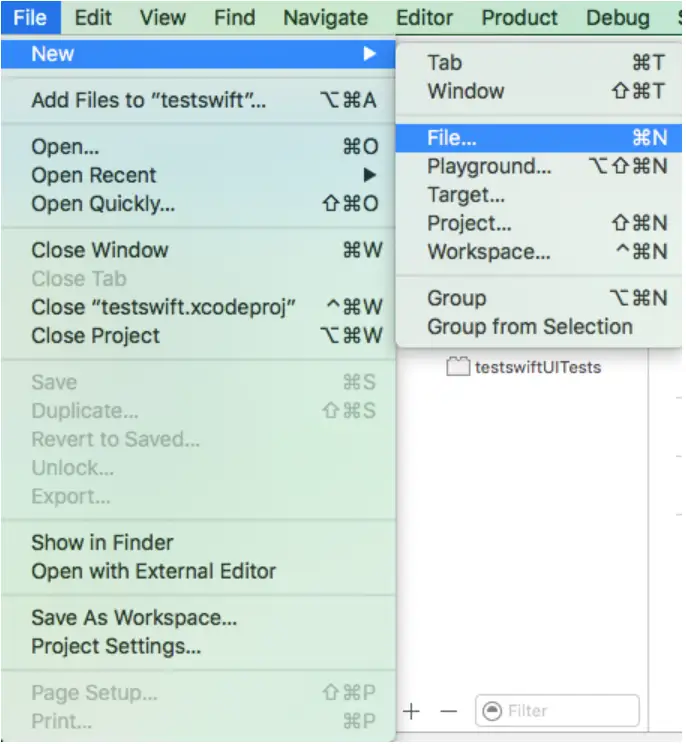
- Open Xcode, select File→New→File (or ⌘N) in sequence.
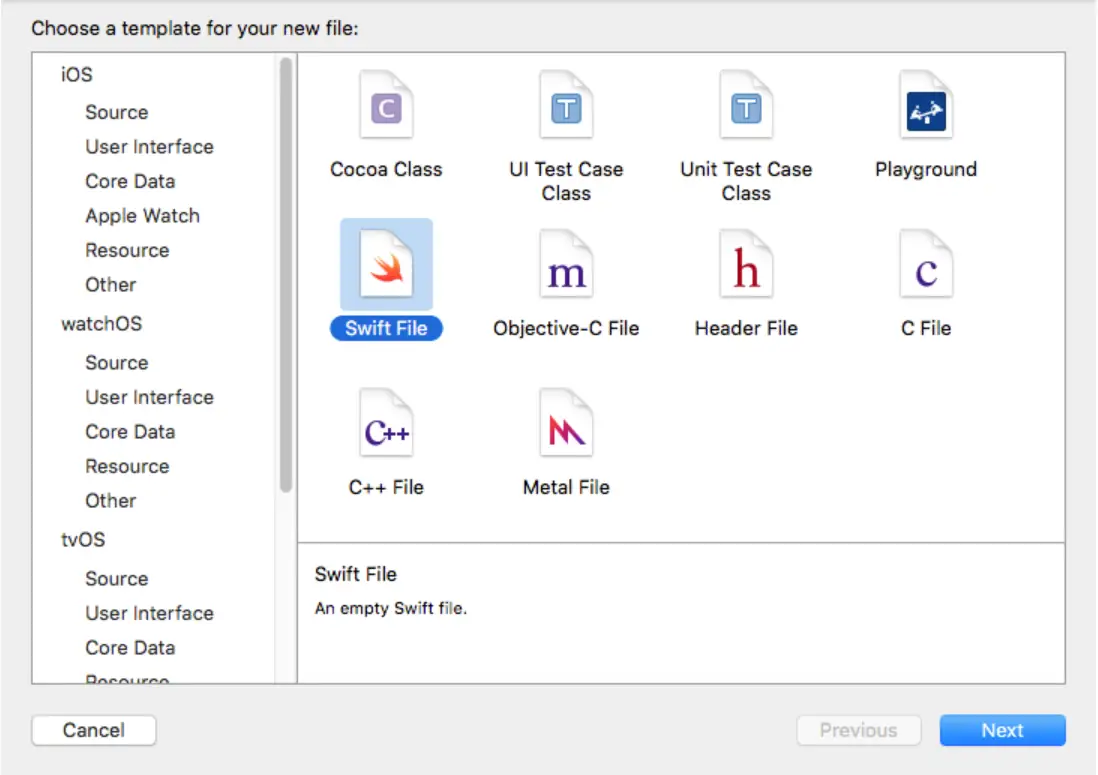
- Select Swift File in the popup dialog, click Next.
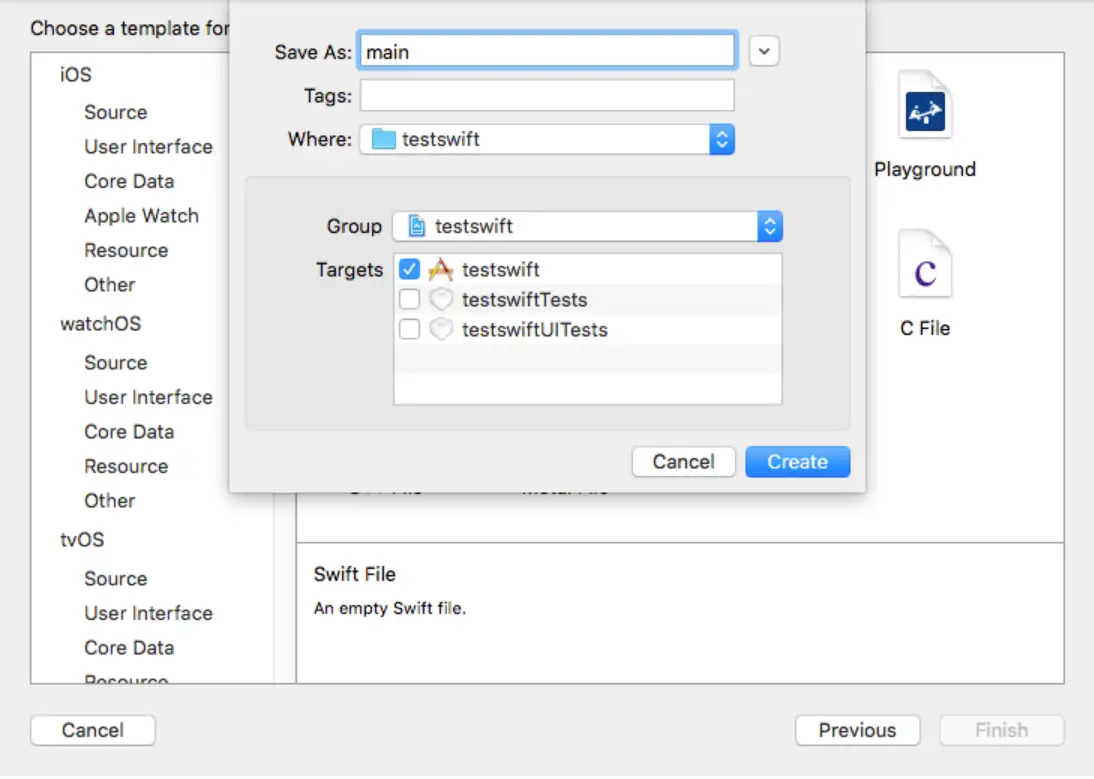
- Name the Swift file as main.
- Comment out @UIApplicationMain in the AppDelegate.swift file as shown in the figure below.

- Add the following code in the main.swift file.
import Foundation
import UIKit
NBSAppAgent.start(withAppID: "your_appKey") // Tingyun SDK startup function
UIApplicationMain(
    CommandLine.argc,
    UnsafeMutableRawPointer(CommandLine.unsafeArgv)
        .bindMemory(
            to: UnsafeMutablePointer<Int8>.self,
            capacity: Int(CommandLine.argc)),
    nil,
    NSStringFromClass(AppDelegate.self)
)