Deployment Guide
To implement mini-program performance monitoring, you need to embed the Tingyun mini-program JS probe in the mini-program package. The specific operation steps are as follows.
-
Create application name.
On the Application Overview page, click Add Application in the upper right corner to enter the Create Application page, enter the mini-program name, and then save the configurations. Mini-program names cannot be duplicated.

-
Download probe.
Click Download Probe, after downloading the mini-program JS probe, please place the JS probe directly in the mini-program root directory (if placed in other directories, the probe address in the following code must be changed accordingly).

-
This configuration code method can be used for mini-programs such as WeChat, Alipay, DingTalk, Baidu, and JD.
a. Create an agent folder in the project root directory. Copy the probe tingyun-mp-agent.js (modify the file name as needed) to the agent directory and create init.js.
Directory structure:
|-- agent
    |-- tingyun-mp-agent.js  // The file name is modified according to the actual situation
    |-- init.js
b. Reviseinit.js
const agent = require('./tingyun-mp-agent.js');
agent.config({
    beacon: <Data upload server address>,
    key: <application key>,
    id: <account id>,
    sampleRate: 1
});

module.exports = agent;
c. Introduce the probe in the first line of app.js
// Fill in according to the actual path
import './agent/init.js';
// ...
d. If you call the probe interface on the relevant page, you can import the probe object and use
For example, pages/index/index.js needs to call the probe interface. The example of introducing the probe is as follows:
// Import the probe object, set the name to Tingyun (customizable), and fill in the actual path
import Tingyun from '../../agent/init.js';

Page({
  callTingyunAgent() {
    // const action = Tingyun.newAction({
    //  // ...
    // })
  }
})
Note:
- If the probe is placed in other directories, the probe address in the following code must be changed accordingly.
- The probe enables plugin monitoring by default, but WeChat SDK versions below 2.6.4 do not support it. If monitoring is needed, you can implement it through custom configuration. The implementation method is the same as plugin support. You can view the Support Documentation.
-
Configure request legal domain.
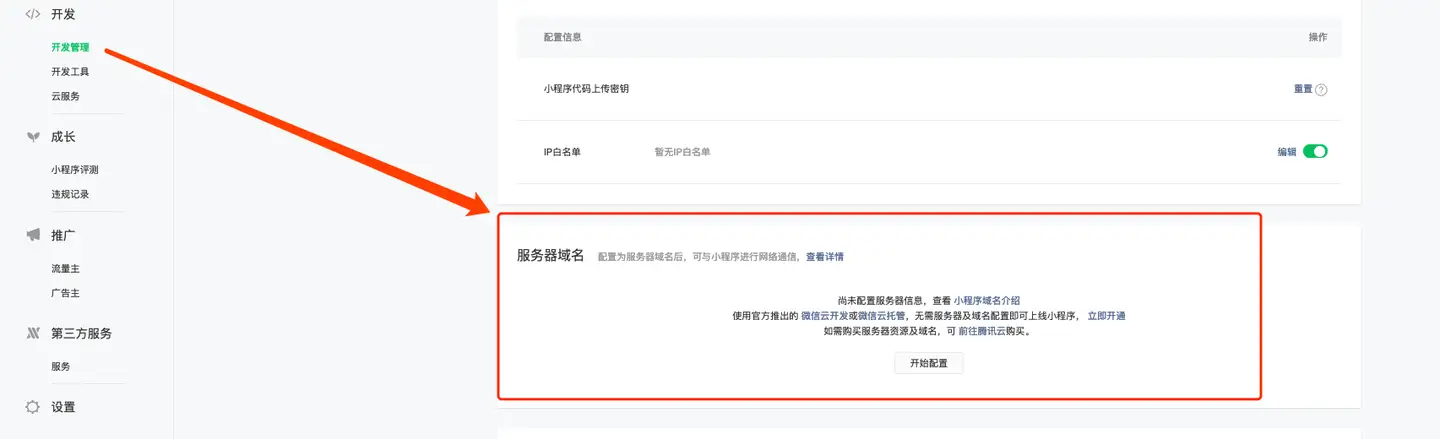
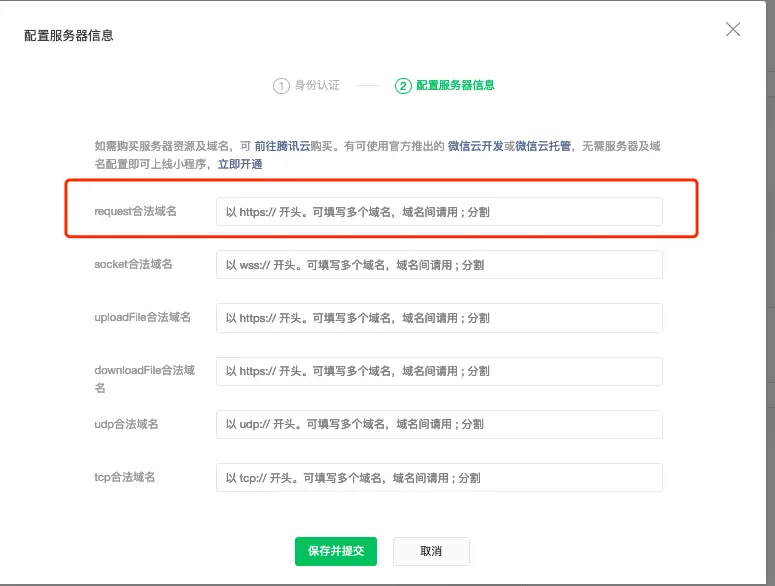
After copying the domain address, add the Tingyun server address that receives probe data to Development Settings > Server Domain > Request Legal Domain in the WeChat mini-program backend, as shown in the figure below:
After configuration is complete, after the mini-program is published, you can see real-time performance data in the Tingyun mini-program console.