接入Zabbix数据
适配范围
Zabbix Server 5.0、6.0、7.0。
Collector最低版本要求:4.2.0.0,并启用 Guanyun Collector 模块。
确认Collector部署位置
Collector需要读取Zabbix Server文件并调用Zabbix API。
因此,建议将Collector部署在Zabbix Server所在服务器上。如果Zabbix Server将其文件存储于网络共享存储(如通过NFS挂载的存储),则Collector可部署于任何能访问此存储的服务器上。同时,该服务器必须能够通过网络访问Zabbix API。
配置网络与端口策略
下表为示例地址与端口。请结合实际项目的地址规划和端口配置进行调整后再实施。
| 源地址 | 目标地址 | 目标端口 | 说明 |
|---|---|---|---|
| Collector 所在服务器 | 观云平台 | 80 | Collector 安装,向平台上传数据 |
| Collector 所在服务器 | Zabbix API | 80 | 读取 Zabbix API 数据 |
安装Collector
-
登录平台,在左侧导航栏中依次选择“全部应用 > 部署状态 > Collectors管理”。
-
在 Collectors管理 页签的右上角单击 “新增”,并配置Collector参数。
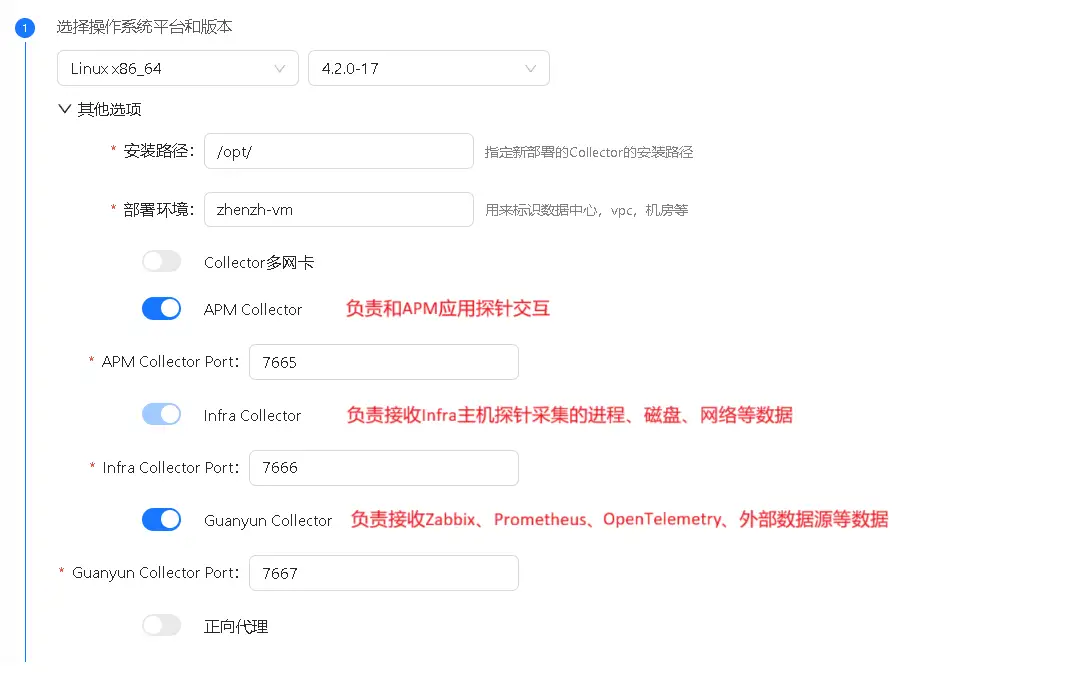
推荐关闭 “APM Collector” : 因为APM功能需要消耗比较高的CPU,尽量减少APM功能对Zabbix服务器的影响。
必须开启“Guanyun Collector”: 用来接收Zabbix、Prometheus、OpenTelemetry、外部数据源等产生的监控数据。
复制安装Collector的脚本,在Zabbix Server所在的服务器上安装Collector。
配置 Zabbix Server 导出文件
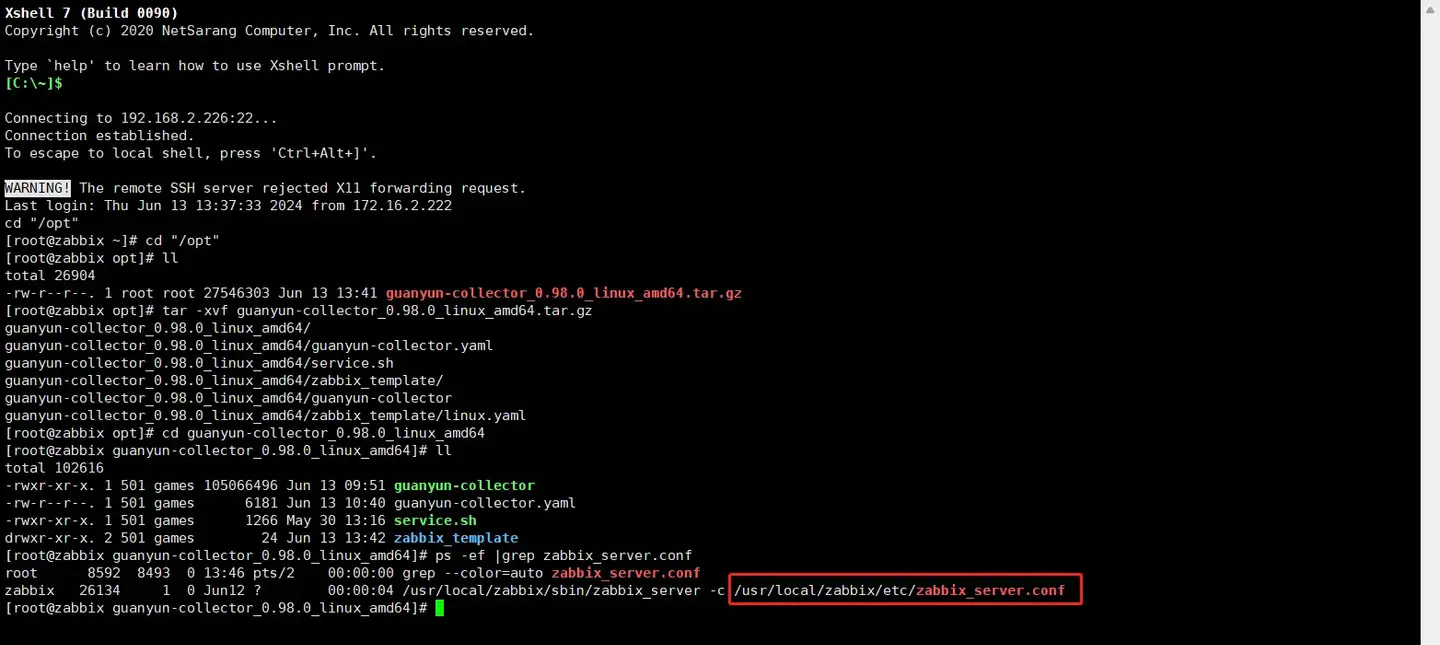
查找 Zabbix Server 配置文件
在Zabbix Server服务器上执行
ps -ef |grep zabbix_server.conf
修改 Zabbix Server 配置文件
使用 vim 命令打开使用 ps 查到的 zabbix_server.conf 文件,并对照下方配置修改:
# ExportDir=
# 这里修改为指标数据导出的目录,需要运行zabbix server的用户具有这个目录读写权限
# 注意该目录需要提前手工创建
#ExportDir=/data/zabbix/data
ExportDir=
### Option: ExportFileSize
#       Maximum size per export file in bytes.
#       Only used for rotation if ExportDir is set.
#
# Mandatory: no
# Range: 1M-1G
# Default:
# ExportFileSize=1G 根据实际情况配置
ExportFileSize=1G

### Option: ExportType
#       List of comma delimited types of real time export - allows to control export entities by their
#       type (events, history, trends) individually.
#       Valid only if ExportDir is set.
#
# Mandatory: no
# Default:
# ExportType=events,history,trends
ExportType=history
重启 Zabbix Server
sudo systemctl restart zabbix-server.service
验证 Zabbix Server 导出数据
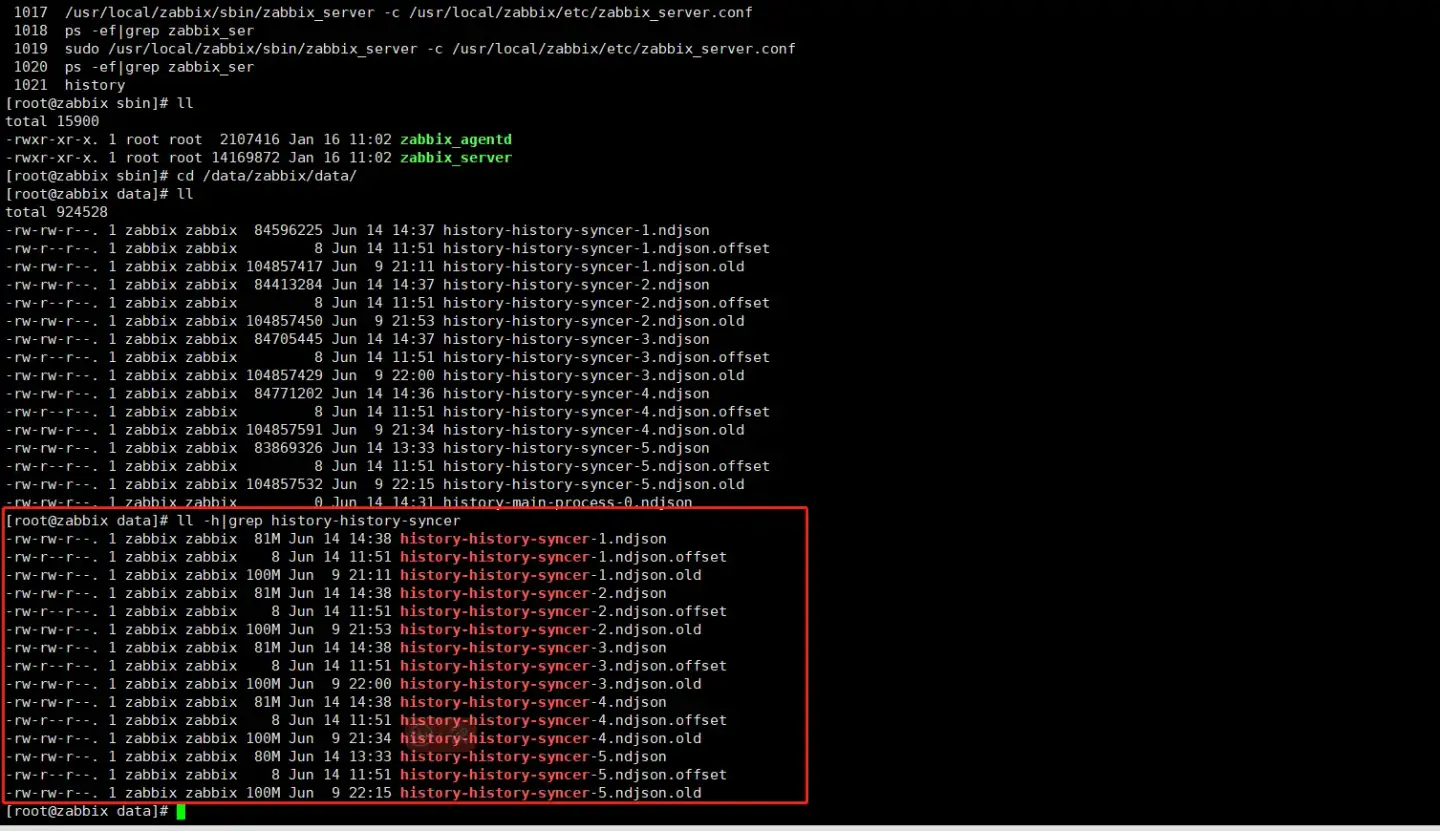
进入指标数据导出的目录:ExportDir(/data/zabbix/data)
如下图所示,出现有 history-history-syncer 字段的文件则为有指标数据产生。
配置 Collector 接收 Zabbix 数据
进入 Collector 安装目录
cd /opt/tingyun-collector/
开启 Zabbix 模块
sudo mkdir -p /opt/tingyun-collector/zabbix/checkpoint/
cd conf.d/zabbix
sudo cp host-receiver.yaml.example host-receiver.yaml
sudo cp host-processor-exporter.yaml.example host-processor-exporter.yaml
修改接收 Zabbix 数据配置:
sudo vim host-receiver.yaml
receivers:
    zabbix:
        # 必填
        # zabbix url地址
        # 示例: http://localhost/zabbix/api_jsonrpc.php
        url:

        # 可选,默认 false 用于跳过ssl证书验证
        #skip_verify_ssl: false

        # 必填
        # zabbix 报表登陆用户
        # 示例: Admin
        user:

        # 必填
        # zabbix 报表登陆密码,支持明文和密文(pass-gen)生成
        # 示例: zabbix
        password:

        # 必填
        # zabbix 版本,目前支持 5.0、6.0、7.0 默认 5.0
        # float类型
        version: 5.0

        export:
            # 必填
            # zabbix 指标导出的目录,需要有可读可写权限
            # 示例: /data/zabbix/data
            directory:
            # 必填
            checkpoint: ${env:TINGYUN_COLLECTOR_HOME}/zabbix/checkpoint
其中 password 使用以下命令生成 /opt/tingyun-collector/bin/watchdog -mode passgen -plaintext '明文密码'
重启Collector
修改完配置需重启 Collector
sudo systemctl restart tingyun-collector
验证数据
tail -f /opt/tingyun-collector/logs/guanyun/collector.log
查看报表
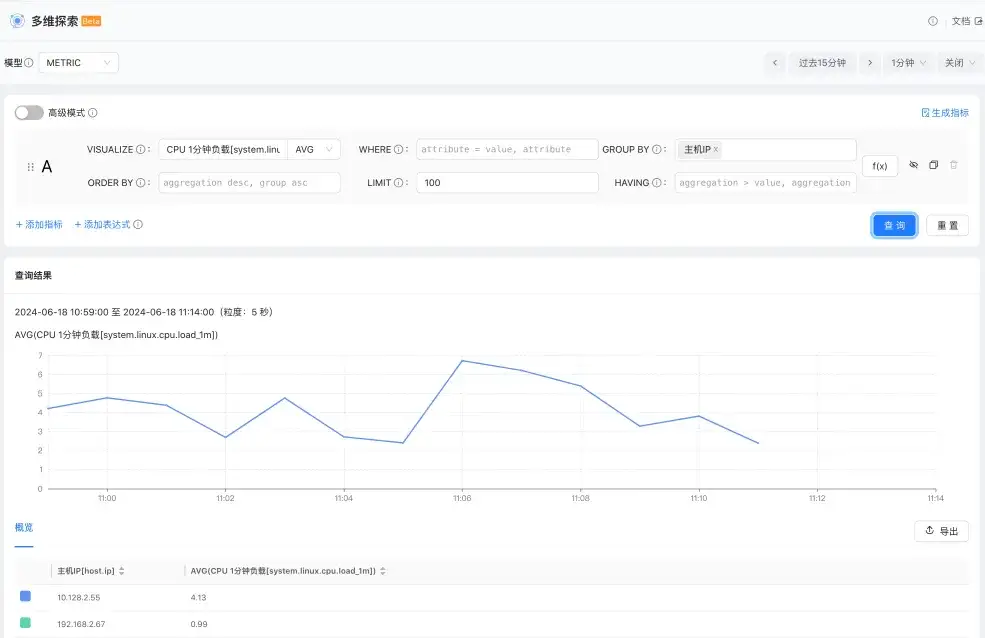
进入多维探索轻应用,数据模型选择 Metric,任意查询一个主机指标,按主机 IP 分组,确认接入的 Zabbix 数据的主机 IP 在列表中。